Seedance 2.0 AI Video Generator for Controlled Creative Video
Turn ideas and reference assets into polished motion with Seedance 2.0
Create expressive AI video without rebuilding your workflow around complex editing software. Seedance 2.0 turns clear ideas into directed visual results through natural-language guidance and references. Use the Seedance 2.0 AI Video Generator to control subject behavior, camera movement, atmosphere, pacing, and continuity. For social content, product concepts, storyboards, or branded clips, define the scene, add useful references, describe the motion, and refine the result.
How to Create with Seedance 2.0
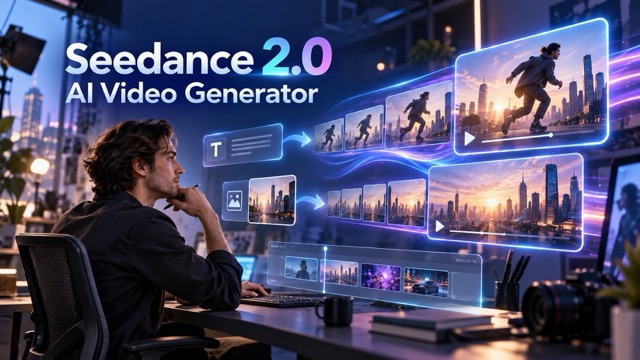
A focused creative brief makes Seedance 2.0 easier to control. Define the subject, action, setting, camera behavior, and visual mood in a logical order. Treat the prompt like a compact director brief, add only useful references, and revise one major variable at a time. This keeps the workflow more predictable across campaigns, storyboards, product visuals, and social video.

1. Describe the Scene
Start with a concise prompt covering the subject, environment, action, mood, and camera behavior. Concrete verbs help the Seedance 2.0 AI Video Generator understand direction more clearly than vague adjectives. Describe what happens, what changes, and what the viewer should notice. If a product, character, location, or visual identity matters most, state that priority early.

2. Add Useful References
Use references when text alone cannot communicate the look, motion, framing, or identity you need. Choose each visual or media reference for a specific purpose instead of adding everything available. The Seedance 2.0 AI Video Generator becomes easier to direct when each reference answers one question: subject appearance, camera movement, visual mood, composition, or action style.

3. Generate, Review, Refine
Generate the first version, then review subject consistency, movement, framing, rhythm, and scene logic. Keep what works and revise only the weakest instruction. Focused iteration with the Seedance 2.0 AI Video Generator is more useful than rewriting the entire brief. Save successful wording so future projects become faster and more consistent.
4 Core Features of Seedance 2.0
Seedance 2.0 brings four core capabilities into one AI video workflow: text-to-video generation, image-to-video animation, reference-guided control, and cinematic camera direction. Together, they help creators move from an idea or source asset to a more controlled video draft. The Seedance 2.0 AI Video Generator supports ideation, campaign development, storyboarding, and visual experimentation while keeping prompts, references, motion, and camera choices connected.
Text-to-Video Generation
Seedance 2.0 Text to Video
Turn a written scene into directed motion by defining the subject, action, environment, shot type, camera path, lighting, and tone. The Seedance 2.0 AI Video Generator helps creators compare visual approaches before larger production. Product teams can test launch ideas, creators can explore short-form hooks, and storytellers can preview how a scene may unfold while keeping the creative brief focused.
Image-to-Video Animation
Seedance 2.0 Image to Video
Use a strong still image as the foundation for a moving scene. Describe how the subject should move, what the environment should do, and how the camera should respond. The Seedance 2.0 AI Video Generator suits portraits, product reveals, landscapes, concept art, poster animation, and visual storytelling while helping preserve the original composition and visual intent.
Multimodal Reference Control
Reference-Guided Generation
Use visual and media references to guide details that are difficult to explain with text alone, including appearance, motion, composition, pacing, and camera behavior. The Seedance 2.0 AI Video Generator fits workflows built around moodboards, sample shots, character art, product photography, or movement examples. Give every reference a clear role so the model knows what to borrow.
Camera and Motion Direction
Cinematic Camera Control
Shape camera distance, movement, timing, lighting, and shot progression for a more intentional result. The Seedance 2.0 AI Video Generator can test push-ins, tracking shots, product reveals, or dramatic sequences before final production. Adjust camera and motion instructions separately so each refinement is easier to evaluate.
Seedance 2.0 Use Cases for Real Creative Workflows
Use Seedance 2.0 where faster visual exploration adds clear value, from advertising and social content to product visuals, storyboards, and game concepts. Give each generation a specific purpose, review criterion, and next step so the Seedance 2.0 AI Video Generator supports a real creative decision.

Social Media and Short-Form Content
Explore hooks, transitions, loops, mood-driven clips, and short narrative ideas for social platforms. The Seedance 2.0 AI Video Generator helps creators test multiple directions without rebuilding every concept from scratch. Keep the opening action clear, design the first moments around attention, and save prompt structures that consistently match the framing, motion, and tone your audience recognizes.
Product Marketing and E-commerce
Turn product photos or campaign ideas into video drafts for launches, landing pages, ads, and social campaigns. Use the Seedance 2.0 AI Video Generator to test camera movement, close-ups, environmental storytelling, and product reveals before choosing the strongest direction. Keep the product visually dominant and use supporting motion only where it strengthens the presentation.
Film, Storyboard, and Previsualization
Turn scene descriptions, character references, and shot ideas into moving drafts before a physical shoot or full animation pass. The Seedance 2.0 AI Video Generator helps teams compare composition, atmosphere, performance direction, and camera language. Use these drafts to identify what the scene still lacks and carry the strongest ideas into the next production stage.
Game, Concept, and World Visualization
Explore how characters, environments, creatures, props, and cinematic moments behave in motion. The Seedance 2.0 AI Video Generator helps concept teams test whether an idea still works once timing and movement are introduced. Keep the scene objective simple during early tests, then add complexity after the core interaction feels convincing, creating a practical bridge between concept art and production planning.
Designed Around the Way Creators Actually Iterate
These profiles describe common Seedance 2.0 workflows rather than verified customer endorsements. They show how creators may reduce repetitive setup, compare visual directions, and reach clearer production decisions with the AI video generator.
A short-form creator can test opening shots and motion ideas in Seedance 2.0 before choosing the concept that best fits the channel, making iteration faster and more focused.
A short-form creator can test opening shots and motion ideas in Seedance 2.0 before choosing the concept that best fits the channel, making iteration faster and more focused.
A product marketer can bring a campaign image into Seedance 2.0, describe a controlled reveal, and compare directions before moving the strongest concept into production.
A product marketer can bring a campaign image into Seedance 2.0, describe a controlled reveal, and compare directions before moving the strongest concept into production.
A filmmaker can use the Seedance 2.0 AI Video Generator to test camera movement and atmosphere before investing in a detailed storyboard or physical setup.
A filmmaker can use the Seedance 2.0 AI Video Generator to test camera movement and atmosphere before investing in a detailed storyboard or physical setup.
A designer can use Seedance 2.0 to check whether a static visual system remains coherent in motion while keeping animation aligned with the original art direction.
A designer can use Seedance 2.0 to check whether a static visual system remains coherent in motion while keeping animation aligned with the original art direction.
A game concept team can use Seedance 2.0 to explore movement, environmental mood, and cinematic staging before choosing moments for deeper development.
A game concept team can use Seedance 2.0 to explore movement, environmental mood, and cinematic staging before choosing moments for deeper development.




Seedance 2.0 FAQ
These answers cover common Seedance 2.0 questions about video creation, prompt writing, image animation, reference-guided generation, and practical workflows.
Seedance 2.0 is an AI video creation model for prompt-driven and reference-guided workflows. Creators can develop concepts from written direction and supporting media, then refine motion, camera behavior, pacing, atmosphere, and continuity. The Seedance 2.0 AI Video Generator can support social video, advertising, product visuals, storyboards, cinematic experiments, and other short-form production needs.
Write a Seedance 2.0 prompt like a compact shot brief: subject, action, environment, framing, camera movement, lighting, mood, and timing. Use concrete actions such as walks, turns, reaches, or tracks instead of relying only on broad words like cinematic or beautiful. One clear visual objective is easier for the Seedance 2.0 AI Video Generator to control than several unrelated transformations.
Yes. In an image-to-video workflow, a still image provides the visual starting point while the prompt defines subject movement, environmental motion, camera behavior, and what should remain stable. The Seedance 2.0 AI Video Generator is useful when you already like the composition and want to add purposeful motion without redesigning the scene.
Seedance 2.0 availability, free credits, limits, and pricing can vary by platform and may change over time. Check the current usage terms where you access the Seedance 2.0 AI Video Generator before starting a larger project. Only describe the experience as free when the platform actually provides free generation or clearly defined free credits.
Use a reusable prompt structure, give every reference a clear purpose, and change one major variable at a time. After each Seedance 2.0 generation, review subject identity, motion logic, camera path, framing, continuity, and lighting. Save successful prompt and reference combinations as repeatable patterns so the Seedance 2.0 AI Video Generator becomes faster to use across future clips.
Create Your Next Video with Seedance 2.0
Move from a written idea or reference image to a directed video concept with Seedance 2.0. Test motion, camera choices, atmosphere, and visual storytelling in one focused workflow. Refine what matters, then move the strongest result into the next stage of production.