
Free Seedream 5 Pro Prompts: Create Distinct Image Concepts
Create portraits, products, worlds, and illustrations with Seedream 5 Pro prompts. Use this Seedream prompt guide to adapt each idea. Start creating!
Describe what you want, and AI will generate professional prompts for you.

Make a minimalistic professional ad for the reference image. Focus on this message: "Try the Free AI Image Tool" My colors are yellow, add the mascot half from the side, like its peeping on the ad.

Photorealistic cinematic sports editorial inside a large football stadium. Plenty rows of bright orange seats with upper sections of white seats creating bold graphic contrast. Dramatic hard spotlight cutting diagonally across seating, rest of stadium fading into deep black shadows. High contrast, rich blacks, glowing burnt orange tones, realistic stadium atmosphere. A naturally attractive person as reference sits casually on a seat, looking directly at camera with a calm, friendly expression. Shoulder length softly textured hair moving slightly. Wearing a fitted black athletic T shirt with three white stripes, and a matching black training pants. Real person appearance, natural facial proportions, authentic features, realistic skin texture. Modern sports photography, ultra sharp, premium sportswear campaign, clean composition, cinematic lighting, subtle 35mm film grain, rich color depth. No audience, no text, no logos, no watermark.

Transform the uploaded portrait into a professional corporate headshot. Dress the subject in a tailored navy blazer and white shirt. Use a clean light gray studio background with soft, flattering lighting. Preserve the person's exact facial features, identity, hairstyle, and natural skin texture. Create a realistic, polished photograph without excessive retouching.
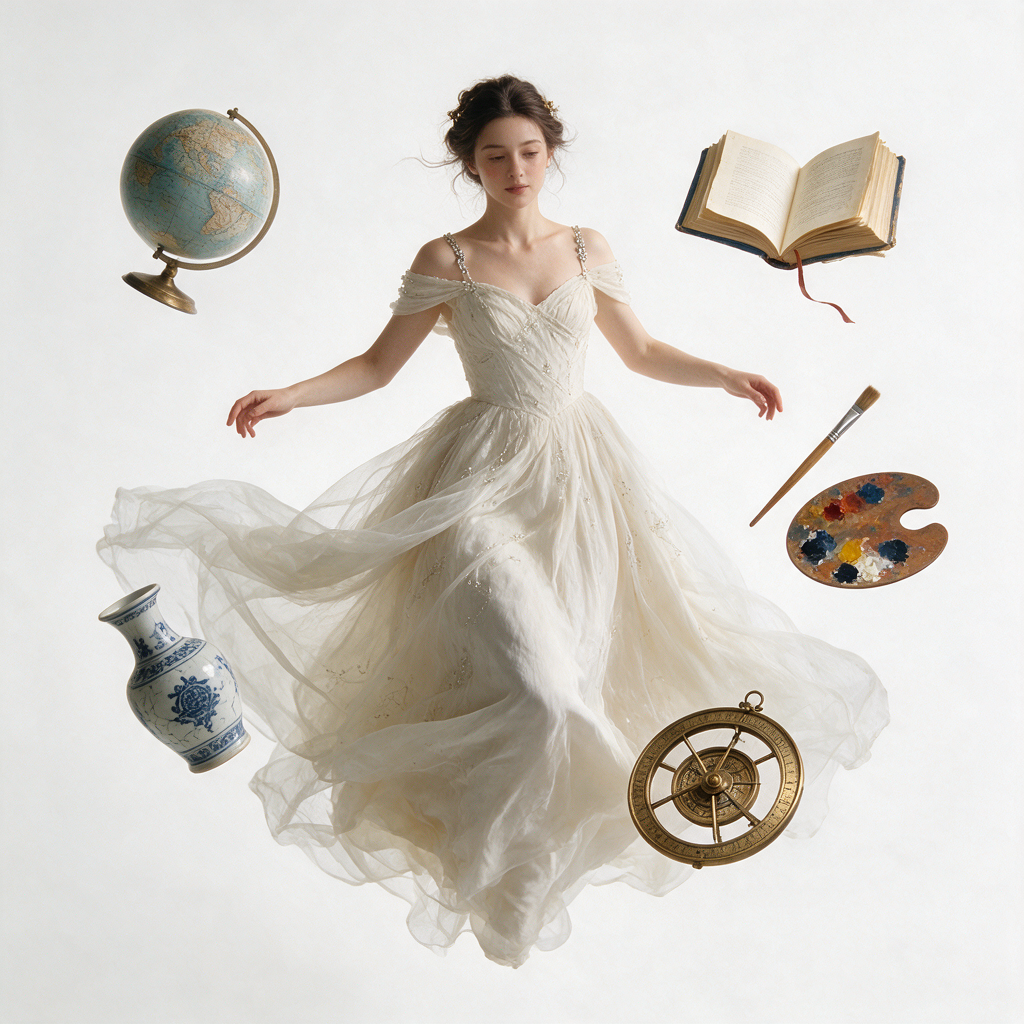
A damsel suspended in mid-air while symbolic objects orbit gracefully around them, weightless composition, cinematic lighting, surreal realism, crisp focus, clean background, premium visual storytelling.
Seedream 5 Pro Prompts For Images Worth Creating
Explore Seedream 5 Pro Prompts And Find A Seedream Prompt Guide
Turn a rough idea into a deliberate visual with Seedream 5 Pro prompts. Start with a Seedream prompt guide, choose your subject, and shape the light, setting, and composition. Explore portraits, product scenes, architecture, fantasy environments, illustrations, and sculptural designs with room for your own creative direction. Use this library as an editorial starting point for Seedream 5 Pro, not as a promise of identical outputs. The Use it control opens the corresponding image generator with the selected model. Copy it copies the prompt text so you can revise details before generating.
How To Use Seedream 5 Pro Prompts
Make Seedream 5 Pro prompts work for your project by moving from inspiration to a clear brief. A Seedream prompt guide provides a starting structure; your choices give the finished image its purpose. Concise visual choices and consistent lighting make revision easier.

Choose Your Seedream 5 Pro Prompts
Choose Seedream 5 Pro prompts around the image you actually need, rather than the longest description. Read a Seedream prompt guide and identify its subject, setting, lighting, and framing. Decide which of those details support your project. A product launch, an illustrated story, and an environment concept each need a different visual focus.

Personalize Your Seedream 5 Pro Prompts
Adapt Seedream 5 Pro prompts by replacing the subject and adding a small set of meaningful details. Use a Seedream prompt guide to define materials, color, camera distance, or atmosphere. Keep related instructions together and remove contradictions. If the frame needs empty space for a headline, describe where that space belongs before you generate.

Refine Your Seedream 5 Pro Prompts
Review Seedream 5 Pro prompts alongside the generated result and change one important detail per attempt. Return to the Seedream prompt guide when the direction becomes unclear. Keep successful elements in your next instruction, then adjust the background, angle, or light. Check small objects, text, reflections, and edges before choosing a final image.
Seedream 5 Pro Prompts For Photographic Images
Explore Seedream 5 Pro prompts through three familiar photographic directions. Each Seedream prompt guide combines concrete visual instructions with space to adapt the subject. The images illustrate creative possibilities, not guaranteed outputs from a particular model.

Cinematic Seedream 5 Pro Prompts
For cinematic Seedream 5 Pro prompts, give the viewer a person, a place, and a clear source of light. Try this Seedream prompt guide: an adult woman in a terracotta linen coat waits on a rain-damp train platform at dusk, framed from the waist up, with warm carriage light and cool ambient shadows. Request natural skin texture and distant lights that soften into the background. Adapt these Seedream 5 Pro prompts with a different expression, season, or location while keeping the lighting coherent. A Seedream prompt guide becomes more personal when you describe the feeling through visible details, such as an open posture or a quiet, empty platform. Keep a clear subject and coherent light. Use it to generate; Copy it to revise the prompt.

Product Photography Seedream 5 Pro Prompts
Product-focused Seedream 5 Pro prompts begin with the object and the surfaces around it. Use this Seedream prompt guide: an unbranded amber perfume bottle with a black sculptural cap stands on pale travertine, lit by directional sunlight, with elegant shadows and a warm glass backdrop. Leave open space beside the bottle in a wide composition. Customize these Seedream 5 Pro prompts by specifying the material, finish, and camera angle that suit your product. Treat the Seedream prompt guide as a lighting study, then examine reflections, proportions, and the contact shadow. Describe the actual product carefully when resemblance matters, and review every detail before using the image. Keep a clear subject and coherent light. Use it to generate; Copy it to revise the prompt.

Architecture Seedream 5 Pro Prompts
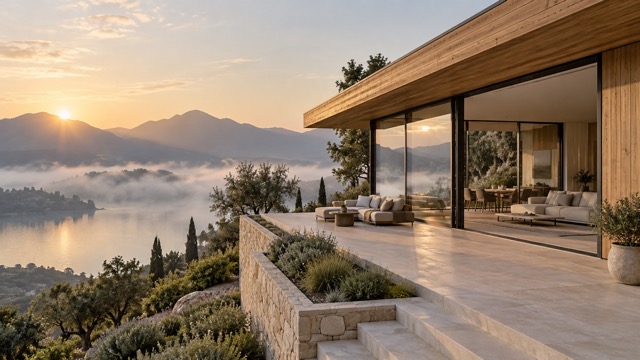
Architectural Seedream 5 Pro prompts benefit from credible structure and a defined viewpoint. Begin with a Seedream prompt guide: a contemporary hillside house overlooks a misty lake, with a low roof, oak walls, broad glazing, and a pale stone terrace in early morning light. Frame the building against its landscape so the setting supports the design. Develop these Seedream 5 Pro prompts by changing the facade material, planting, weather, or interior warmth. A Seedream prompt guide can help you compare visual directions while keeping the same building concept. Inspect perspective, railings, window divisions, and structural connections; an appealing concept image still needs careful architectural interpretation. Keep a clear subject and coherent light. Use it to generate; Copy it to revise the prompt.
Seedream 5 Pro Prompts Beyond Photography
Take Seedream 5 Pro prompts into imagined worlds, painted stories, and material experiments. Choose a Seedream prompt guide that fits the mood of your project, then keep the scene focused around one strong idea.


Fantasy Seedream 5 Pro Prompts
Build A World With Atmosphere
Fantasy Seedream 5 Pro prompts become more convincing when scale and atmosphere agree. Try a Seedream prompt guide showing a circular observatory carved into a seaside cliff, a brass armillary sphere above a tidal pool, and stone arches opening toward a lavender sea. Add one small traveler to establish scale. Personalize the Seedream prompt guide with a different landmark or time of day. Keep the light direction and materials consistent so the environment feels like one place rather than a collection of unrelated objects. Keep a clear subject and coherent light. Use it to generate; Copy it to revise the prompt.
Illustration Seedream 5 Pro Prompts
Give An Original Character A Story
Illustrative Seedream 5 Pro prompts can connect a simple action with a distinctive visual texture. Start with a Seedream prompt guide: a small fox delivers a parcel by bicycle through an ochre hillside village, passing turquoise shutters and flowers in warm afternoon light. Ask for textured gouache, restrained pencil detail, and a clear focal subject. Adapt this Seedream prompt guide with your own character, season, and destination. For a series, repeat the same character description, palette, and medium while changing only the action or location. Keep a clear subject and coherent light. Use it to generate; Copy it to revise the prompt.
Sculptural 3D Seedream 5 Pro Prompts
Explore Material, Form, And Light
Design-oriented Seedream 5 Pro prompts work well when geometry stays simple enough to read. Use a Seedream prompt guide describing an original interlocking-loop sculpture in coral ceramic and aqua glass on an ivory pedestal. Request realistic contact shadows, convincing refractions, and a spacious studio composition. Modify the Seedream prompt guide to explore a different finish or relationship between opaque and transparent materials. Evaluate the silhouette at a small size, then inspect intersections and reflections closely. Use the result as a visual concept to develop further. Keep a clear subject and coherent light. Use it to generate; Copy it to revise the prompt.
Who Can Create With Seedream 5 Pro Prompts?
Use Seedream 5 Pro prompts wherever a clearer visual brief would help. A Seedream prompt guide can support early exploration, planning, or discussion without replacing your own creative judgment.

Digital Artists
Artists can use Seedream 5 Pro prompts to explore an unfamiliar palette or setting before developing original work. Start with a Seedream prompt guide and replace the central subject with your own concept. Keep notes on the details that create the mood you want. Revisit Seedream 5 Pro prompts to explore alternate compositions while maintaining a recognizable visual direction.

Marketing And Brand Teams
Brand teams can shape Seedream 5 Pro prompts around a product, audience, and campaign mood. Adapt a Seedream prompt guide with specific materials, colors, and space for later typography. Compare concepts against the same brief rather than judging them in isolation. Use Seedream 5 Pro prompts to guide discussion, then check product accuracy and refine the selected visual before delivery.

Game And World Designers
World designers can organize Seedream 5 Pro prompts around a landmark, a believable scale, and a consistent atmosphere. A Seedream prompt guide offers a useful structure for exploring location ideas. Reuse material and lighting descriptions across related scenes. Adjust Seedream 5 Pro prompts to test how the same environment feels at dawn, in rain, or under a different color palette.

Content Creators
Creators can adapt Seedream 5 Pro prompts for article illustrations, video backdrops, and thumbnail concepts. Select a Seedream prompt guide with one clear focal subject, then request the framing your format needs. Leave room for text you plan to add separately. Review Seedream 5 Pro prompts after each generation and simplify distracting details that compete with the main message.
Creative Perspectives On Seedream 5 Pro Prompts
The following names and reactions are fictional, illustrative creative scenarios. They show possible ways to use a Seedream prompt guide and are not verified customer reviews.
I would use Seedream 5 Pro prompts to compare two campaign directions around the same product. A Seedream prompt guide would help me describe the lighting clearly before changing the palette and background.
I would use Seedream 5 Pro prompts to compare two campaign directions around the same product. A Seedream prompt guide would help me describe the lighting clearly before changing the palette and background.
For concept exploration, Seedream 5 Pro prompts would give me a useful starting structure: one landmark, one atmosphere, and a small figure for scale. I would develop the strongest idea through further sketches.
For concept exploration, Seedream 5 Pro prompts would give me a useful starting structure: one landmark, one atmosphere, and a small figure for scale. I would develop the strongest idea through further sketches.
I would adapt Seedream 5 Pro prompts to explore the relationship between glass and ceramic. Starting with a Seedream prompt guide, I could simplify the geometry and judge whether the silhouette communicates the intended idea.
I would adapt Seedream 5 Pro prompts to explore the relationship between glass and ceramic. Starting with a Seedream prompt guide, I could simplify the geometry and judge whether the silhouette communicates the intended idea.
I would use Seedream 5 Pro prompts to plan a wide thumbnail composition with room for a headline. The key decision would be what to remove so the subject remains readable on a small screen.
I would use Seedream 5 Pro prompts to plan a wide thumbnail composition with room for a headline. The key decision would be what to remove so the subject remains readable on a small screen.
I would personalize Seedream 5 Pro prompts with a different character and season while keeping the painted texture consistent. A Seedream prompt guide would be a useful reminder to describe the action as clearly as the style.
I would personalize Seedream 5 Pro prompts with a different character and season while keeping the painted texture consistent. A Seedream prompt guide would be a useful reminder to describe the action as clearly as the style.
For environment design, Seedream 5 Pro prompts would help me connect surface materials, viewpoint, and time of day. I would change one element per attempt and compare the results against the same visual brief.
For environment design, Seedream 5 Pro prompts would help me connect surface materials, viewpoint, and time of day. I would change one element per attempt and compare the results against the same visual brief.





Seedream 5 Pro Prompts: Frequently Asked Questions
Learn how to adapt a Seedream prompt guide, clarify your instructions, and approach each generation as a creative iteration.
Start with the subject, setting, action, composition, and style. Add lighting and material details when they affect the result. Use a Seedream prompt guide to identify these building blocks, then replace generic adjectives with concrete choices. Request the aspect ratio you need and avoid directions that compete with one another.
When your selected generator supports reference images, upload a clear source and explain what should change and what should remain. Adapt a Seedream prompt guide to describe the new background, light, or styling while identifying the details you want preserved. Review the output against the reference instead of assuming every detail will match.
No exact match is guaranteed. A Seedream prompt guide describes a creative direction, while the selected model, settings, references, and variation between generations affect the result. The displayed images are illustrations, not model benchmarks. Free refers to the example text; image generation may require credits. Check the generator before running your prompt.
Make Seedream 5 Pro Prompts Your Starting Point
Choose Seedream 5 Pro prompts that match the image you want to create. Start with a Seedream prompt guide, make the subject and setting your own, and refine the details that matter. Keep your favorite version as a reusable brief. Your next Seedream prompt guide can begin with the same structure and a completely different creative idea.