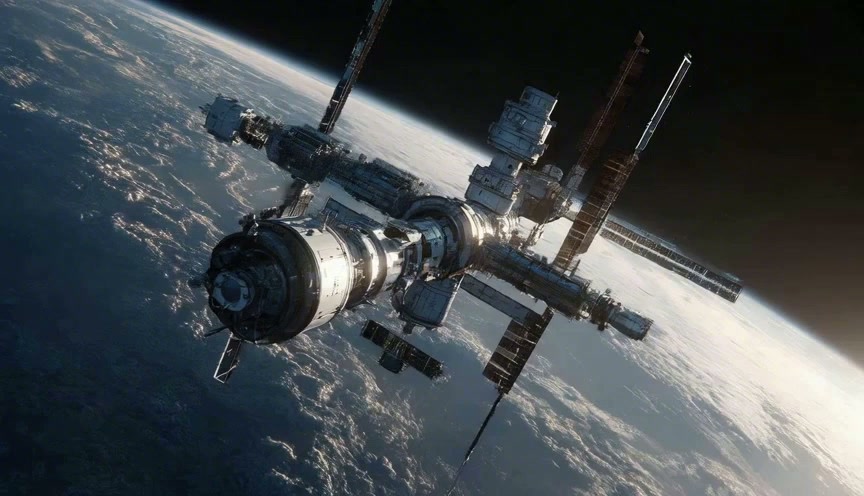
Build illustrated stories from a written idea or visual references, then direct a precise revision.
MiniMax H3 Image
Build Visual Stories With MiniMax H3 Image
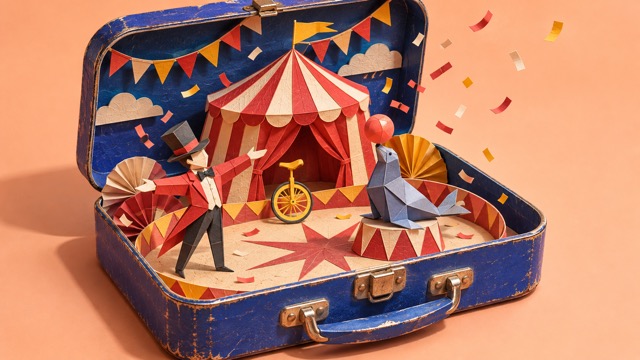
MiniMax H3 Image turns a written idea into a visual you can develop. Imagine a paper circus inside a lunchbox, a clay birdhouse drawn from a sketch, or an illustrated poster built around one striking object. Start with text to image creation, then explore AI image editing when a selected detail needs another direction. MiniMax H3 Image supports both new pictures and reference-led work, so your starting point can be a sentence, a drawing, or an existing composition.
Your MiniMax H3 Image Workflow In Four Steps
Choose a starting point, describe the result, and review your image. This MiniMax H3 Image workflow keeps the practical actions short so you can spend more time developing the picture.

Choose Your Starting Point
Select Text to Image for a new picture. Choose Image to Image and add your source when you want to work from an existing visual.

Describe The Result
Write the subject, setting, and main action in the prompt. If you added references, explain what to keep and what to change.

Choose Your Canvas
Select the available aspect ratio, resolution, and output format. Check the displayed credits, then generate your image.

Review Your Image
Inspect the result and save the version you want. For another attempt, adjust the prompt or use a selected image as your source.
Three Ways To Develop A Picture With MiniMax H3 Image
MiniMax H3 Image can connect a rough starting point with a more developed visual direction. Use text to image for an original scene and AI image editing for a reference-based revision. These newly created illustrations show possible creative briefs, not measured MiniMax H3 Image outputs or guaranteed transformations. Each comparison keeps the intended change readable: resolve a sketch, combine separate references, or replace one object detail.
MiniMax H3 Image For Sketches And Material Studies
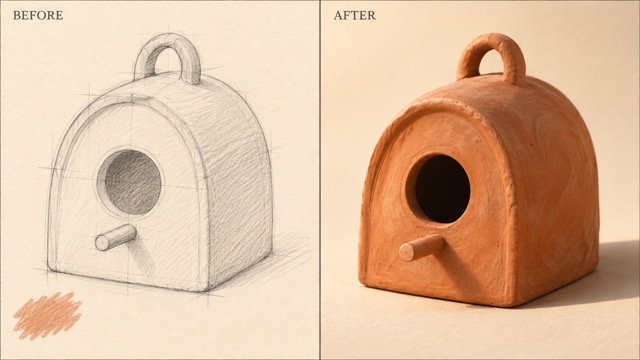
A sketch gives an idea a silhouette before it has a finished surface. With MiniMax H3 Image, you can describe how that silhouette should look as fired clay, folded paper, carved wood, or painted metal. Your text to image brief can describe the same object from scratch, while AI image editing can start from the drawing itself. For a sketch to image request, name the viewpoint and the material before adding ornament. Ask MiniMax H3 Image for warm terracotta, faint finger marks, and a shadow that touches the paper below the object. Keep the circular entrance in the same place if that relationship defines the design. This sketch to image approach is useful when a flat outline needs a more tangible finish. Use text to image to test an alternative surface, then compare the options against your original intention. AI image editing gives you another way to explore a finish without treating every round as a completely unrelated design.
MiniMax H3 Image For Reference-Based Small Worlds
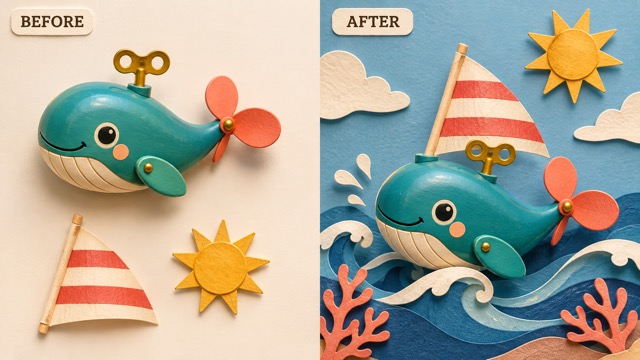
MiniMax H3 Image can use visual references alongside your instructions to develop that relationship. Tell it which source supplies the whale, which contributes the sail, and where the sun belongs. When you combine multiple reference images, their roles should resolve a specific part of the picture. MiniMax H3 Image officially supports multiple references, but adding more is not the goal of the composition. Use text to image for a setting that does not require a source. Choose AI image editing when recognizable details from your references matter. To combine multiple reference images into a paper ocean, explain the size relationships and the arrangement across the frame. MiniMax H3 Image can explore the scene with navy folds, coral edges, and warm theatre light. For text to image, describe those materials directly. For AI image editing, identify the original shapes to preserve.
MiniMax H3 Image For A Deliberate Detail Change
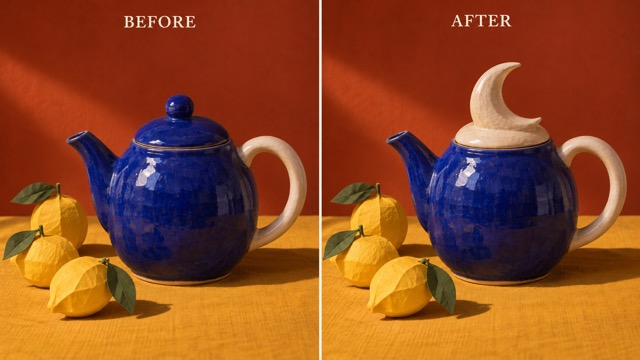
A small change can give a familiar composition a new meaning. MiniMax H3 Image can take instructions for replacing an object detail while you describe the parts that should remain. In this creative example, a blue teapot keeps its body and handle while its ordinary lid becomes a cream crescent moon. To edit images with instructions, describe the replacement and preservation requirements together. Ask MiniMax H3 Image to replace the lid, retain the spout, and preserve the camera angle. AI image editing can still alter areas you intended to keep, so compare the teapot edges and the surrounding shadows. Use text to image when you want a new composition rather than a revision of this one. MiniMax H3 Image makes a focused brief especially useful because the goal is easy to name and inspect. When you edit images with instructions, avoid combining an object replacement, a camera move, and a new background in the same first attempt. AI image editing becomes easier to evaluate when one request tests one visible decision. MiniMax H3 Image can explore possibilities while you retain the final creative judgment.
Make MiniMax H3 Image Part Of Your Next Visual Brief
Choose an image with a clear job to do. MiniMax H3 Image can help you explore a story, explain an object, or establish a visual mood before the final layout is assembled. Text to image starts with the idea; AI image editing starts with a visual you want to develop. These four project directions give each kind of request a concrete destination.

MiniMax H3 Image For Workshop And Craft Explainers
Use MiniMax H3 Image to explore an illustrated view of a handmade object: a paper lantern, a simple ceramic form, or a tabletop theatre. A sketch to image concept can help a group discuss shape and finish before making the physical piece. Keep dimensions and assembly information in verified plans. MiniMax H3 Image artwork can support the conversation, while a text to image brief establishes the overall mood. AI image editing can then explore a revised surface or a different decorative element.

MiniMax H3 Image For Illustrated Event Posters
Create illustrated posters around one visual idea: a moon-shaped teapot for a ceramics evening, or a miniature circus for a community performance. MiniMax H3 Image can explore the central artwork with a deliberate open area for event information. For text to image, define the frame and the focal object first. If you create illustrated posters from references, separate the required subject from the optional styling. MiniMax H3 Image can also explore short visible text, but check spelling and add final dates and venue details in your layout tool. AI image editing can refine the picture after the message is settled.

MiniMax H3 Image For Story Pitches
A miniature scene can establish a story without a long explanation. MiniMax H3 Image might explore a lost paper seal finding a circus inside a lunchbox or a toy whale crossing a folded sea. Use text to image to test the emotional tone of a single moment. To combine multiple reference images, give each source a specific role in the scene. MiniMax H3 Image can help explore recurring visual motifs, but inspect each image for consistency rather than assuming it. AI image editing can support a revision to a prop, expression, or color relationship after you select a direction.

MiniMax H3 Image For Creative Team Reviews
Choose the visual question your team needs to answer. MiniMax H3 Image can explore those alternatives through concrete material and lighting choices. A MiniMax H3 Image workflow is easier to discuss when the brief and the result are kept together. Text to image can establish the first direction, and AI image editing can test the change the team agrees on. When you edit images with instructions, record the single decision being tested.
What A Useful Image Feels Like
These fictional names and illustrative reactions describe creative preferences, not verified customer endorsements or model test results.
I value a sketch to image concept that makes a material choice easy to discuss. MiniMax H3 Image would give me a visual question to bring to the table.
I value a sketch to image concept that makes a material choice easy to discuss. MiniMax H3 Image would give me a visual question to bring to the table.
I like to create illustrated posters around one memorable object. MiniMax H3 Image fits the kind of brief where the image needs breathing room.
I like to create illustrated posters around one memorable object. MiniMax H3 Image fits the kind of brief where the image needs breathing room.
A simple scene is easier for me to read than a pile of visual ideas. MiniMax H3 Image prompts should make the story moment clear.
A simple scene is easier for me to read than a pile of visual ideas. MiniMax H3 Image prompts should make the story moment clear.
A MiniMax H3 Image workflow feels more useful when each revision has a reason. I prefer to keep the source and compare the changed detail.
A MiniMax H3 Image workflow feels more useful when each revision has a reason. I prefer to keep the source and compare the changed detail.




MiniMax H3 Image Questions For Your First Project
Understand the starting points, creative decisions, and review habits behind a MiniMax H3 Image project before you generate.
MiniMax H3 Image is an image generation and editing model from MiniMax. You can develop a new picture with text to image or work from reference images with written instructions. This page focuses on tactile illustrations, small visual stories, and artwork that explains an idea. MiniMax H3 Image can interpret a detailed brief, but the picture still needs your review. AI image editing is useful for exploring a selected change once that overall direction works.
Start with the image's purpose and main subject. For MiniMax H3 Image, describe what the subject is doing, where it sits in the frame, and which material or light makes the scene readable. A text to image request for a folded-paper circus should explain the lunchbox, the tiny tent, and the intended viewpoint. Avoid a list of conflicting styles. A MiniMax H3 Image workflow benefits from priorities: one focal point, supporting objects, then atmosphere. Text to image direction works best when the main action is easy to visualize.
Yes. MiniMax H3 Image supports reference-based generation and image editing, including multiple source images. For a sketch to image brief, explain which shapes should stay recognizable and which finish you want to explore. To combine multiple reference images, identify the role of each image rather than asking the model to guess. Use the upload options available in the generator. Text to image needs no source upload; AI image editing builds on supplied visual material.
Use AI image editing with a clear source and a specific request. To edit images with instructions, name the object and the change, then state the nearby details that matter. MiniMax H3 Image can explore a replacement lid while you ask it to preserve the teapot body and table arrangement. Check the source and output side by side, including areas outside the requested change. MiniMax H3 Image does not make every preservation instruction a guarantee. If the composition changes too much, simplify the request and return to the original source.
MiniMax H3 Image can generate artwork containing text, but exact wording needs careful inspection. To create illustrated posters, separate the image concept from the information that must be correct. Keep requested text short, specify its position, and check every letter. A text to image composition can leave room for your final typography instead. MiniMax H3 Image artwork can become a visual foundation for the layout, with event dates and contact details added afterward. AI image editing can revise the illustration without making final text approval automatic.
Review MiniMax H3 Image output at the size you intend to use it, then inspect the details closely. Check object counts, cropped edges, shadows, visible text, and the source features you wanted to preserve. Text to image results need a clear focal point as well as attractive texture. AI image editing results need a careful comparison with the starting image. Keep your MiniMax H3 Image brief beside the selected version so the decision is reproducible as a creative process. AI image editing should be judged against the starting version as well as the intended result.
Give MiniMax H3 Image One Idea Worth Seeing
Choose a subject with a story to tell, describe its shape and setting, and let MiniMax H3 Image explore the first picture. Start with text to image for an original direction or AI image editing for a deliberate revision. Keep the strongest visual decision and develop it into something you can use. A clear text to image idea and one purposeful AI image editing decision make a useful place to begin.