Kling Image 4.0
Kling Image 4.0 For A Deliberate Visual Direction
Kling Image 4.0 turns visual clues into a scene with a clear point of view. Direct the light on a ceramic object, make room for a headline, or carry a recognizable product into a new setting. This AI image generator accepts a written brief and optional reference images. Start with text to image when the idea is open, or image to image when an existing subject should guide the result. Kling Image 4.0 makes those decisions visible before you select a final direction.
A Practical Kling Image 4.0 Workflow
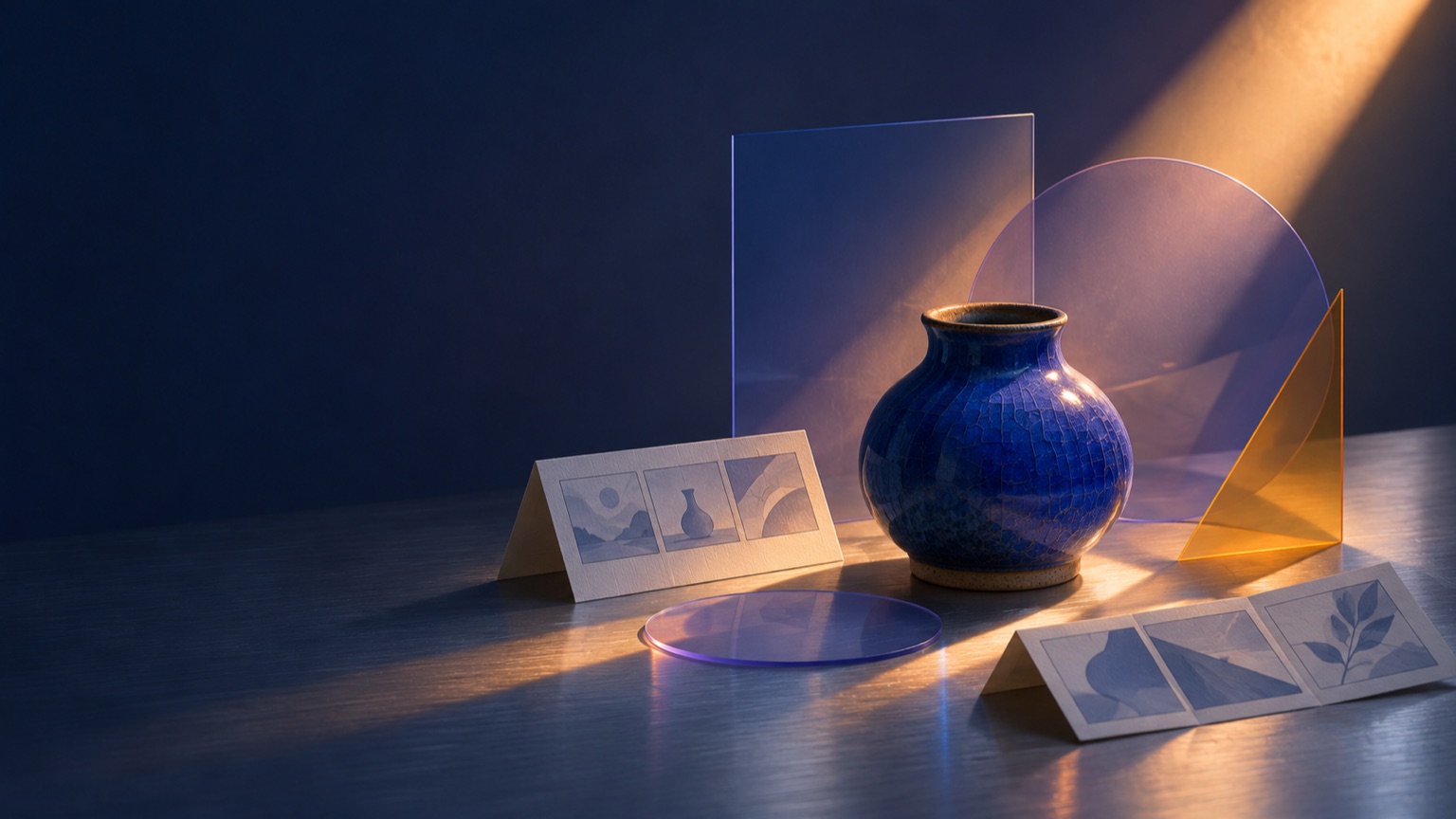
Use Kling Image 4.0 to move from a written brief to an image you can review. Add reference images only when they contribute a specific subject, composition, or visual treatment.

Describe The Image
Write the subject, setting, composition, and light in the prompt. For text to image, describe the main idea first and add the details that make it distinctive.

Add Visual References
Upload reference images when a person, product, or style needs to guide the result. In image to image, state what to preserve and what to change.

Choose Your Output
Choose the aspect ratio and resolution that fit the intended placement. Select a single image or a related series, then review the required credits before generating.

Inspect And Refine
Open the result and check it at the size you plan to use. Keep the parts that work and revise the most important mismatch before creating another version.
What Kling Image 4.0 Lets You Direct
Direct light, type, and composition with Kling Image 4.0. Give this AI image generator specific priorities and reference images that support one coherent visual direction.
Shape The Light Before You Chase Detail With Kling Image 4.0
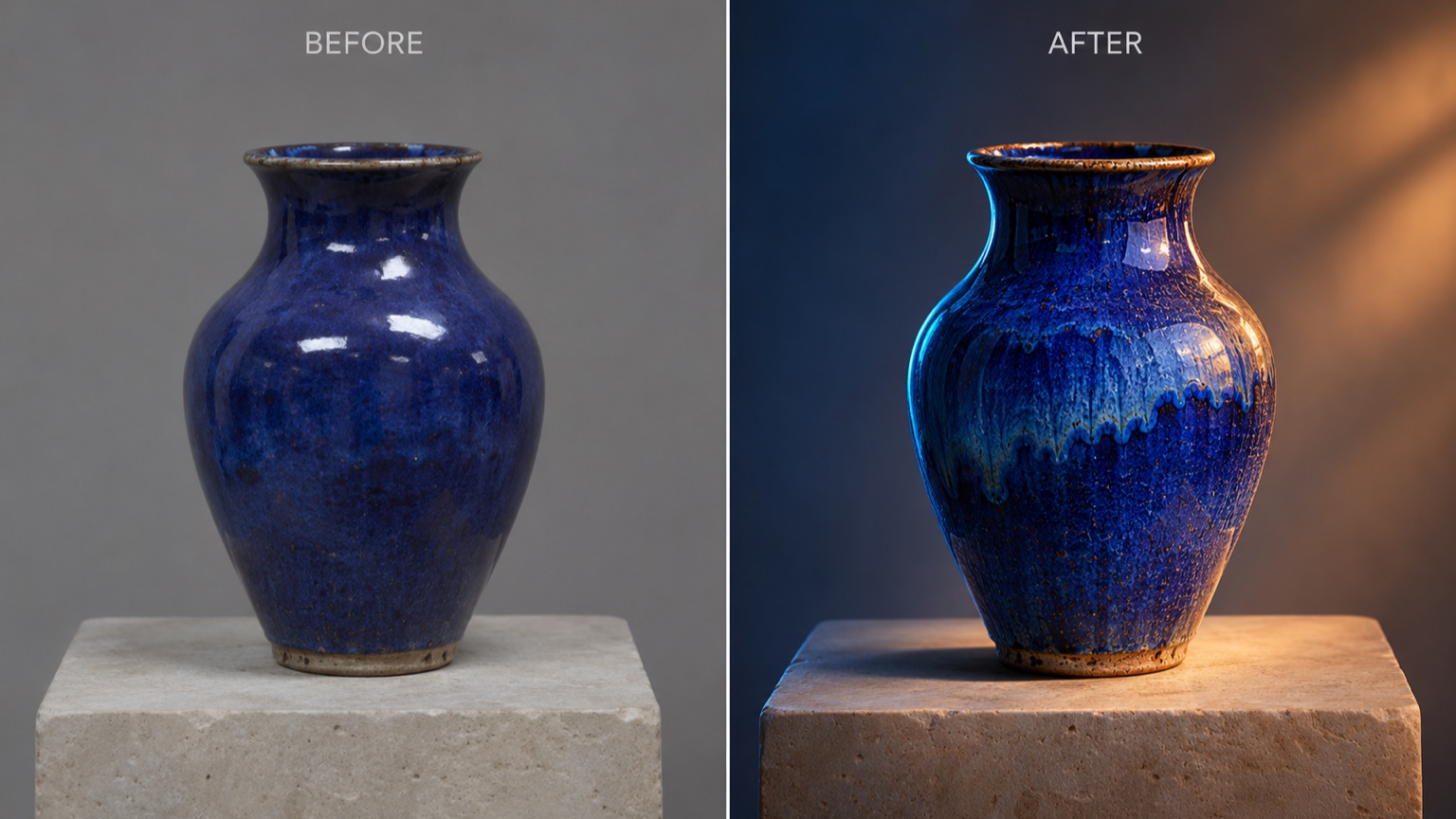
Kling Image 4.0 helps turn a flat setup into an intentional lighting study. Tell this AI image generator where the light begins, how soft it should be, and which surface deserves attention. A cobalt glaze can carry a narrow amber reflection while the stone beneath it keeps a quiet contact shadow. For product photography, that relationship can communicate shape more clearly than adding another prop. Use reference images to establish the object and describe the new illumination separately. Kling Image 4.0 supports native 2K, 4K, and 8K generation for standard images, giving you options for a small placement or a more demanding crop. Higher resolution is most useful after the arrangement works. Compare the highlight, shadow, and edge detail at the size your audience will see. Let Kling Image 4.0 explore the atmosphere while the real product remains your reference for construction and color. Inspect the exported image before handoff.
Build Typography Into The Composition With Kling Image 4.0
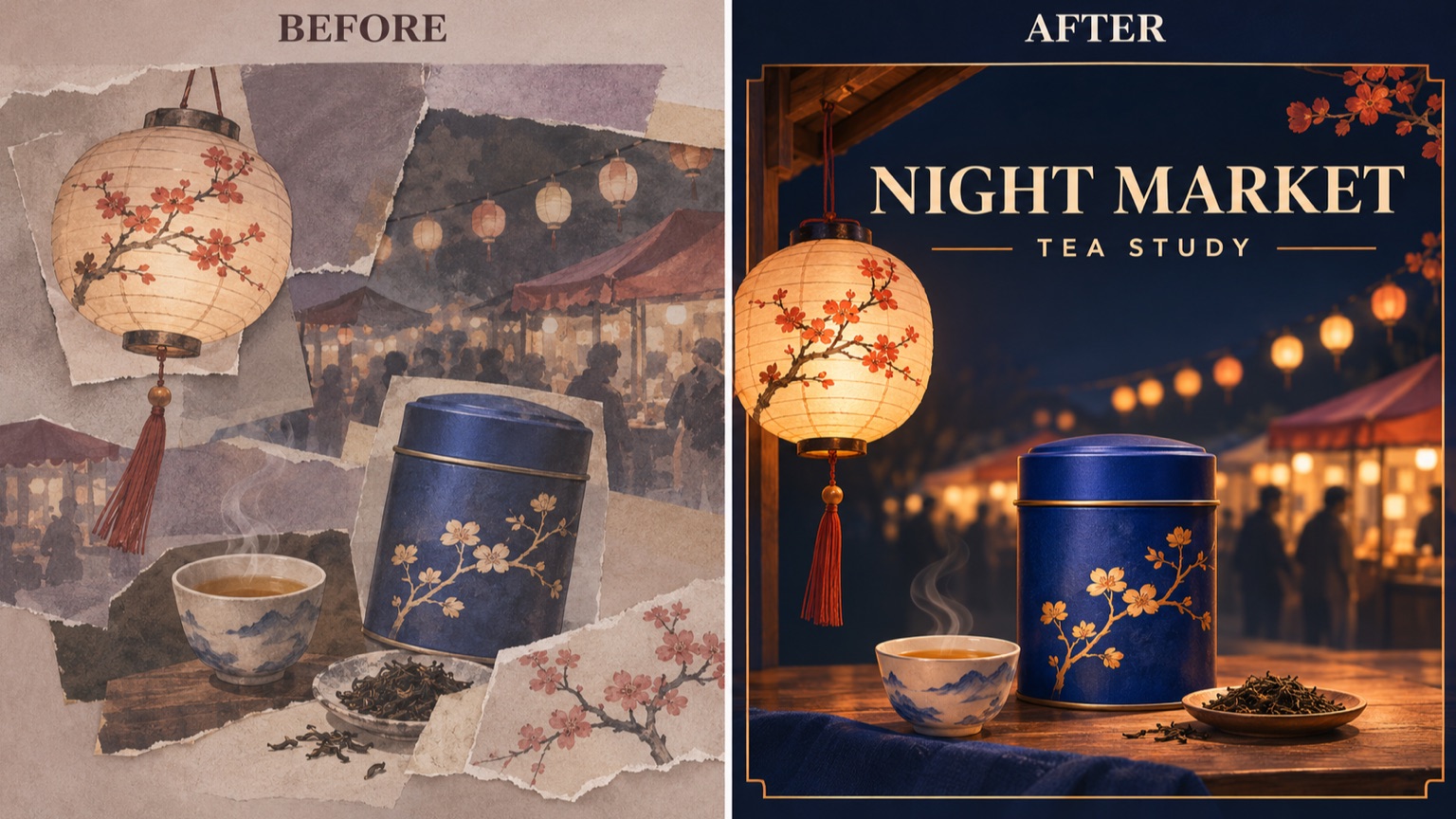
Kling Image 4.0 can place lettering inside an image while developing the surrounding visual. Give this AI image generator the exact headline, supporting words, alignment, and relative size. A tea poster might reserve the upper third for the message and use a lantern to guide the eye toward the product. For text in images, explain the reading order before adding decorative details. Reference images can suggest a type treatment or grid without dictating every element. Kling Image 4.0 supports up to 2,000 characters within a single generated image, although shorter copy gives a layout more room to breathe. Use the available area deliberately: one strong headline, a quieter second line, and a subject with a clear silhouette. Proofread every word before using the composition. Kling Image 4.0 is especially useful at the concept stage, when typography and imagery need to be judged together rather than in separate files.
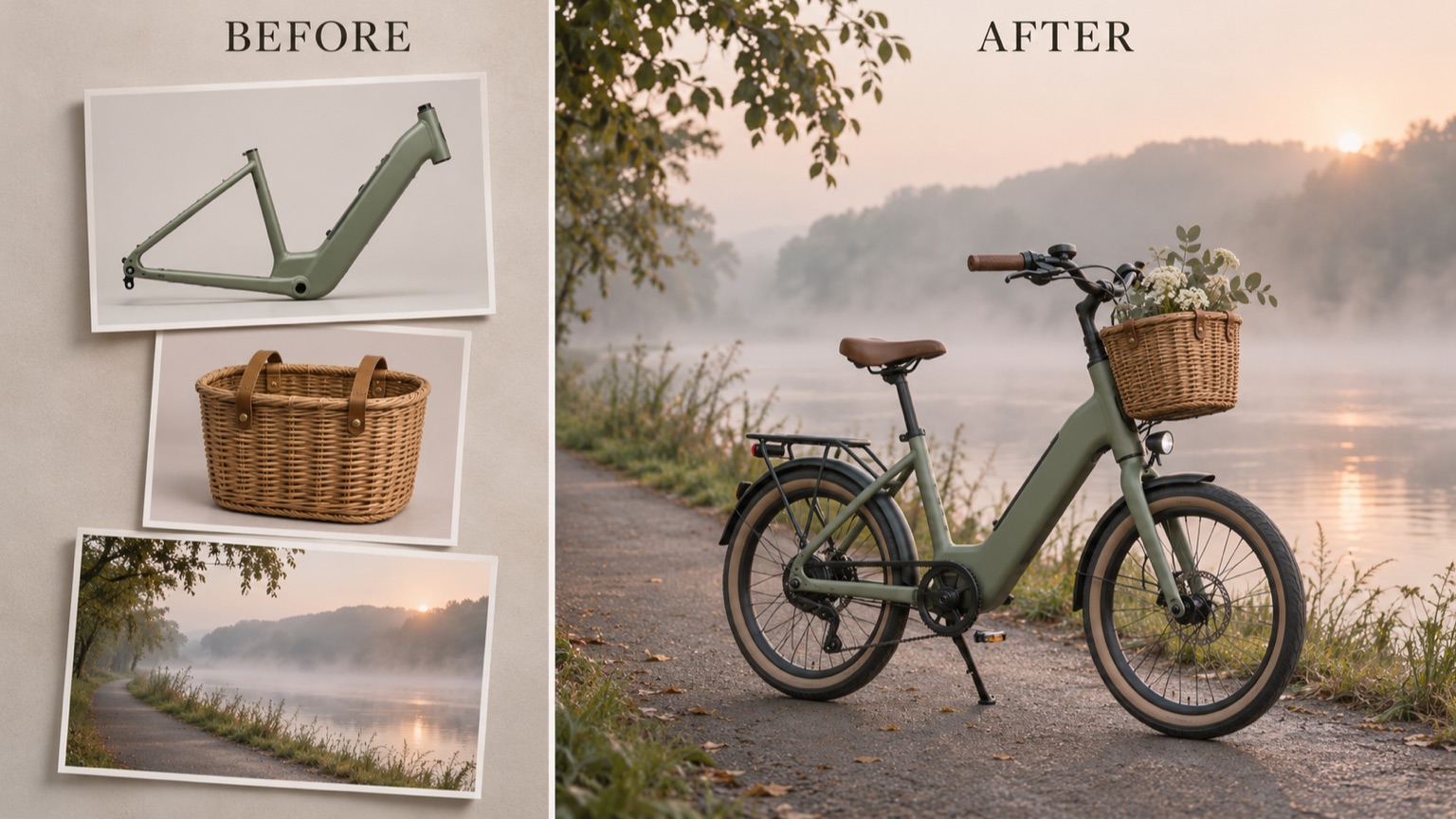
Turn Separate Inputs Into One Visual World With Kling Image 4.0
Kling Image 4.0 can combine separate visual cues into one scene when each input has a clear assignment. Give this AI image generator a bicycle reference for its frame, another image for the basket, and a location reference for the setting. Reference images work better as a brief when you explain their roles and resolve conflicting details. In image to image, identify the parts that should stay recognizable before describing a new environment. Kling Image 4.0 accepts up to ten visual references per input and can create consistent image sets from one prompt. For a connected set, define the shared palette and product details, then give each frame a different purpose. A wide context shot, a close detail, and an image of the product in use can tell complementary stories. Review the whole board together and use Kling Image 4.0 to refine the frame that breaks the visual continuity.
Where Kling Image 4.0 Fits Best
Give each output a practical job. Kling Image 4.0 is an AI image generator for exploring product photography, text in images, and consistent image sets.

Product Launch Boards With Kling Image 4.0
Build a launch board around a distinctive product. Kling Image 4.0 can explore a stone display or domestic scene while keeping the intended use visible. Give this AI image generator reference images of the real item and describe the environment separately. For product photography, compare lighting directions before changing props. Kling Image 4.0 makes these decisions concrete enough to discuss with a photographer. Keep a checklist for shape, color, and construction.

Editorial Art Direction With Kling Image 4.0
Plan a magazine opener or cultural poster around one visual idea. Kling Image 4.0 can develop the relationship between a subject and a headline. Give this AI image generator reference images for the palette and exact wording for the message. For text in images, quiet space can matter as much as type style. Kling Image 4.0 can also explore text to image concepts, letting the composition grow around the message.

Character And Wardrobe Studies With Kling Image 4.0
Define a character through silhouette, clothing, and props. Kling Image 4.0 can carry that direction into different locations. Give this AI image generator reference images with distinct roles: appearance, wardrobe, and environment. An image to image brief should identify which traits matter most. For consistent image sets, keep those details fixed and vary one story element. Review Kling Image 4.0 frames together to compare expression, proportion, and styling.

Story Beats For Previsualization With Kling Image 4.0
Break a scene into still moments before planning motion. Kling Image 4.0 can explore an establishing view, an interaction, and a reaction. Give this AI image generator reference images for recurring people or locations. For consistent image sets, identify the cue that links the sequence. A character discovering a damaged object and beginning a repair provides simple cause and effect. Kling Image 4.0 produces stills; movement, sound, and timing need separate production.
Illustrative Kling Image 4.0 Briefs
These fictional names and reactions illustrate creative priorities rather than verified customer endorsements.
I want product photography to explain the object before it adds atmosphere. Kling Image 4.0 makes a lighting direction easier to discuss while the material details stay at the center of the brief.
I want product photography to explain the object before it adds atmosphere. Kling Image 4.0 makes a lighting direction easier to discuss while the material details stay at the center of the brief.
Assigning roles to reference images makes the whole brief clearer. I like approaching Kling Image 4.0 as an AI image generator that responds to those priorities rather than a pile of unrelated inspiration.
Assigning roles to reference images makes the whole brief clearer. I like approaching Kling Image 4.0 as an AI image generator that responds to those priorities rather than a pile of unrelated inspiration.
A sequence needs to read as a small story. I would use Kling Image 4.0 to compare the key still moments together and check which detail carries the viewer from one frame to the next.
A sequence needs to read as a small story. I would use Kling Image 4.0 to compare the key still moments together and check which detail carries the viewer from one frame to the next.
I care about the space around a headline as much as the picture itself. Planning the message with Kling Image 4.0 gives the composition a clear hierarchy before the layout becomes harder to change.
I care about the space around a headline as much as the picture itself. Planning the message with Kling Image 4.0 gives the composition a clear hierarchy before the layout becomes harder to change.




Kling Image 4.0 Questions
Find the right starting point for a Kling Image 4.0 brief, from reference images to resolution, series planning, and text in images. Start a Kling Image 4.0 project with a clear priority.
Kling Image 4.0 is an AI image generator for turning written direction and reference images into still visuals. Start with a communication goal: show a product, establish a character, or define a campaign mood. A text to image brief leaves room for exploration; an existing visual anchors recognizable details. Kling Image 4.0 also supports related image sets, letting you judge a project as a sequence.
Choose reference images that answer separate questions about shape, setting, and color. Tell the AI image generator what to take from each and what to change. Kling Image 4.0 supports up to ten references, but relevance matters more than filling every slot. Keep an image to image instruction focused on the subject and desired change. Compare small details with the originals before selecting a result.
Kling Image 4.0 supports native 2K, 4K, and 8K for standard images and image sets. Choose framing before asking this AI image generator for a larger output. A smaller draft helps judge composition; more pixels provide room to crop. Reference images should show the details you care about. Kling Image 4.0 resolution does not replace reviewing surfaces, contours, and lettering at the intended size.
For text in images, provide wording and hierarchy together: headline, supporting line, alignment, and quiet areas. Kling Image 4.0 supports multiple text sections and up to 2,000 generated characters. Reference images can guide the layout; source copy remains the spelling authority. Ask the AI image generator for contrast and space around essential words. Check names, dates, prices, punctuation, and small lettering before publishing.
Kling Image 4.0 can create up to ten related images from one prompt. For consistent image sets, describe the shared subject and list each frame separately. Give the AI image generator a different view or story beat for each. In product photography, try context, material, and use shots. Reference images can anchor the object. Review the set for changes in geometry, color, or clothing.
Judge the output by its purpose. Kling Image 4.0 can develop a visual concept, but delivery still needs accurate product information, checked copy, and the right crop. Use the AI image generator to explore, then inspect at delivery size. For text to image, check relationships not anchored by reference images. A generated webpage visual is an image; responsive behavior and working interactions need separate implementation.
Give Your Next Image A Point Of View With Kling Image 4.0
Bring reference images or begin with a written idea. Use this AI image generator to explore light, type, and composition, then refine the choice that matters most. Create with Kling Image 4.0 and give your next brief a considered visual direction.