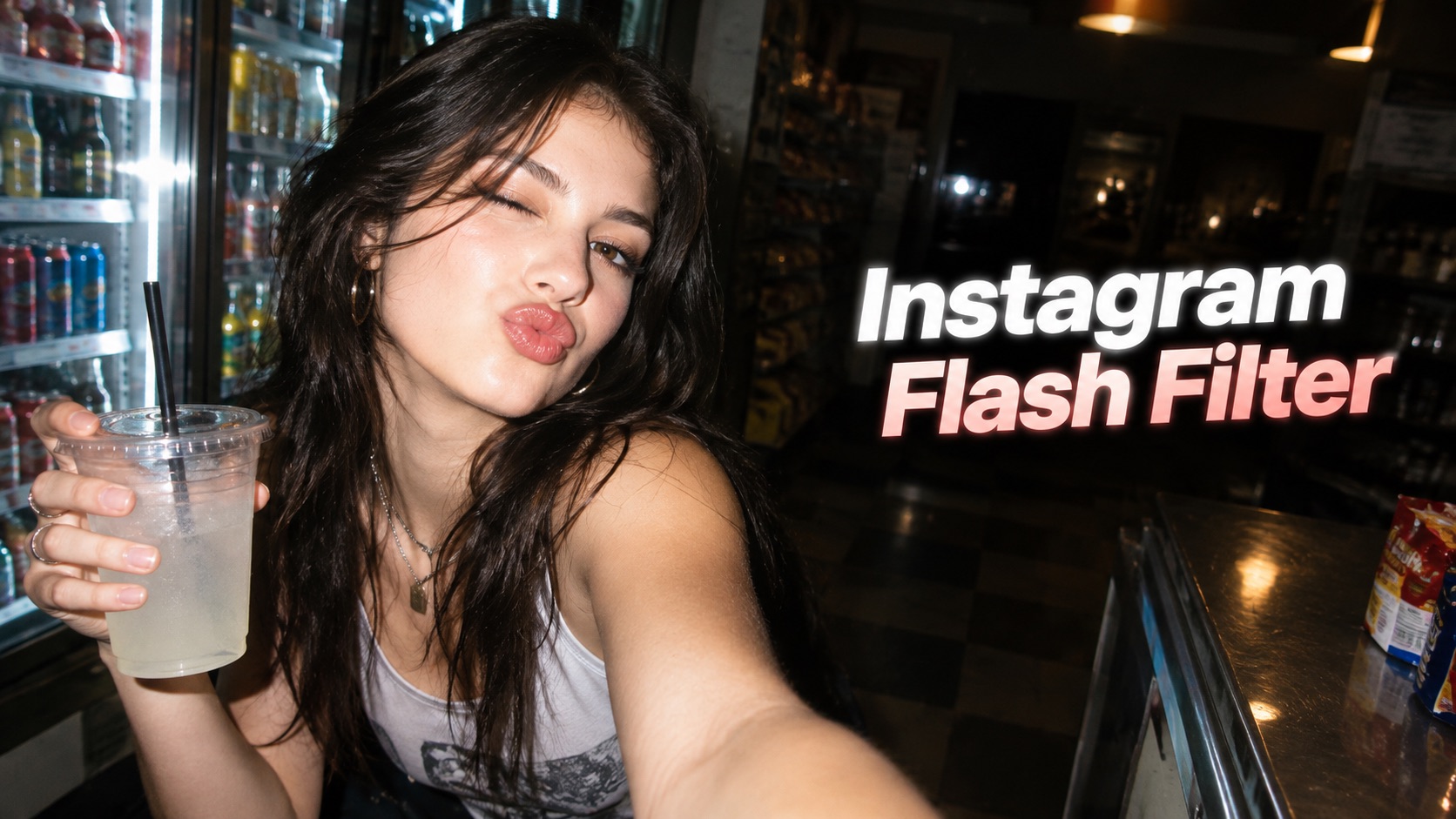
Instagram Flash Filter: Create Viral Direct Flash Photos
Turn everyday portraits into bold direct-flash photos with realistic highlights, darker background falloff, crisp shadows, and nostalgic camera character. Instagram Flash Filter makes the signature look easy to recreate from your own image.
Instagram Flash Filter recreates the bright subject, hard shadow, darker background, and candid camera feel behind today’s flash-photo trend. Upload one photo, choose a style, and let Instagram AI Flash Filter reshape the lighting while keeping your face, outfit, pose, and scene recognizable.
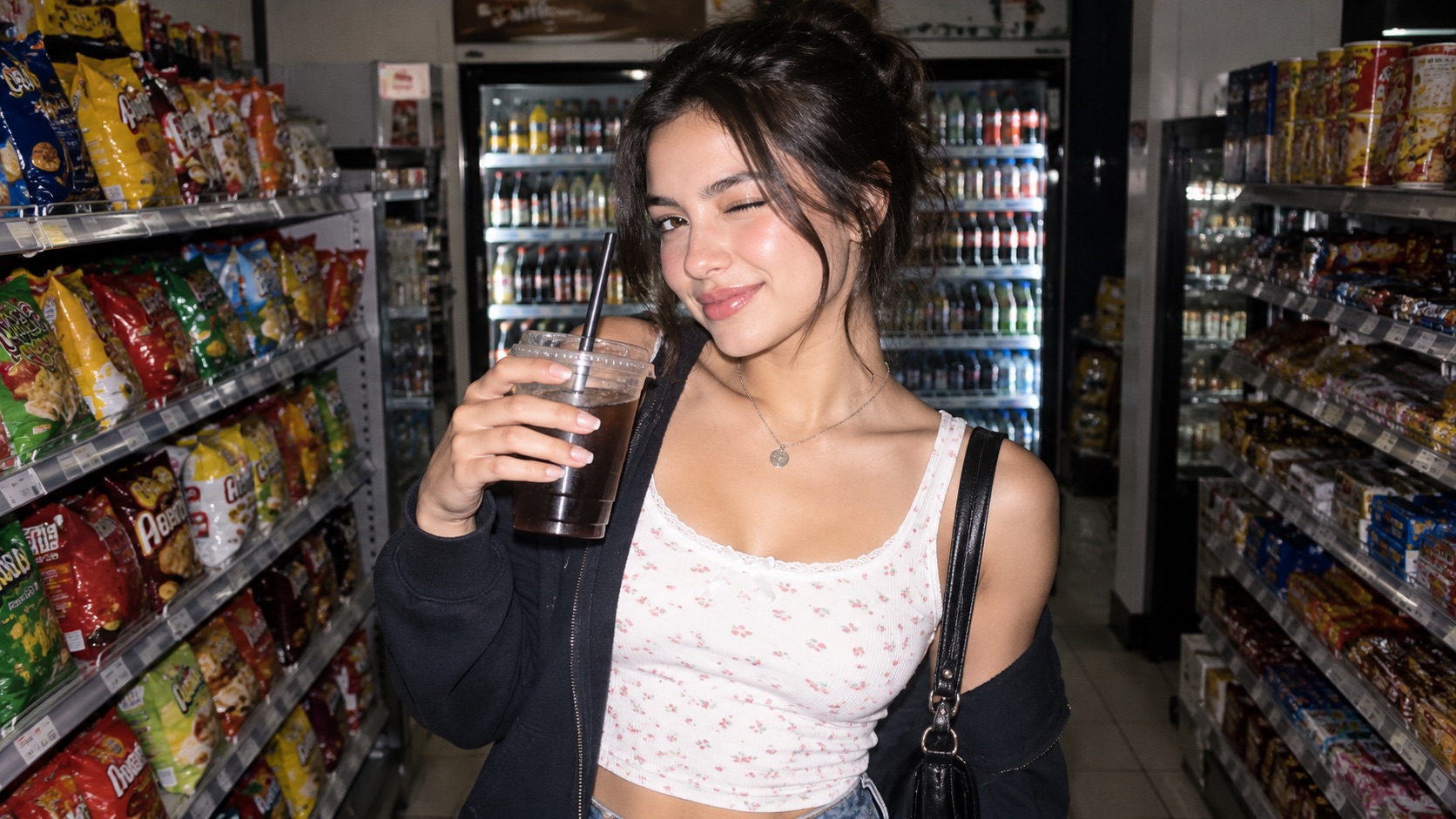
How to Use Instagram Flash Filter in 3 Steps
Instagram Flash Filter follows the same simple workflow shown above: upload a reference image, choose one of five flash styles and your settings, then generate the edited photo. Instagram AI Flash Filter focuses on changing the lighting character rather than redesigning the person or scene. Instagram Flash Filter keeps the workflow focused and predictable, while Instagram AI Flash Filter adapts the selected flash character to the uploaded reference.
Upload Your Reference Photo
Start Instagram Flash Filter by uploading a clear reference photo. Portraits, mirror selfies, party photos, street shots, and casual snapshots can all work. Instagram Flash Filter Online uses the upload as the visual foundation, so the original person, pose, clothing, framing, and scene remain central to the result. Choose a photo where the main subject is visible and not heavily blurred. Instagram AI Flash Filter then has enough detail to recreate believable flash highlights. Instagram Flash Filter works best when the reference already has clear facial detail.

Choose a Flash Style and Settings
Select Classic Direct Flash, Y2K Flash, Dirty Flash, Paparazzi Flash, or Disposable Camera Flash. Each option gives Instagram Flash Filter a different lighting character while keeping the same uploaded photo. You can also choose aspect ratio, resolution, background behavior, and number of images from the controls shown on the page. Instagram Flash Filter AI adds a trend-driven look, while Instagram AI Flash Filter keeps the chosen style tied to your reference image. Instagram Flash Filter lets you compare styles without changing the starting photo.

Generate Your Flash Photo
Click Generate Image after your photo, flash style, and settings are ready. Instagram Flash Filter rebuilds the lighting around the selected aesthetic. Review the generated image and save the version that best matches your goal. Instagram Flash Filter Free searches often come from users who want to test the trend quickly, while Instagram Flash Filter Online gives a direct upload-to-result workflow. Try another style whenever you want a different flash mood. Instagram Flash Filter Free also matches users looking to experiment before choosing a preferred result.
What Instagram Flash Filter Can Do for Your Photos
Instagram Flash Filter gives one uploaded photo several direct-flash interpretations while preserving the original subject. From clean frontal lighting to rough Y2K grain, Instagram AI Flash Filter helps you create a recognizable flash-photo aesthetic instead of a generic brightness adjustment. Instagram Flash Filter can move from polished to nostalgic without requiring a different source photo.
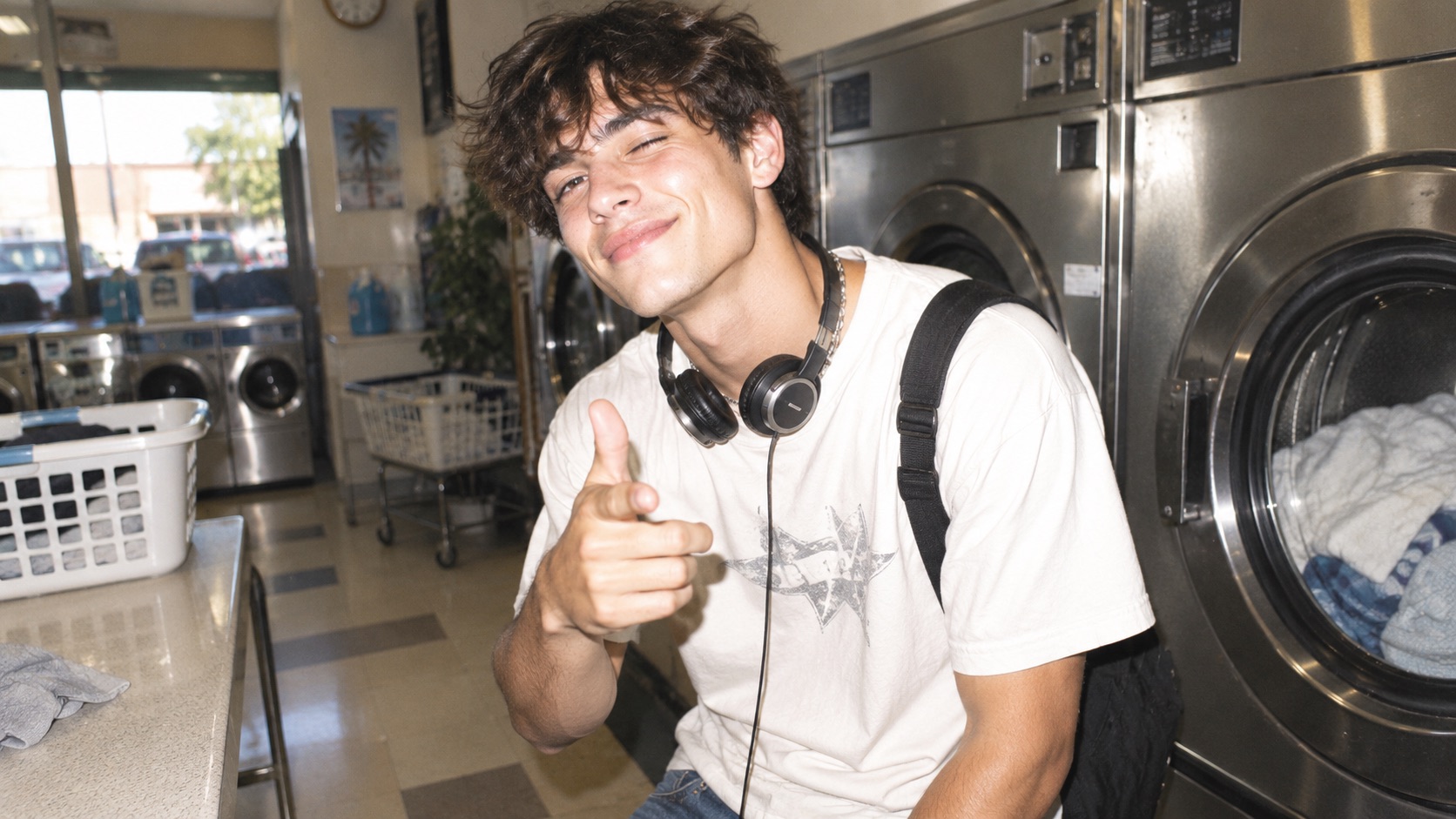
Turn Flat Lighting into Convincing Direct Flash
Instagram Flash Filter is built for photos that feel too flat or ordinary for the direct-flash trend. Instead of simply raising brightness, it creates stronger frontal illumination, realistic highlight placement, sharper shadow edges, and darker background falloff. Instagram Flash Photo Effect can make a casual portrait feel more immediate without replacing the original setting. Instagram Flash Effect works well when you want the subject to pop from a dim room, party background, hallway, street, or mirror scene. Instagram AI Flash Filter keeps the person recognizable while changing the visual energy of the light. Instagram Flash Filter keeps that change centered on believable flash behavior, and Instagram AI Flash Filter helps preserve the original visual identity.
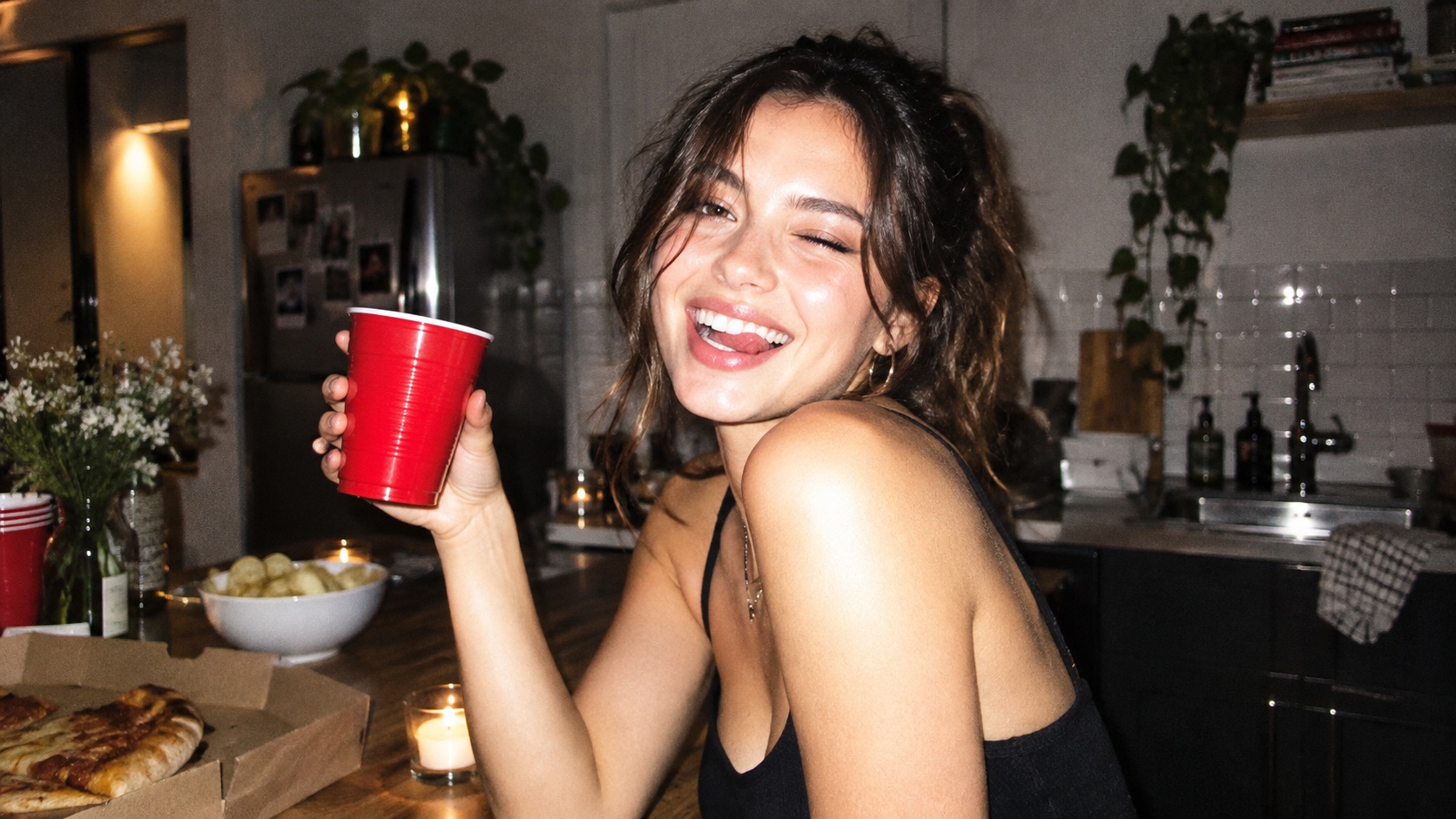
Choose a Flash Mood That Matches Your Photo
Instagram Flash Filter offers Classic Direct Flash for a clean camera-flash look, Y2K Flash for nostalgic digicam character, Dirty Flash for raw party energy, Paparazzi Flash for editorial drama, and Disposable Camera Flash for softer analog imperfection. Instagram Flash Filter AI makes it easy to explore these looks from the same reference photo. AI Flash Filter for Photos is useful when the selected style changes light, contrast, grain, and exposure without losing the identity of the image. Instagram Flash Effect can therefore feel polished, messy, retro, or candid. Instagram Flash Filter makes those differences visible without recreating the photograph.
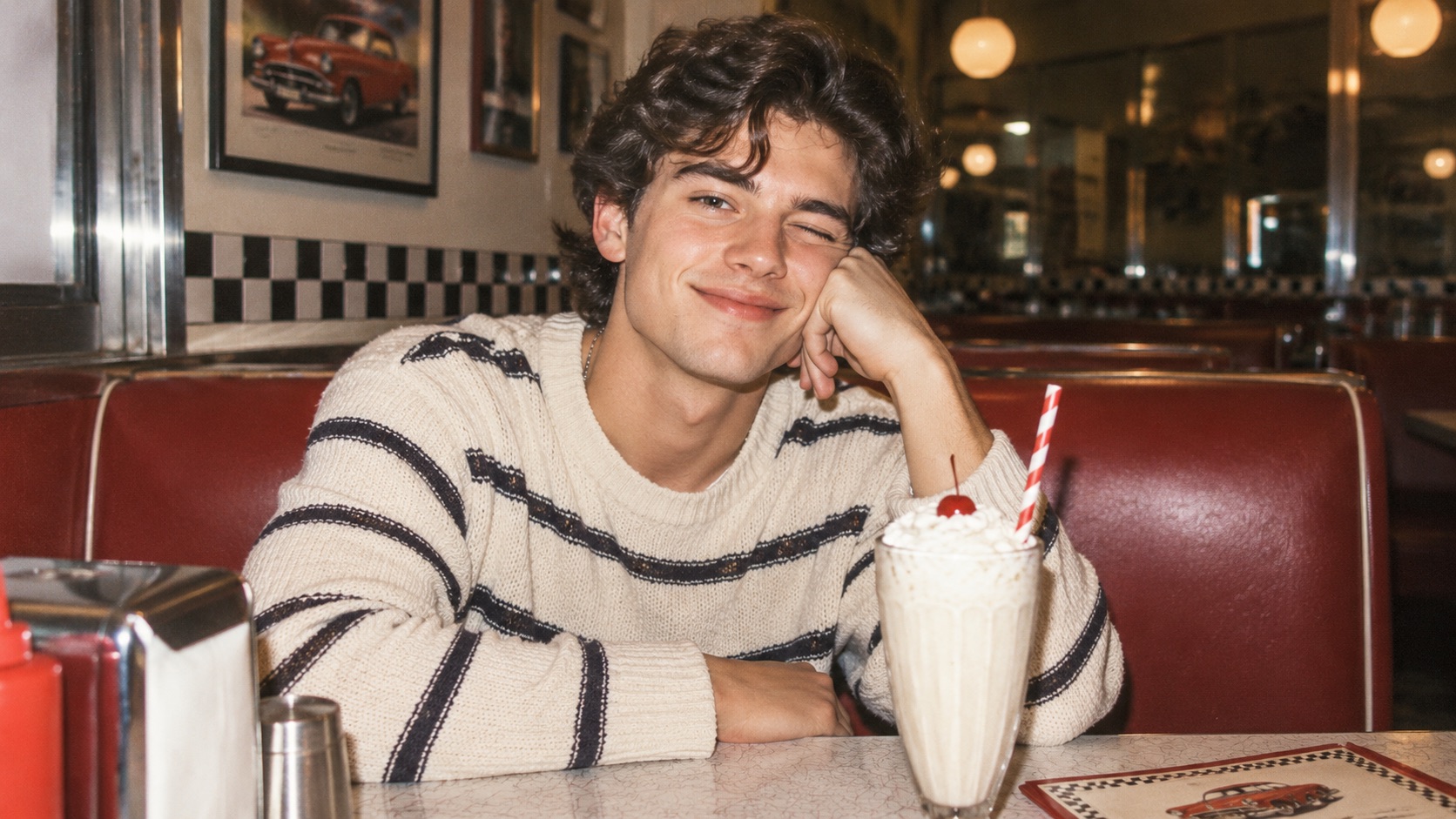
Keep the Person and Scene Recognizable
A useful flash edit should still look like your photo. Instagram Flash Filter is designed to preserve recognizable facial features, pose, clothing, framing, and important background details while changing the lighting style. Instagram Flash Photo Effect adds direct-flash cues without asking you to rebuild the image. AI Flash Filter Online helps when you want a fast lighting transformation without manually painting highlights and shadows. Instagram AI Flash Filter keeps the transformation focused on flash aesthetics. Instagram Flash Filter is especially useful when your goal is relighting rather than scene replacement. AI Flash Filter Online supports the same quick reference-based workflow.
Popular Ways to Use Instagram Flash Filter
Instagram Flash Filter fits many photos where direct flash adds energy, nostalgia, or stronger subject separation. Instagram AI Flash Filter can support casual social images, retro digicam edits, editorial portraits, and candid night photography without forcing every photo into the same look. Instagram Flash Filter stays useful across these scenarios because the chosen flash treatment can change while the source photo stays consistent.

Social Posts and Profile Photos
Instagram Flash Filter can give a normal selfie or portrait more visual punch for social posts, profile photos, story graphics, or casual updates. Instagram Flash Filter Online is useful when the original shot has a good pose but lacks hard-flash character. Instagram AI Flash Filter adds brighter subject exposure, harder shadows, and darker background separation while keeping the image familiar. Instagram Flash Effect can make an indoor shot feel more spontaneous without requiring a new photo session. Instagram Flash Filter can also help keep a consistent visual style across casual portraits.

Y2K and Retro Digicam Photos
Use Instagram Flash Filter when you want early-2000s digicam mood with compact-camera flash, grain, and imperfect party energy. Instagram Flash Filter Free is a common search for this trend because users often want to experiment before choosing a final look. Instagram Flash Filter AI turns a current photo into something closer to an old digital-camera capture. Instagram Flash Photo Effect works well for mirror selfies, birthdays, nightlife, and casual friend photos. Instagram AI Flash Filter adds retro camera cues without changing the person in the frame.

Fashion and Editorial Flash Looks
Instagram Flash Filter can push outfit photos and portraits toward a sharper editorial direction with direct frontal light and stronger contrast. Paparazzi Flash is useful for crisp highlights, dramatic shadow falloff, and a spontaneous street-photo feeling. AI Flash Filter for Photos can add that visual language without changing the clothing or location. Instagram AI Flash Filter keeps the result tied to the uploaded reference, while Instagram Flash Effect gives the final image a more intentional fashion-camera presence. Instagram Flash Filter makes it easy to test different editorial moods from one reference.

Party, Nightlife, and Candid Memories
Instagram Flash Filter works naturally with party photos, restaurant snapshots, dim interiors, and evening portraits where direct flash feels believable. Dirty Flash and Disposable Camera Flash suit less polished, more candid results. AI Flash Filter Online can create stronger subject separation without making every part of the frame equally bright. Instagram Flash Filter Online lets you compare styles quickly, while Instagram Flash Photo Effect brings back the mood of a compact camera in a dark room or on a late-night street. AI Flash Filter for Photos works well when the original candid moment is worth preserving.
What Users Say About Instagram Flash Filter
Users choose Instagram Flash Filter for direct-flash lighting, Y2K camera character, and recognizable photo edits. Instagram AI Flash Filter makes it easier to test several flash moods while keeping the same subject and original scene. Instagram Flash Filter is also useful when users want to compare several flash aesthetics before settling on one.
I had a mirror selfie I liked, but the lighting looked too soft. Instagram Flash Filter gave it the hard direct-flash look I wanted without changing my outfit or face. I tried Y2K Flash first and then Classic Direct Flash, and both still looked like the same original photo. Instagram Flash Filter AI made the result feel much closer to an actual compact-camera shot. Instagram AI Flash Filter also kept the background recognizable, which made the edit feel more believable.
I had a mirror selfie I liked, but the lighting looked too soft. Instagram Flash Filter gave it the hard direct-flash look I wanted without changing my outfit or face. I tried Y2K Flash first and then Classic Direct Flash, and both still looked like the same original photo. Instagram Flash Filter AI made the result feel much closer to an actual compact-camera shot. Instagram AI Flash Filter also kept the background recognizable, which made the edit feel more believable.
Dirty Flash was exactly the style I wanted for a set of party photos. Instagram Flash Filter kept the messy, candid energy while adding stronger highlights and darker background falloff. I had searched for Instagram Flash Filter Free because I wanted to test the effect quickly, and the workflow was much easier than trying to fake the flash manually in an editor.
Dirty Flash was exactly the style I wanted for a set of party photos. Instagram Flash Filter kept the messy, candid energy while adding stronger highlights and darker background falloff. I had searched for Instagram Flash Filter Free because I wanted to test the effect quickly, and the workflow was much easier than trying to fake the flash manually in an editor.
I use Instagram Flash Filter for outfit photos because Paparazzi Flash makes the lighting feel more editorial without replacing the location. Instagram AI Flash Filter keeps the face and styling recognizable, which matters when the photo is about the clothes. AI Flash Filter Online also saves me from manually balancing highlights and shadows every time I want this look.
I use Instagram Flash Filter for outfit photos because Paparazzi Flash makes the lighting feel more editorial without replacing the location. Instagram AI Flash Filter keeps the face and styling recognizable, which matters when the photo is about the clothes. AI Flash Filter Online also saves me from manually balancing highlights and shadows every time I want this look.
Disposable Camera Flash gave an ordinary indoor portrait the warmer grain and imperfect flash feel I was after. Instagram Flash Filter did not turn it into a completely different scene, which was my main concern. Instagram Flash Photo Effect looked believable enough to feel like a real point-and-shoot photo instead of a heavy filter layered over the image.
Disposable Camera Flash gave an ordinary indoor portrait the warmer grain and imperfect flash feel I was after. Instagram Flash Filter did not turn it into a completely different scene, which was my main concern. Instagram Flash Photo Effect looked believable enough to feel like a real point-and-shoot photo instead of a heavy filter layered over the image.




Instagram Flash Filter FAQ
Learn how Instagram Flash Filter handles styles, reference photos, identity preservation, and direct-flash lighting. Instagram AI Flash Filter is designed for quick style changes without requiring manual lighting edits. Instagram AI Flash Filter keeps the process centered on the uploaded reference.
Upload a reference photo, choose one of the five flash styles, adjust the available settings, and click Generate Image. Instagram Flash Filter then creates a new version based on your selected flash aesthetic.
Yes. Instagram Flash Filter is designed to preserve recognizable facial features, pose, clothing, framing, and important scene details while mainly changing lighting, contrast, shadows, highlights, and camera texture.
Classic Direct Flash is cleaner and more balanced. Y2K Flash adds early-2000s digicam character, slight overexposure, and digital grain. Instagram Flash Filter lets you compare both from the same photo.
Dirty Flash uses harsher light, stronger contrast, visible grain, and an intentionally imperfect candid quality. Instagram Flash Effect is useful when you want a raw party or nightlife mood.
Yes. Instagram Flash Filter AI can work with selfies, mirror photos, portraits, fashion shots, party images, and other photos where a direct-flash treatment makes visual sense.
AI Flash Filter for Photos focuses on recreating flash behavior, including frontal illumination, highlight placement, hard shadows, background falloff, contrast, and camera-like texture instead of simply brightening the whole image.
Create Your Flash Photo with Instagram Flash Filter
Upload a photo, choose your favorite flash style, and use Instagram Flash Filter to create a bold direct-flash look. Try Instagram Flash Filter Online for retro digicam character, candid party energy, or sharper editorial lighting. Instagram Flash Filter gives you five distinct directions from one image, while Instagram AI Flash Filter keeps the lighting style tied to your original photo.