Image to 3D Model Free: Turn Photos into 3D Online
Create dimensional 3D concepts from one clear image with AI.
Use image to 3d model free to turn photos, sketches, character art, and product images into dimensional concepts. Upload one clear reference, let AI estimate shape and depth, then review the result from multiple angles. Image to 3d model free gives designers, marketers, and creators a faster starting point, while AI image to 3D keeps early experimentation simple.
How to Turn an Image into a 3D Model
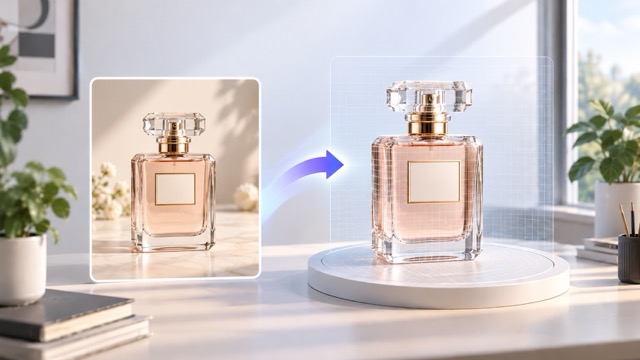
Image to 3d model free follows a simple upload, generate, and review workflow. Use one clear subject with visible edges and balanced lighting. AI image to 3D works best when the reference reveals enough shape for the system to estimate depth accurately.

1. Upload a Clear Reference
Start image to 3d model free with a sharp photo or illustration containing one main subject. Product shots, furniture, shoes, toys, props, and characters work well. Avoid blur, heavy shadows, extreme cropping, or busy backgrounds that hide the object's outline.

2. Generate the 3D Result
Run image to 3d model free and let AI estimate visible structure, depth, and volume. AI image to 3D creates a quick dimensional draft without requiring complete manual modeling, making it useful for early ideas, shape comparisons, and rapid visual exploration.

3. Preview, Compare, and Refine
Review the image to 3d model free result from different viewpoints. Compare silhouette, proportions, surfaces, and key details with the reference. If needed, try a cleaner image, stronger lighting, or a better angle, then generate again until the model fits your project.
Create 3D Concepts Faster from Images
Image to 3d model free replaces a blank modeling start with a visual reference that already contains shape, style, and material clues. Use image to 3d model free to explore form before detailed production, while AI image to 3D speeds up early concept testing.
Turn Product Photos into Dimensional Concepts
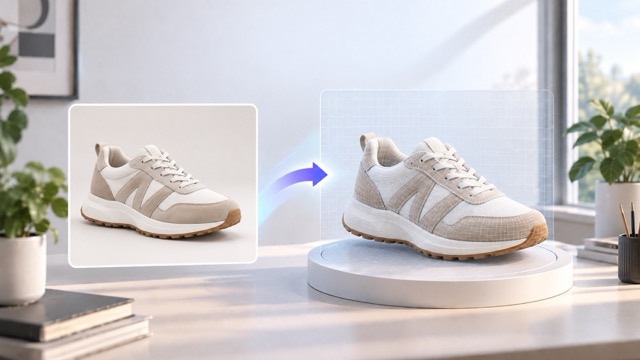
Use image to 3d model free for shoes, chairs, bottles, lamps, gadgets, toys, and accessories. Keep the complete object visible with a clean silhouette and balanced lighting. AI image to 3D can create a useful draft for product reviews, presentations, and later refinement.
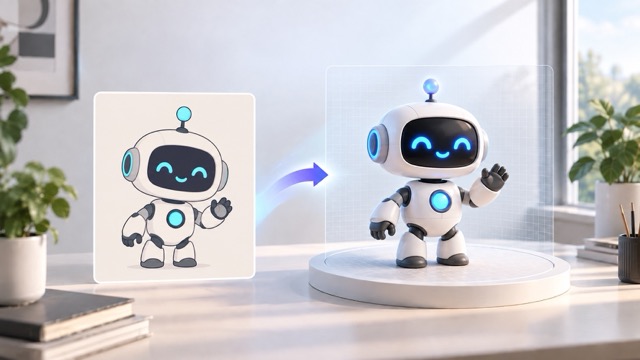
Build 3D Drafts from Character and Concept Art
Image to 3d model free can turn characters, mascots, creatures, and stylized props into dimensional drafts. Keep poses clean and important parts visible. AI image to 3D helps artists evaluate proportions, accessories, costumes, and silhouettes before spending time on detailed manual modeling.
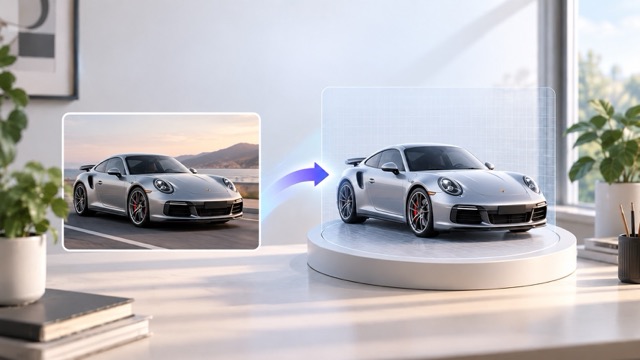
Explore Product Shapes Before Detailed Modeling
Use image to 3d model free to turn sketches, moodboards, and product photos into rough concepts before committing to detailed production. Compare angles and shapes quickly. Image to 3d model free makes prototype reviews, client discussions, and internal planning easier when ideas are still changing.
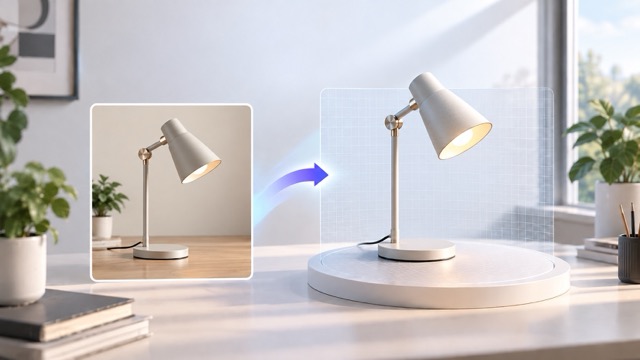
Create a Faster Idea-to-3D Workflow
Image to 3d model free helps you test several visual directions without manually building every option. AI image to 3D turns references into viewable concepts for comparison, presentations, and creative planning. After choosing a direction, continue with editing, optimization, animation, or rendering as needed.
What Can You Create from an Image?
Use image to 3d model free for product design, gaming, presentations, learning, and creative experiments. Image to 3d model free turns a clear visual reference into a dimensional draft, while AI image to 3D supports faster comparison and communication.

E-commerce and Product Visualization
Image to 3d model free can turn product photography into dimensional concepts for shoes, furniture, bottles, electronics, accessories, toys, and decor. AI image to 3D helps teams prepare mockups, merchandising ideas, campaign concepts, and early visual plans before larger production work begins.
Game Props and Creative Assets
Use image to 3d model free to explore props, collectibles, stylized objects, environmental pieces, and character concepts. Review silhouette and proportion before production, then continue with topology, materials, rigging, and optimization once the strongest visual direction is approved.
Design Prototypes and Client Presentations
Image to 3d model free converts flat concepts into rough 3D visuals for reviews, pitch decks, brainstorming, and prototype discussions. AI image to 3D makes feedback more concrete and helps teams compare several directions before investing in polished production assets.
Learning, Experiments, and Personal Projects
Experiment with image to 3d model free by testing the same subject from different angles and backgrounds. Compare how each reference changes the dimensional result. The workflow is useful for beginners, creative studies, hobby projects, concept collections, and fast personal prototypes.
A Faster Starting Point for Creators
Image to 3d model free helps creators reduce early-stage work and communicate ideas faster. These examples show how image to 3d model free and AI image to 3D can support product, design, and creative workflows.
I used image to 3d model free for a sneaker concept review. The dimensional draft made the shape easier to discuss before our team invested in a detailed production model.
I used image to 3d model free for a sneaker concept review. The dimensional draft made the shape easier to discuss before our team invested in a detailed production model.
Image to 3d model free gives me a quick starting point for prop exploration. I can compare references and choose which silhouette is worth refining for the final asset.
Image to 3d model free gives me a quick starting point for prop exploration. I can compare references and choose which silhouette is worth refining for the final asset.
I am not a full-time modeler, so image to 3d model free makes early visual work more approachable. A clear product image becomes something dimensional I can discuss with clients.
I am not a full-time modeler, so image to 3d model free makes early visual work more approachable. A clear product image becomes something dimensional I can discuss with clients.
AI image to 3D is useful for early presentation visuals. I can move from a sketch to a dimensional concept without spending the first day building every major form manually.
AI image to 3D is useful for early presentation visuals. I can move from a sketch to a dimensional concept without spending the first day building every major form manually.
Testing image to 3d model free with several angles showed me how important a clean reference is. Clear objects and simple backgrounds make the generated result much easier to evaluate.
Testing image to 3d model free with several angles showed me how important a clean reference is. Clear objects and simple backgrounds make the generated result much easier to evaluate.
For early client conversations, image to 3d model free gives us a useful bridge between a moodboard and a finished model. Everyone can react to the concept before production begins.
For early client conversations, image to 3d model free gives us a useful bridge between a moodboard and a finished model. Everyone can react to the concept before production begins.




Image to 3D Model FAQ
Learn how image to 3d model free works, what references perform best, and how AI image to 3D can improve early 3D concept development.
Image to 3d model free is an AI-assisted workflow that uses a 2D reference to create a dimensional result. Upload a product photo, sketch, illustration, object image, or concept design. Image to 3d model free interprets visible shape and depth to provide a draft for ideation, product concepts, presentations, learning, and early asset development.
Image to 3d model free performs best with one sharp, clearly visible subject. Use clean edges, balanced lighting, a simple background, and enough contrast. Avoid hidden, cropped, blurred, or heavily overlapped parts. A three-quarter view can reveal more depth than a straight front image.
Yes. Image to 3d model free reduces the manual work needed to reach an initial concept. AI image to 3D lets beginners, marketers, designers, students, and creators upload a reference, generate a result, inspect it, and decide whether it supports the next stage of their project.
A single photo shows only surfaces visible to the camera. Image to 3d model free must estimate hidden sides, depth, and some material details, so the output may differ from the source. Cleaner references, simpler backgrounds, and clearer angles can improve consistency.
Use image to 3d model free results for concept reviews, product discussions, pitches, learning, game-asset exploration, presentations, or personal experiments. You can also continue with a detailed manual workflow. Generate, inspect, refine the source, and repeat when you need a stronger version.
Turn Your Next Image into a 3D Concept
Start image to 3d model free with a clear photo, sketch, or illustration. Review your generated concept, refine the reference when needed, and use image to 3d model free to move faster from a flat idea to a dimensional starting point.