
Black Hair Filter: See Yourself With Dark Hair
Preview natural black, jet black, soft black, and blue-black hair on your photo before you dye it.
Try a new look with the Black Hair Filter and see how dark hair could suit your face before making a permanent change. Upload a selfie, choose a shade, and preview natural black, jet black, soft black, or blue-black hair while keeping your facial features recognizable. Compare subtle differences between warm, neutral, cool, glossy, and deep black tones to find a look that suits your skin tone and personal style.
How to Use Black Hair Filter
Use the Black Hair Filter in three simple steps: upload your photo, choose a black hair style, then generate and download the result. Quickly compare different dark-hair looks without changing your real hair.

Upload Your Photo
Upload a clear portrait or selfie with visible hair and balanced lighting. Keep the hairline and hairstyle easy to see for a more natural Black Hair Filter result.

Choose Your Style
Choose the black hair look you prefer, such as natural black, jet black, soft black, or blue-black. Compare different styles to find the tone that best suits your complexion and overall look.

Generate and Download
Generate your new black-hair look and review the result. Try another style if needed, compare the versions, then download your favorite image for inspiration, sharing, or salon reference.
Explore the Core Features of Black Hair Filter
The Black Hair Filter gives you a simple way to preview realistic dark-hair transformations while preserving your face and original hairstyle. Explore multiple black shades, natural color blending, and fast visual comparisons before choosing a new look.
Try Multiple Black Hair Shades
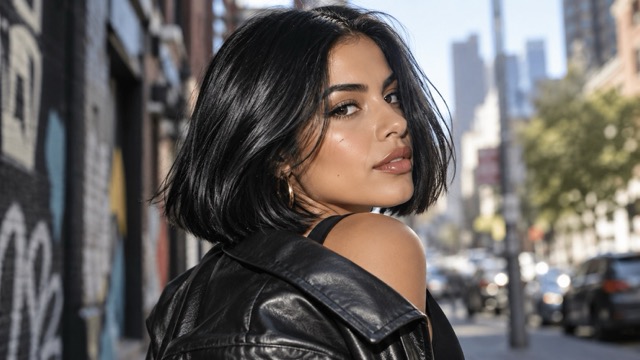
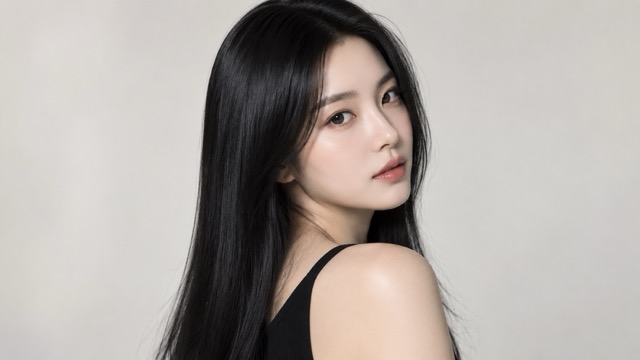
Black hair comes in many tones. Use the Black Hair Filter to compare natural black, jet black, soft black, glossy black, and blue-black on your own photo. The Black Hair Color Filter helps reveal how each shade changes contrast around your face, eyes, brows, and skin tone.

Keep Your Original Hairstyle
Change only the hair color while keeping your original haircut, length, volume, waves, curls, and hairline recognizable. The Black Hair Filter focuses on color transformation without unnecessarily changing your overall appearance.
Create Natural Hair Color Blending
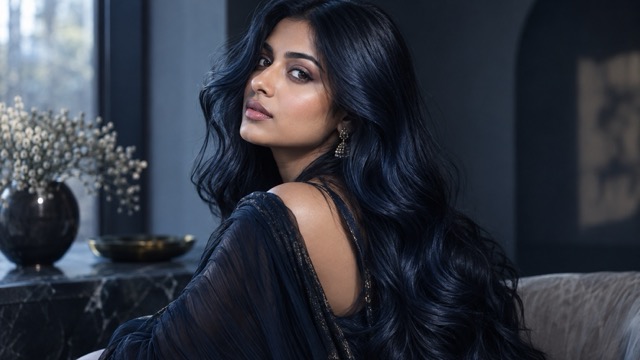
The Black Hair Color Filter keeps highlights, shadows, individual strands, and natural shine visible instead of covering the hair with flat color. This creates a more realistic preview that follows the lighting and texture of your original photo.
Compare Looks Before You Dye
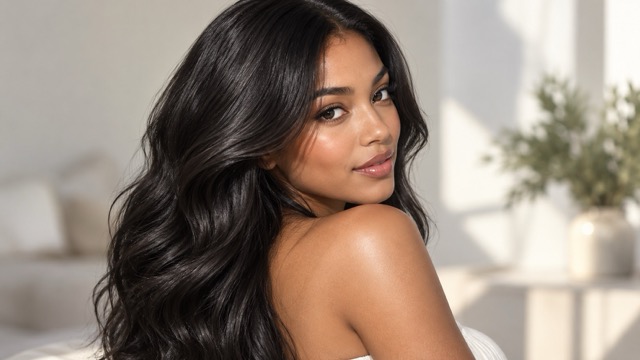
Use the Black Hair Filter to preview several dark-hair options before visiting a salon or changing your real color. Compare natural, cool, warm, glossy, and deep black styles side by side to find the direction you prefer.
What Can You Do With Black Hair Filter?
The Black Hair Filter works for salon planning, profile-photo updates, beauty content, costumes, and personal style exploration. Test darker hair on your own photo before deciding whether the look is right for you.

Preview Black Hair Before a Salon Visit
Use the Black Hair Filter before committing to permanent dye. Compare natural black, jet black, and softer shades on your own face, then save your preferred result as a visual reference for your stylist.
See How Black Hair Changes Your Overall Look
Hair color can change how your skin tone, eyes, brows, makeup, clothing, and accessories appear. Use the Black Hair Color Filter to compare deeper or softer black shades and see which creates the most balanced look.
Create Profile Photos and Beauty Content
Use the Black Hair Filter for profile images, themed posts, before-and-after concepts, or hairstyle inspiration. Generate different dark-hair variations from one portrait and explore a new visual identity without changing your real hair.
Explore Character, Costume, and Cosplay Looks
Test black hair for costumes, cosplay, character concepts, themed portraits, or fashion mood boards. The Black Hair Color Filter helps you preview the overall look before buying a wig, styling a costume, or planning a shoot.
Why People Try Black Hair Filter
The Black Hair Filter offers an easy way to explore a dramatic color change before making it permanent. Compare black hair shades on your own face and make style decisions with a clearer visual reference.
I was thinking about going darker but could not decide between soft black and jet black. The Black Hair Filter made the difference much easier to see on my own face.
I was thinking about going darker but could not decide between soft black and jet black. The Black Hair Filter made the difference much easier to see on my own face.
The Black Hair Color Filter helped me realize that a softer black looked more natural with my skin tone than the very dark shade I originally wanted. I saved both versions before my salon appointment.
The Black Hair Color Filter helped me realize that a softer black looked more natural with my skin tone than the very dark shade I originally wanted. I saved both versions before my salon appointment.
I used the Black Hair Filter for a new profile photo concept. It kept the overall hairstyle familiar but changed the mood enough that I could compare a completely different look.
I used the Black Hair Filter for a new profile photo concept. It kept the overall hairstyle familiar but changed the mood enough that I could compare a completely different look.
I wanted to know how I would look with black hair before buying a wig for a costume. The Black Hair Color Filter gave me a fast reference and helped me choose the darker option.
I wanted to know how I would look with black hair before buying a wig for a costume. The Black Hair Color Filter gave me a fast reference and helped me choose the darker option.
I liked using the Black Hair Color Filter to compare my current brown hair with natural black and blue-black. Seeing both versions made the final choice much easier.
I liked using the Black Hair Color Filter to compare my current brown hair with natural black and blue-black. Seeing both versions made the final choice much easier.





Black Hair Filter FAQ
Learn how the Black Hair Filter works, which photos produce better results, and how to compare natural black, jet black, soft black, glossy black, and blue-black styles.
A Black Hair Filter is a photo-editing tool that lets you preview yourself with dark hair without applying permanent dye. Upload a portrait, select a shade, and generate a visual version of your hair in black. The Black Hair Color Filter can be used for salon planning, beauty experiments, profile photos, costume references, or simply answering the question, 'How would I look with black hair?' The Black Hair Filter is a visual preview, so the final real-world color may still vary depending on your natural hair, dye process, lighting, and stylist.
The Black Hair Filter can be used to explore different dark directions such as natural black, jet black, soft black, glossy black, and blue-black. The Black Hair Color Filter helps show how each shade changes contrast around your face. Natural black generally feels softer, jet black creates a deeper dramatic look, and blue-black can produce a cooler appearance. Try several Black Hair Filter versions on the same photo instead of choosing a shade from a color swatch alone.
For the strongest Black Hair Filter result, use a clear portrait with visible hair, balanced lighting, and minimal obstruction around the head. Front-facing or slightly angled photos usually make the hairline and overall shape easier to interpret. Avoid hats, heavy blur, extreme shadows, or filters that change the original hair color too much. A clean image gives the Black Hair Color Filter a better reference for preserving your face and hairstyle while changing the color.
The Black Hair Filter is best treated as a visual preview rather than an exact prediction of a salon result. Real hair color depends on your starting shade, hair condition, previous treatments, dye formula, lighting, and application method. The Black Hair Color Filter can still be useful for comparing general directions such as natural black versus jet black or warm versus cool black. Use your preferred Black Hair Filter result as inspiration, then discuss the practical color process with a qualified stylist.
Use the Black Hair Filter to compare several shades on the same portrait instead of judging one image in isolation. Look at how the hair color interacts with your skin, eyes, eyebrows, makeup, and clothing. The Black Hair Color Filter can help you notice whether deep jet black creates too much contrast, whether soft black feels more balanced, or whether blue-black gives the cooler effect you want. Save two or three Black Hair Filter results and compare them before deciding.
See Yourself With Black Hair Before You Dye It
Upload your photo, choose a shade, and use the Black Hair Filter to preview natural black, jet black, soft black, glossy black, or blue-black hair. Compare your favorite results and use them as inspiration for a salon visit, profile photo, beauty experiment, costume, or personal style update.