AI Linocut Generator for Bold, Hand-Carved Style Art
Turn text ideas or photos into striking linocut-inspired artwork with carved lines, bold contrast, and printmaking character.
Create expressive print-style artwork with the AI Linocut Generator without carving a physical block. Describe a subject, upload an image, or start with a Photo to Linocut workflow, then control line density, contrast, ink texture, composition, and color. The AI Linocut Generator helps creators produce bold carved detail, vintage printmaking energy, and handcrafted visuals for posters, editorial graphics, covers, packaging, and personal illustrations.
How to Use AI Linocut Generator
Create linocut-style artwork in three simple steps. Upload a photo, choose the linocut style you want, then generate and download your finished image.

Upload Your Photo
Upload a clear portrait, pet photo, product image, landscape, or other reference. The AI Linocut Generator uses your image as the starting point for Photo to Linocut conversion.

Choose a Linocut Style
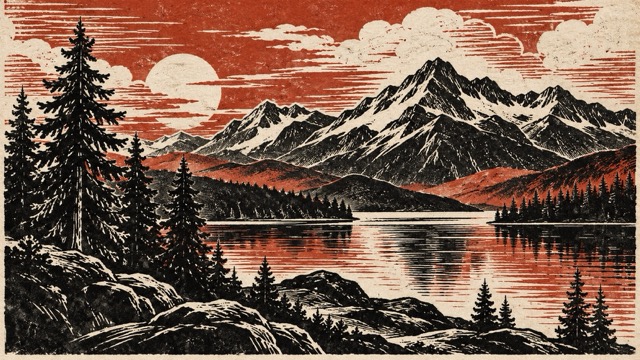
Select the linocut look you prefer, such as classic black and white, vintage carved print, botanical, two-color, or modern minimal. Choose the style that best fits your subject and creative goal.

Generate and Download
Generate your linocut artwork and review the result. Once you are satisfied, download the finished image and use it for posters, covers, social content, prints, or other creative projects.
Explore the Creative Power of AI Linocut Generator
The AI Linocut Generator combines relief-print aesthetics with a flexible digital workflow. Focus on what to simplify, emphasize, or contrast while controlling how carved marks guide the eye. With text prompts and image-to-linocut input, the AI Linocut Generator supports both original artwork and style transformation.
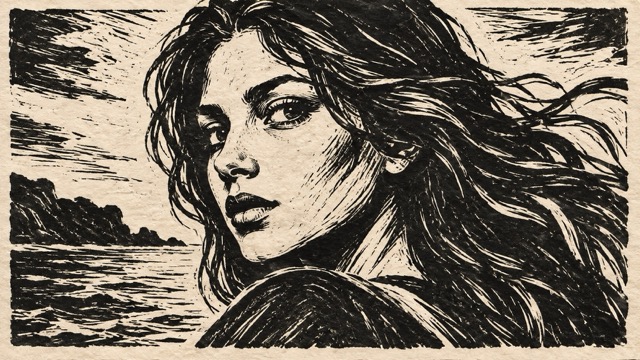
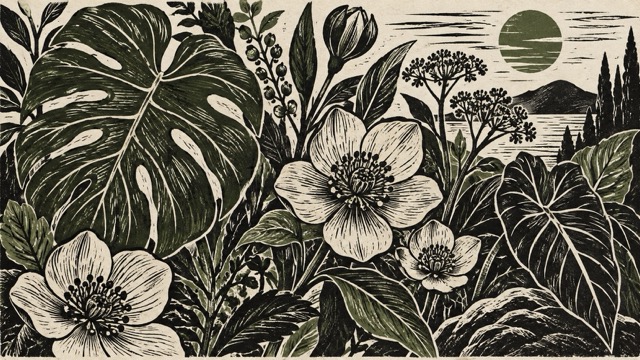
Turn Text Ideas Into Linocut Art
Text to Linocut
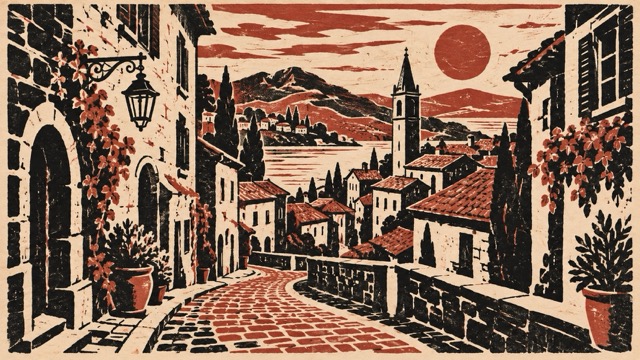
Use the AI Linocut Generator when you have an idea but no source image. Describe a landscape, botanical composition, portrait, animal, or poster scene, then add the printmaking direction you want. The AI Linocut Generator can create bold silhouettes, carved lines, blocky shadows, limited colors, and textured ink for concept art, decorative prints, and graphic illustration.
Convert Photos Into Carved Print Style
Photo to Linocut
Photo to Linocut conversion works when you already have a strong image but want a more graphic interpretation. Upload a portrait, pet, product, building, or landscape and let the AI Linocut Generator rebuild it with simplified tonal groups and carved marks. It can emphasize edges, shadows, facial structure, or architectural lines for a crafted relief-print look.
Control Carved Lines, Ink, and Contrast
Relief Print Styling
The character of linocut comes from the balance between carved areas and printed ink. The AI Linocut Generator lets you request rough gouge marks, dense crosshatching, broad black shapes, white carved highlights, uneven ink, or cleaner modern lines. These controls help create realistic, poster-like, antique, expressive, or minimal results.
Create Monochrome or Limited-Color Prints
Black and White or Color
Classic linocut often uses black ink on light paper, but the AI Linocut Generator can also create red-and-black posters, earthy two-color prints, muted vintage palettes, or bold modern combinations. For image-to-linocut conversion, reduce color to a few strategic areas while keeping the subject visually strong.
What Can You Create With AI Linocut Generator?
The AI Linocut Generator is ideal when normal photos or digital illustrations feel too polished. From image-to-linocut portraits to original poster art, it supports varied creative directions while keeping the bold carved-print character of traditional linocut.

Posters, Covers, and Editorial Art
Use the AI Linocut Generator for posters, magazine illustrations, book covers, event graphics, and editorial headers. You can also begin with image-to-linocut conversion for a person, place, or object, then simplify it into a stronger graphic composition. The result feels more intentional and handcrafted.
Portraits, Pets, and Personal Keepsakes
Photo to Linocut works well for portraits because recognizable features can become dramatic areas of light, shadow, and carved texture. Upload a face, family photo, pet, or travel memory, then use the AI Linocut Generator to simplify the background while keeping important facial or silhouette details clear.
Nature, Architecture, and Travel Scenes
A Photo to Linocut landscape can transform clouds, stone, leaves, and water into rhythmic carved patterns. The AI Linocut Generator can also simplify busy scenery into clearer foreground, middle ground, and background layers for art prints, travel graphics, or decorative projects.
Branding, Packaging, and Merchandise
Use the AI Linocut Generator for packaging illustrations, labels, shirt graphics, café branding, artisan products, or handmade visual identities. Existing product photos can also become simplified emblems or decorative prints through image-to-linocut conversion, making it useful for early concept exploration.
Why Creators Use AI Linocut Generator
The AI Linocut Generator brings relief-print character into a faster digital workflow. Creators can move from ideas to variations, compare styles, and use image-to-linocut conversion to reinterpret references while keeping the bold structure and carved texture that make linocut recognizable.
I use the AI Linocut Generator for poster concepts because it gives me strong contrast and carved texture right away.
I use the AI Linocut Generator for poster concepts because it gives me strong contrast and carved texture right away.
The Photo to Linocut workflow is my favorite part. I can upload a travel photo, simplify the background, and keep the important architectural shapes. The AI Linocut Generator helps me turn a normal reference into something that feels suitable for a small art print.
The Photo to Linocut workflow is my favorite part. I can upload a travel photo, simplify the background, and keep the important architectural shapes. The AI Linocut Generator helps me turn a normal reference into something that feels suitable for a small art print.
I wanted a handmade look for a packaging concept, but a polished vector style felt too clean. The AI Linocut Generator gave me rough edges, carved lines, and ink texture that matched the direction much better. It became a useful visual reference for the final design.
I wanted a handmade look for a packaging concept, but a polished vector style felt too clean. The AI Linocut Generator gave me rough edges, carved lines, and ink texture that matched the direction much better. It became a useful visual reference for the final design.
Photo to Linocut conversion works especially well for pet portraits. I keep the face simple, ask for bold shadow shapes, and remove background clutter. The AI Linocut Generator gives me a strong starting point that still feels personal.
Photo to Linocut conversion works especially well for pet portraits. I keep the face simple, ask for bold shadow shapes, and remove background clutter. The AI Linocut Generator gives me a strong starting point that still feels personal.
The AI Linocut Generator is useful for testing different print directions before I commit to a composition. I can compare a clean modern version with a rough vintage version, then decide which carved texture suits the subject best.
The AI Linocut Generator is useful for testing different print directions before I commit to a composition. I can compare a clean modern version with a rough vintage version, then decide which carved texture suits the subject best.





AI Linocut Generator FAQ
Learn how the AI Linocut Generator works, how Photo to Linocut differs from a basic filter, and how to create stronger relief-print results with better prompts.
An AI Linocut Generator is a digital tool that creates artwork inspired by linoleum relief printing. Instead of physically carving a lino block, you describe a scene or provide a reference image, then the AI Linocut Generator interprets it using bold ink shapes, carved-looking lines, negative space, and print-style texture. It can be used for original illustrations as well as image-to-linocut transformations.
Photo to Linocut conversion starts with an existing image and rebuilds its visual structure in a carved print style. The AI Linocut Generator identifies important silhouettes, edges, shadows, and tonal groups, then reduces photographic detail into more graphic marks. A strong Photo to Linocut result should still feel recognizable while showing clear relief-print texture instead of looking like a simple black-and-white filter.
Photo to Linocut works best with images that have a clear subject, readable lighting, and distinct shapes. Portraits with visible facial structure, buildings with strong geometry, and landscapes with separated foreground and background areas are good starting points. The AI Linocut Generator can simplify complex scenes, but cleaner references usually produce stronger carved forms and better contrast.
When using the AI Linocut Generator, describe physical printmaking qualities instead of only saying 'linocut style.' Mention rough gouge marks, white carved channels, dense black ink, uneven block texture, crosshatching, relief print, hand-cut edges, or limited-color printing. For image-to-linocut work, also tell the AI Linocut Generator which details should remain recognizable and which areas can be simplified.
Yes. The AI Linocut Generator can create traditional black-and-white relief-print looks or more modern interpretations with clean geometry, bright spot colors, poster layouts, decorative patterns, and contemporary compositions. You can also combine image-to-linocut conversion with a modern palette or minimalist background to create artwork that keeps carved texture while feeling current.
Create Bold Print Art With AI Linocut Generator
Turn text or an existing image into carved, high-contrast artwork with the AI Linocut Generator. Start from text for an original composition or choose Photo to Linocut for portraits, products, landscapes, pets, or other references. Explore line texture, monochrome contrast, limited color, and relief-print styling, then refine the strongest direction for posters, covers, branding, personal art, or creative experiments.