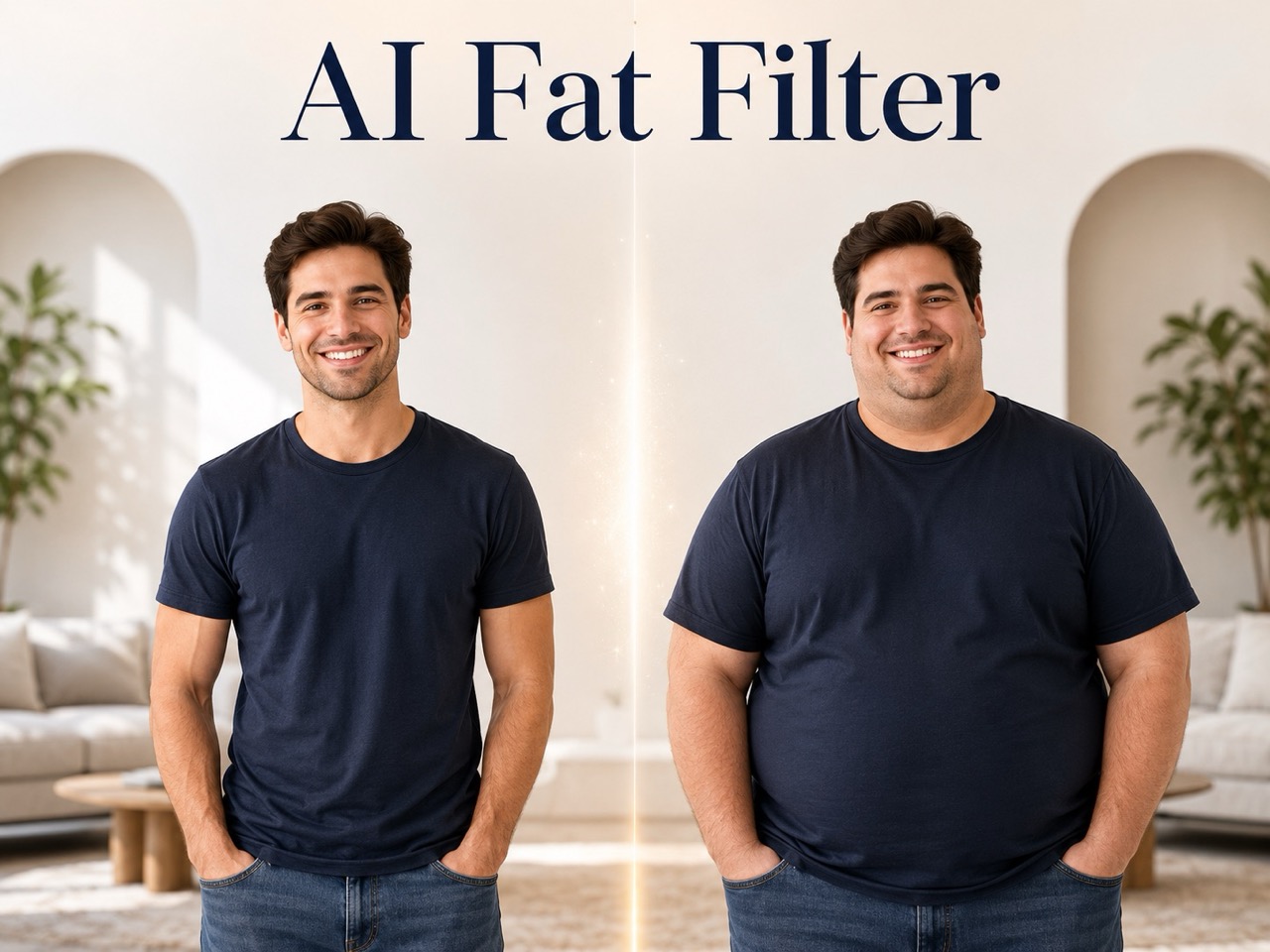
AI Fat Filter: Realistic Weight Gain Photo Transformation
Upload a photo and use AI Fat Filter to create a natural, fuller-looking version of yourself with a realistic weight gain effect.
AI Fat Filter helps you preview a heavier look from one photo. Upload your image, click generate, and see a realistic weight gain effect that keeps your identity, pose, lighting, clothing, and background natural.
How to Use AI Fat Filter in 3 Steps
AI Fat Filter is built for a short workflow: upload an image, click generate, and view the finished transformation. No complex editing is needed, so AI weight gain simulator results are easy to create. AI weight gain simulator output supports users who ask make me fat and expect a clear visual answer without extra setup.

Upload Your Photo
Start AI Fat Filter by uploading a clear portrait or full-body photo. For the best realistic weight gain effect, choose an image where the face and body are visible, lighting is even, and the subject is not blocked by large objects.

Click Generate
After your photo is uploaded, click Generate. AI Fat Filter reads the image, identifies the main adult subject, and prepares a natural transformation. This simple flow also works as AI weight gain simulator for quick visual previews.

View the Result
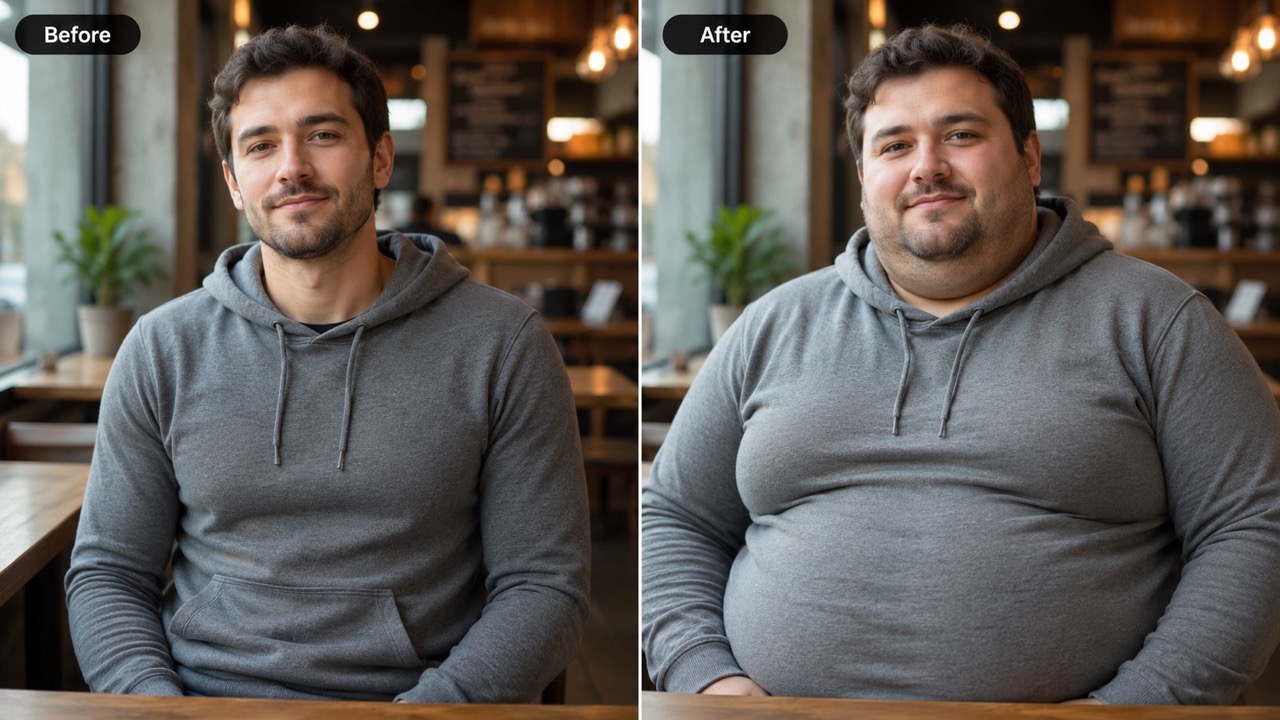
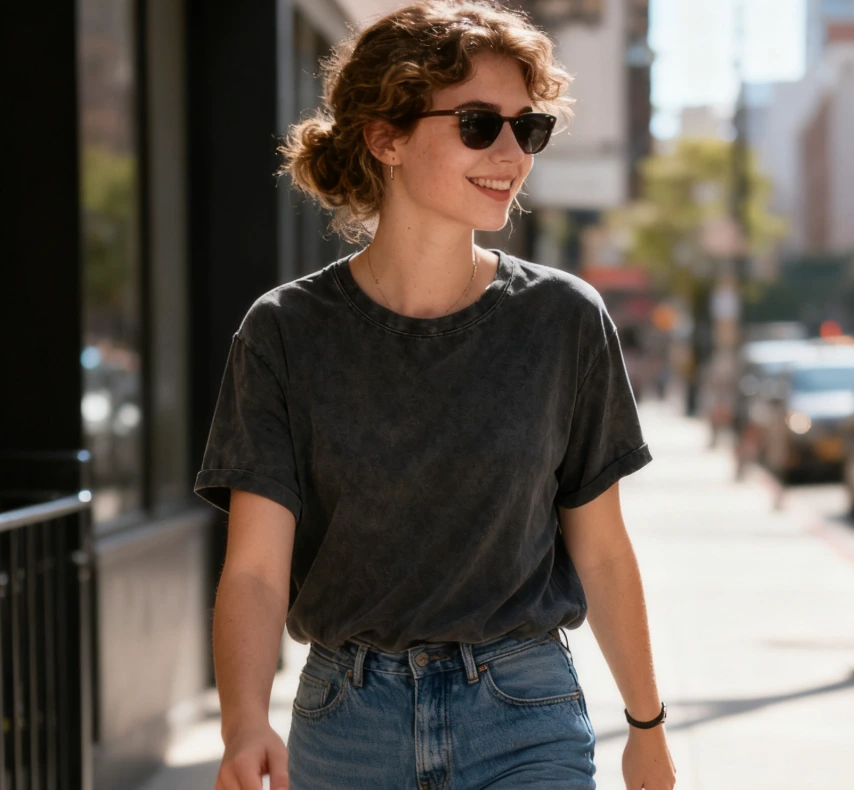
AI Fat Filter creates a fuller version of the original photo. Check the changed cheeks, jawline, arms, waist, and body shape while keeping the same identity, expression, outfit, background, and camera angle.
What AI Fat Filter Helps You Create
AI Fat Filter gives users a clear visual answer to one question: how would this person look with a fuller face and body? It is made for realistic, recognizable transformations. AI weight gain simulator results make the change easy to understand, and make me fat intent becomes a polished photo transformation.
See a Fuller Face Without Losing Identity
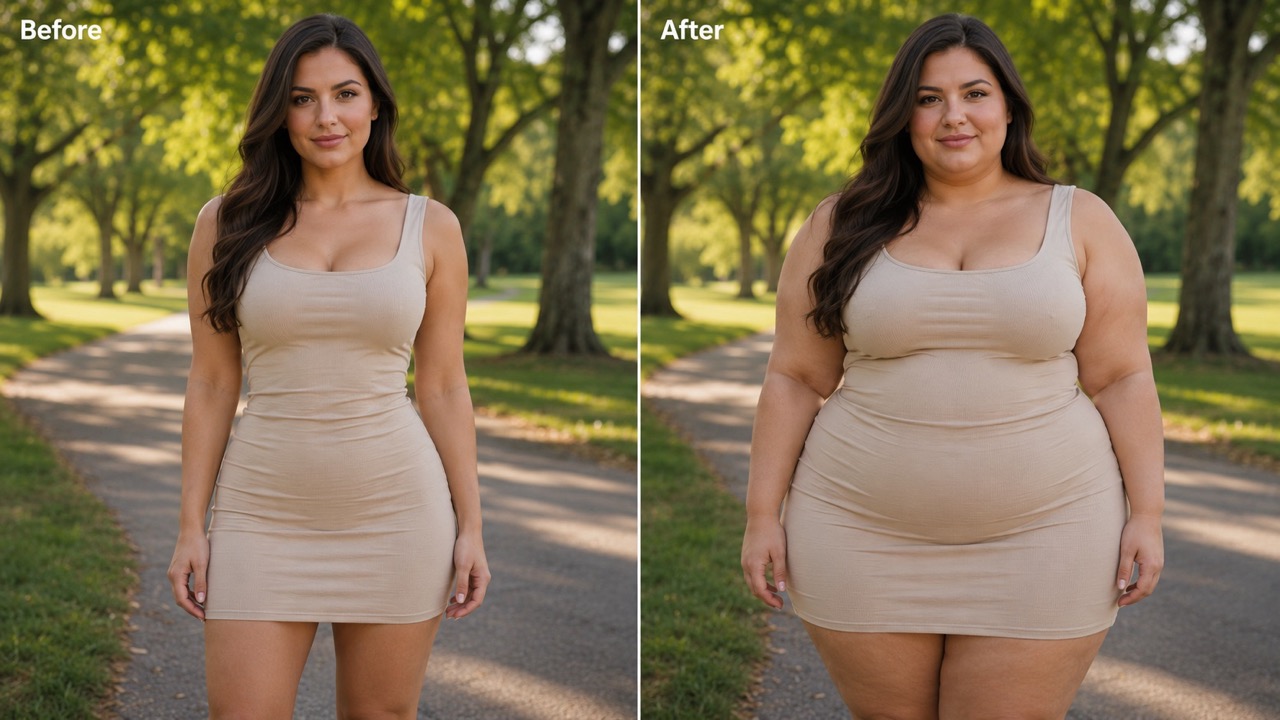
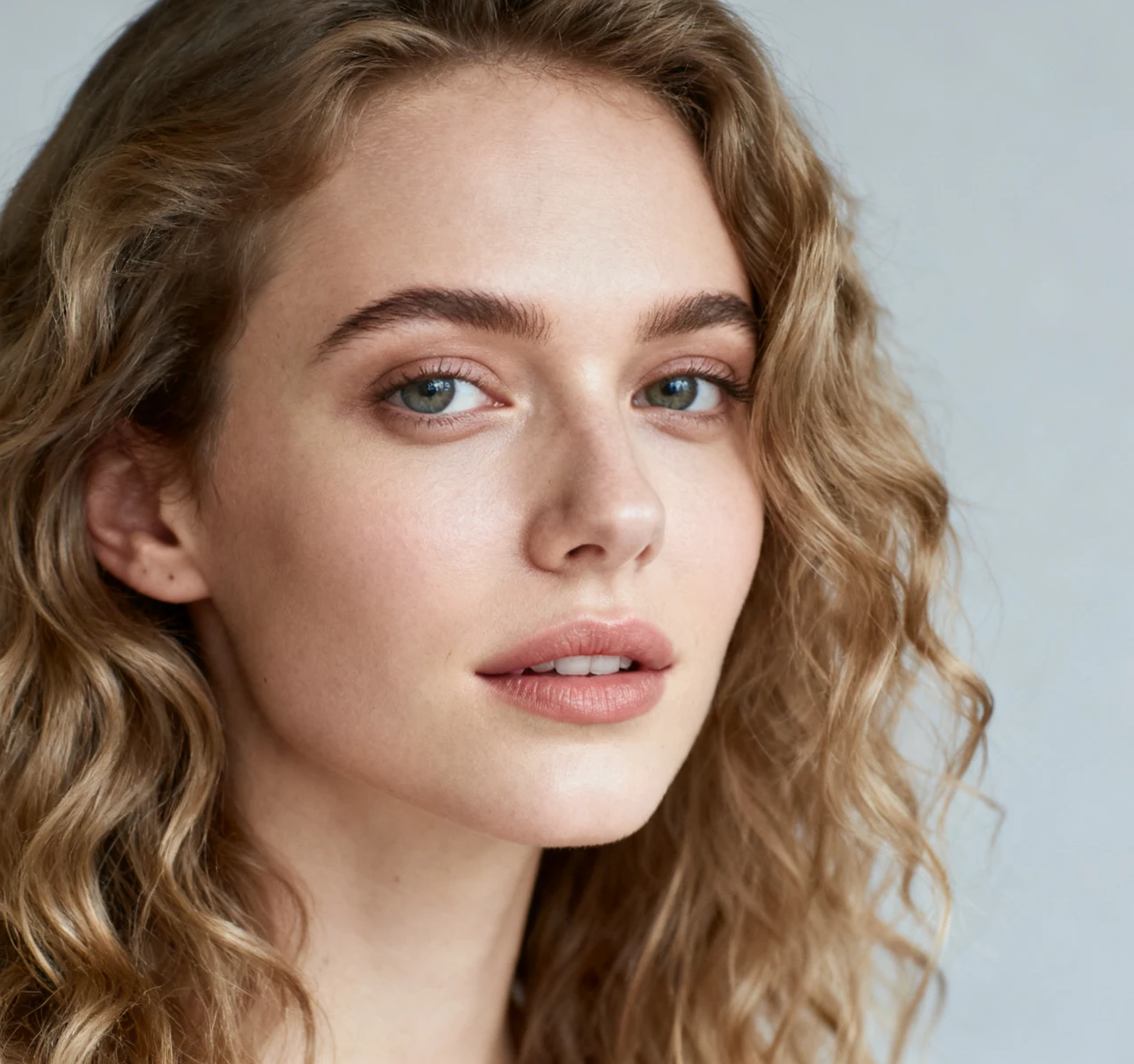
AI Fat Filter focuses on realistic facial changes instead of a cheap sticker effect. It can make cheeks look fuller, soften the jawline, and add natural volume around the chin and neck while preserving the person in the original image. This is useful for anyone searching make me fat results that still look like a believable photo. The face remains recognizable, so the transformation feels playful, visual, and easy to compare. If you want a make me fat preview for a selfie, AI Fat Filter provides a clear before-and-after feeling without replacing the original personality.
Preview Natural Body Weight Gain
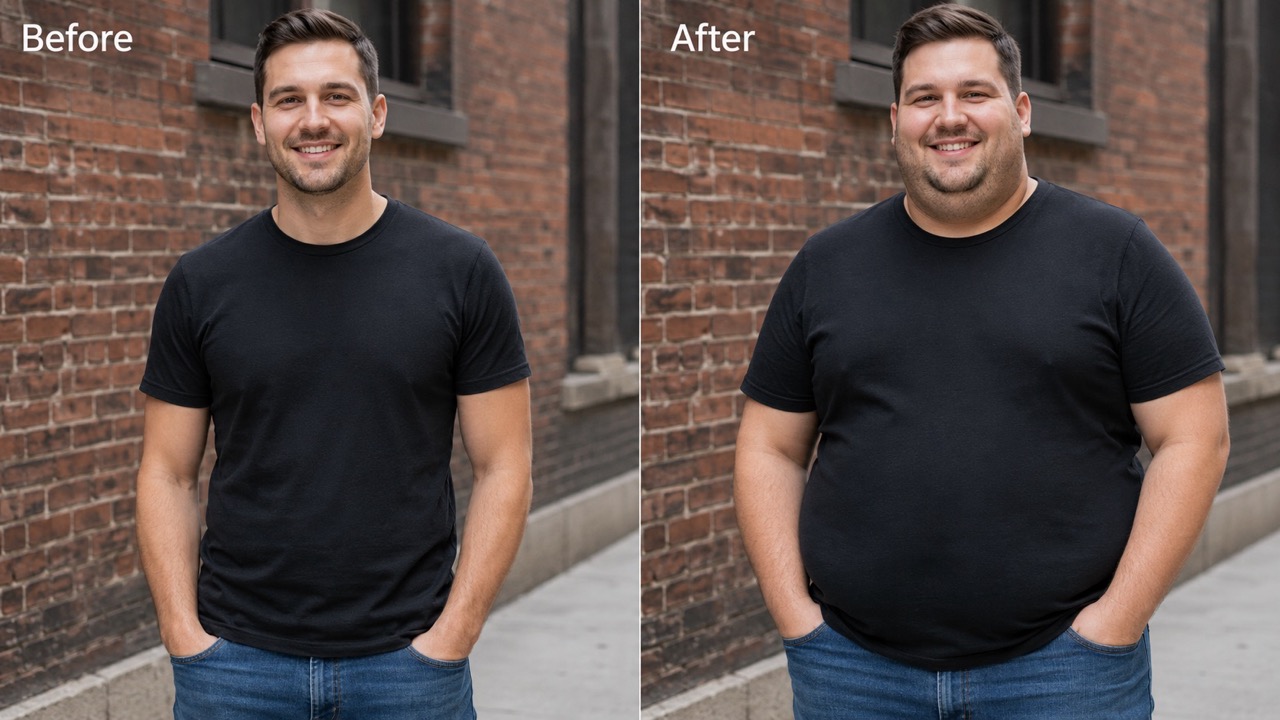
AI Fat Filter helps you visualize how weight gain may change visible body areas. Arms can look thicker, the torso can appear wider, and clothing can follow the new shape with more realistic folds and shadows. As AI weight gain simulator, it gives users a quick way to explore a fuller body look without manual retouching. The goal is a realistic weight gain effect, not an extreme or distorted result. Users looking for make me fat ideas can see how volume affects the overall silhouette.
Create Fun Social Photo Edits
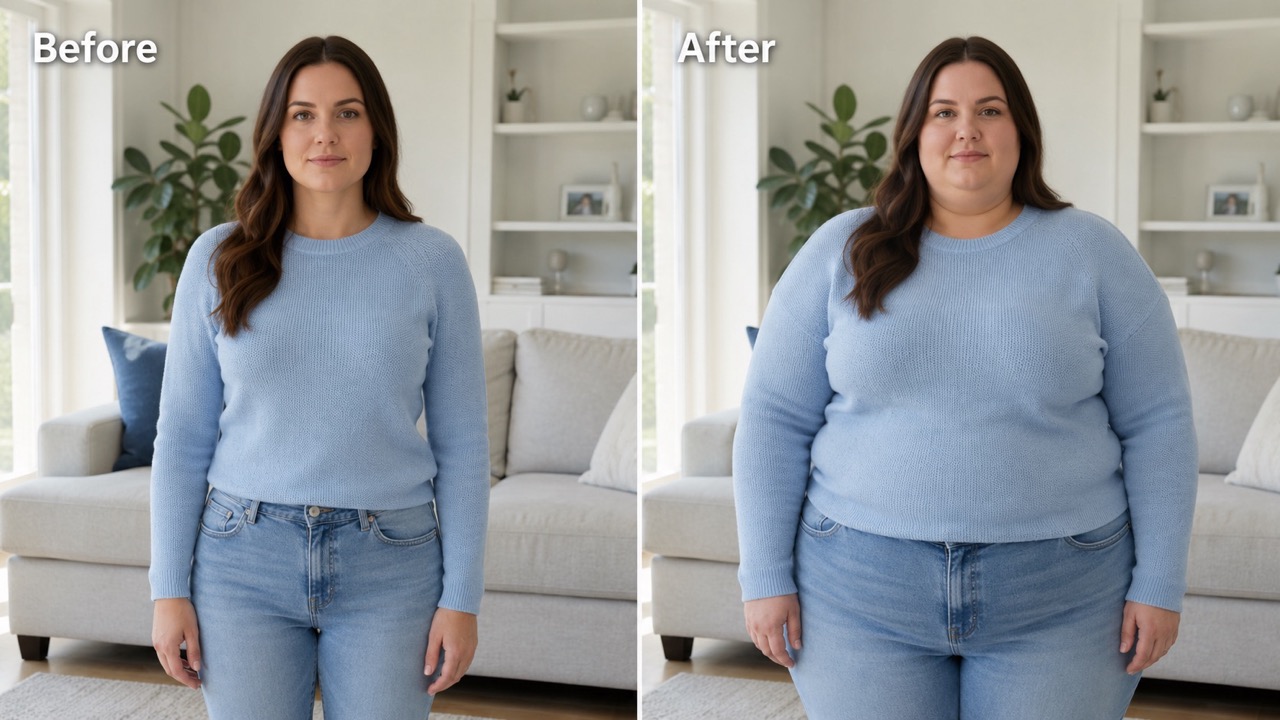
People often search make me fat when they want a quick transformation that friends can recognize instantly. With AI fat filter online free access, the process stays simple: upload, generate, and share when the result feels right. The edit keeps the scene familiar, so the humor comes from the transformation, not from a messy image. AI Fat Filter can also help creators test a look before building a scene around it. AI weight gain simulator edits are useful when a character needs a fuller appearance but the same identity.
Who Uses AI Fat Filter?
AI Fat Filter serves people who want a fast visual transformation, not complex manual editing. It fits curiosity, social content, character creation, and simple image experiments.

Personal Curiosity
AI Fat Filter is ideal for users who are curious about a heavier version of themselves. Instead of imagining the change, they can upload one image and get a realistic weight gain effect. Many visitors search make me fat because they want an instant visual answer, and AI weight gain simulator results make that comparison easy. AI Fat Filter is also helpful when someone wants to compare a subtle edit with a stronger one. AI fat filter online free and free AI fat filter searches both fit this low-friction curiosity.

Social Media Challenges
AI Fat Filter can support fun social posts, reaction images, and friendly transformation challenges. Users can create a fuller version of a photo, compare it with the original, and use free AI fat filter wording when describing a quick edit. The result works best when the tone stays playful and respectful. AI weight gain simulator results can make a challenge easier to understand because the change is visible immediately. If friends ask make me fat for a trend, AI Fat Filter keeps the photo recognizable.
Character and Story Concepts
Creators can use AI Fat Filter to test character looks for stories, thumbnails, comics, or role ideas. AI weight gain simulator output helps show how a character might appear after a body change while keeping the same face, pose, outfit, and scene. This makes visual planning faster and easier. A creator searching free AI fat filter can quickly explore several drafts before choosing a final direction. AI Fat Filter helps keep the same visual world while changing body presence.

Before-and-After Visual Ideas
AI Fat Filter works well for mock before-and-after concepts when users need a believable fuller look. Searches like make me fat and realistic weight gain effect usually come from people who want an obvious change that still respects the original photo. AI fat filter online free phrasing also matches quick trial intent. As AI weight gain simulator, AI Fat Filter is useful when the goal is not beauty retouching, but a clear visual change. It answers make me fat intent with a more controlled, photo-aware result.
What Users Say About AI Fat Filter
Users choose AI Fat Filter when they want a fast, realistic, and recognizable transformation. These comments show how it helps with fun edits, ideas, and visual previews.
I searched make me fat for a funny profile edit, but I wanted it to look real, not like a sticker. AI Fat Filter changed my cheeks and body shape while keeping my smile and clothes natural. The realistic weight gain effect was much better than I expected. I would use AI Fat Filter again for another make me fat concept because it was quick and believable.
I searched make me fat for a funny profile edit, but I wanted it to look real, not like a sticker. AI Fat Filter changed my cheeks and body shape while keeping my smile and clothes natural. The realistic weight gain effect was much better than I expected. I would use AI Fat Filter again for another make me fat concept because it was quick and believable.
I used AI Fat Filter for a character concept and the result helped me understand the face shape quickly. As AI weight gain simulator, it made the body look fuller without changing the person completely. I liked that the background stayed untouched. AI Fat Filter saved time because I did not need to describe the change in words only.
I used AI Fat Filter for a character concept and the result helped me understand the face shape quickly. As AI weight gain simulator, it made the body look fuller without changing the person completely. I liked that the background stayed untouched. AI Fat Filter saved time because I did not need to describe the change in words only.
AI fat filter online free was exactly what I needed for a quick transformation test. I uploaded a selfie, clicked generate, and got a believable fuller version. AI Fat Filter kept the lighting, pose, and expression close to the original. I also liked that free AI fat filter access made it easy to test the idea first.
AI fat filter online free was exactly what I needed for a quick transformation test. I uploaded a selfie, clicked generate, and got a believable fuller version. AI Fat Filter kept the lighting, pose, and expression close to the original. I also liked that free AI fat filter access made it easy to test the idea first.
I tried free AI fat filter because I wanted a playful image for a group chat. The edit was funny but still respectful. AI Fat Filter gave me a fuller face and body without making the photo look broken or exaggerated. For a make me fat joke, AI weight gain simulator output felt much cleaner than manual edits.
I tried free AI fat filter because I wanted a playful image for a group chat. The edit was funny but still respectful. AI Fat Filter gave me a fuller face and body without making the photo look broken or exaggerated. For a make me fat joke, AI weight gain simulator output felt much cleaner than manual edits.


FAQs About AI Fat Filter
Find quick answers about AI Fat Filter, photo choice, realistic output, AI weight gain simulator use, and how to get better transformation results.
Upload a clear photo, click Generate, and view the finished transformation. AI Fat Filter handles the fuller face and body effect automatically. The process fits AI fat filter online free users who want one direct path from photo to result.
AI Fat Filter aims for a realistic weight gain effect by adjusting visible face and body areas while keeping identity, clothing, lighting, and background consistent. AI weight gain simulator behavior helps the added size follow the original pose.
Yes. AI weight gain simulator output can work on selfies, portraits, and full-body photos, as long as the main subject is visible. AI Fat Filter works better when arms, waist, or shoulders are not hidden.
For best results, use one clear adult subject with good lighting. AI Fat Filter edits the most prominent adult subject when multiple people appear. A front-facing or slightly angled image usually helps AI weight gain simulator output look more natural.
Yes. People often use make me fat searches for playful edits, memes, and reaction images. Keep the context respectful and avoid using it to shame anyone. AI Fat Filter can satisfy make me fat curiosity without pushing the image into an insulting or extreme style. This makes make me fat edits easier to share in a friendly context.
AI fat filter online free and free AI fat filter searches usually mean users want a quick browser-based trial. This page is designed for that upload-and-generate workflow. They also describe users who want free AI fat filter access before deciding whether the result is useful.
Create a Fuller Photo with AI Fat Filter
Upload your image and let AI Fat Filter create a realistic weight gain effect in seconds. Use AI weight gain simulator features for curiosity, creative concepts, or a fun make me fat transformation.