1980s AI Photo Trend: Create Your Retro 80s Look
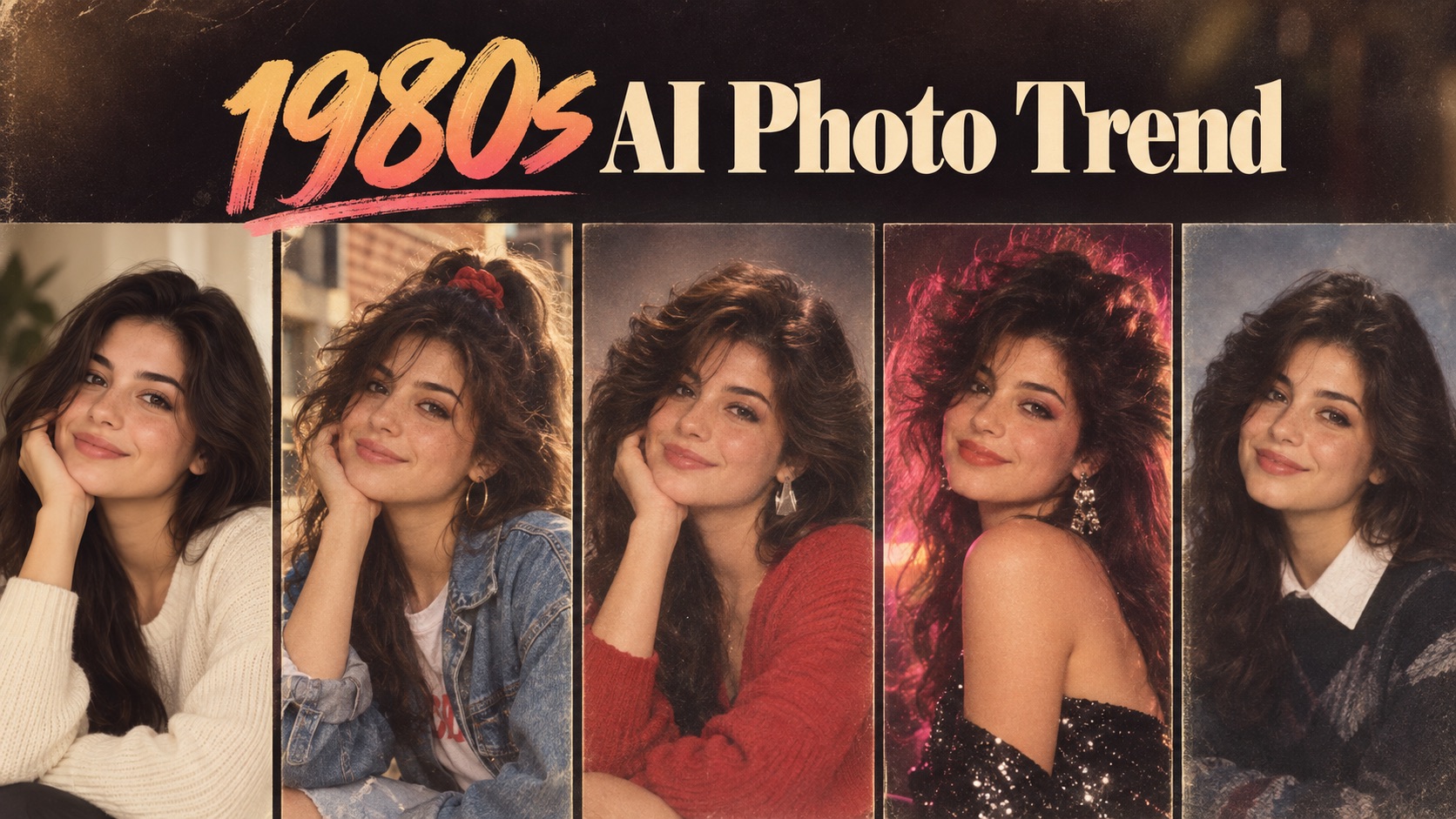
Explore 80s AI Photo Trend looks by turning a current portrait into an authentic 1980s-style image with era-inspired hair, fashion, lighting, color, and camera character.
1980s AI Photo Trend lets you reimagine a reference photo as a believable image from the 1980s. Upload one photo, choose a style, and generate a new portrait while keeping the original person recognizable. Use 1980s AI Photo Generator controls to explore classic studio, album, glam, yearbook, party, wedding, and Bollywood-inspired looks.
How to Use 1980s AI Photo Trend in 3 Steps
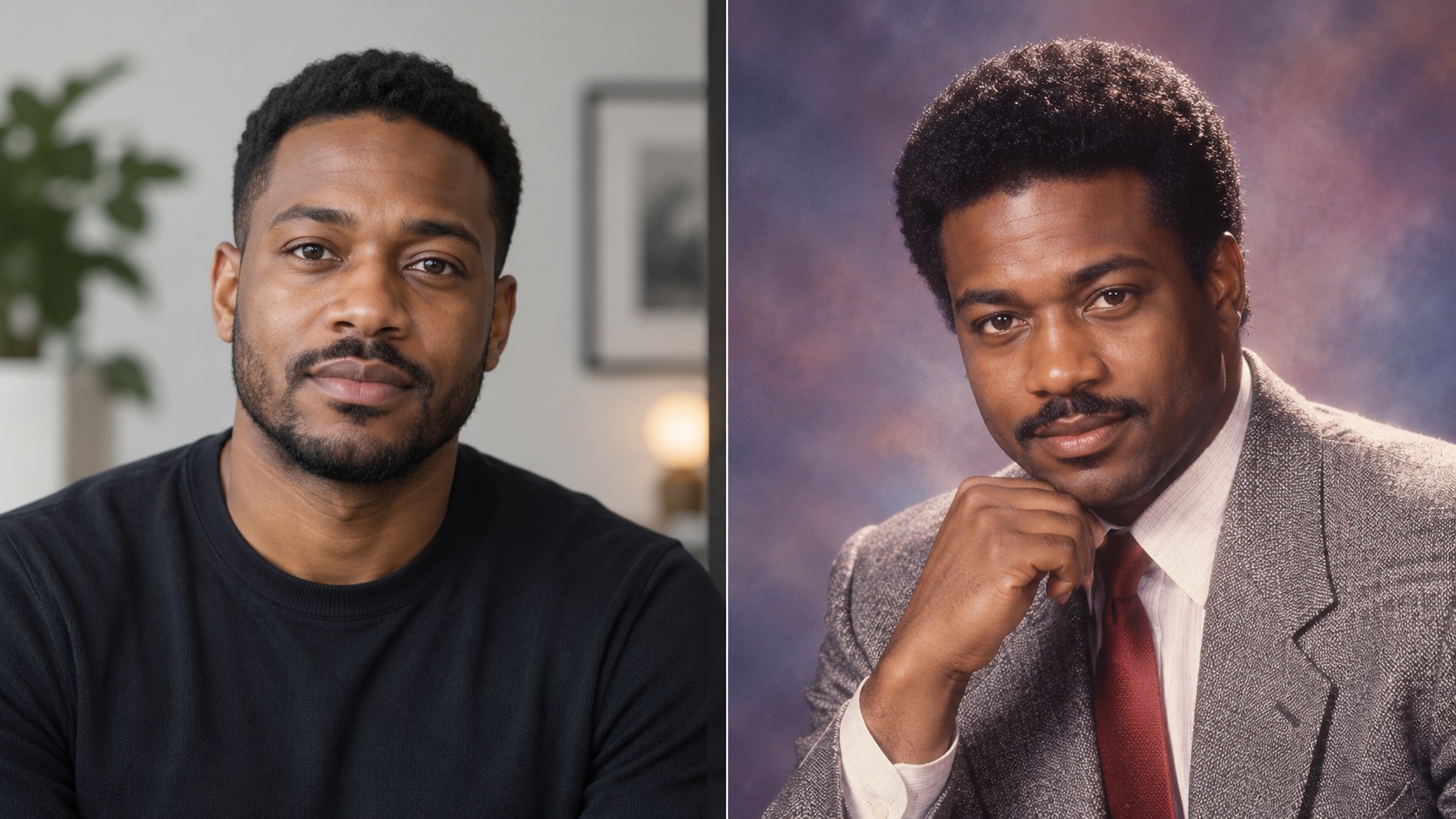
1980s AI Photo Trend follows the workflow shown above: upload a reference photo, select one of the available retro styles, and click Generate Image. The 1980s AI Photo Trend Generator handles the visual transformation without requiring you to write a prompt. 80s AI Photo Trend keeps the process guided from upload to result.

Upload for 1980s AI Photo Trend
Start 1980s AI Photo Trend by uploading a JPG or PNG reference image. A clear portrait helps preserve the subject’s face, age, skin tone, and overall identity. You can drag and drop the file, click to select an image, or choose one from your assets library before using 1980s AI Photo Generator.

Choose Your 1980s Style
Select Classic 80s, Studio Portrait, Family Album, Glam 80s, Yearbook Photo, Retro Party, Wedding Portrait, or Bollywood 80s. 1980s AI Photo Trend applies the selected visual direction while keeping the same people as the uploaded photo. You can also set aspect ratio, resolution, background mode, and number of images before generation.

Generate with 1980s AI Photo Trend
Click Generate Image to run 1980s AI Photo Trend. 1980s AI Photo Generator rebuilds the portrait with period-appropriate styling, photography, and atmosphere based on your chosen option. Review the finished image, then generate another style whenever you want to compare a different 1980s interpretation.
What 1980s AI Photo Trend Can Do for Your Photos
1980s AI Photo Trend helps you recreate the visual language of the decade while keeping your source image central. Use 1980s AI Photo Generator controls to choose how polished, casual, glamorous, or cinematic the final portrait should feel. 80s AI Photo Trend makes those directions easy to compare from one reference.
Create a Believable Portrait with 1980s AI Photo Trend
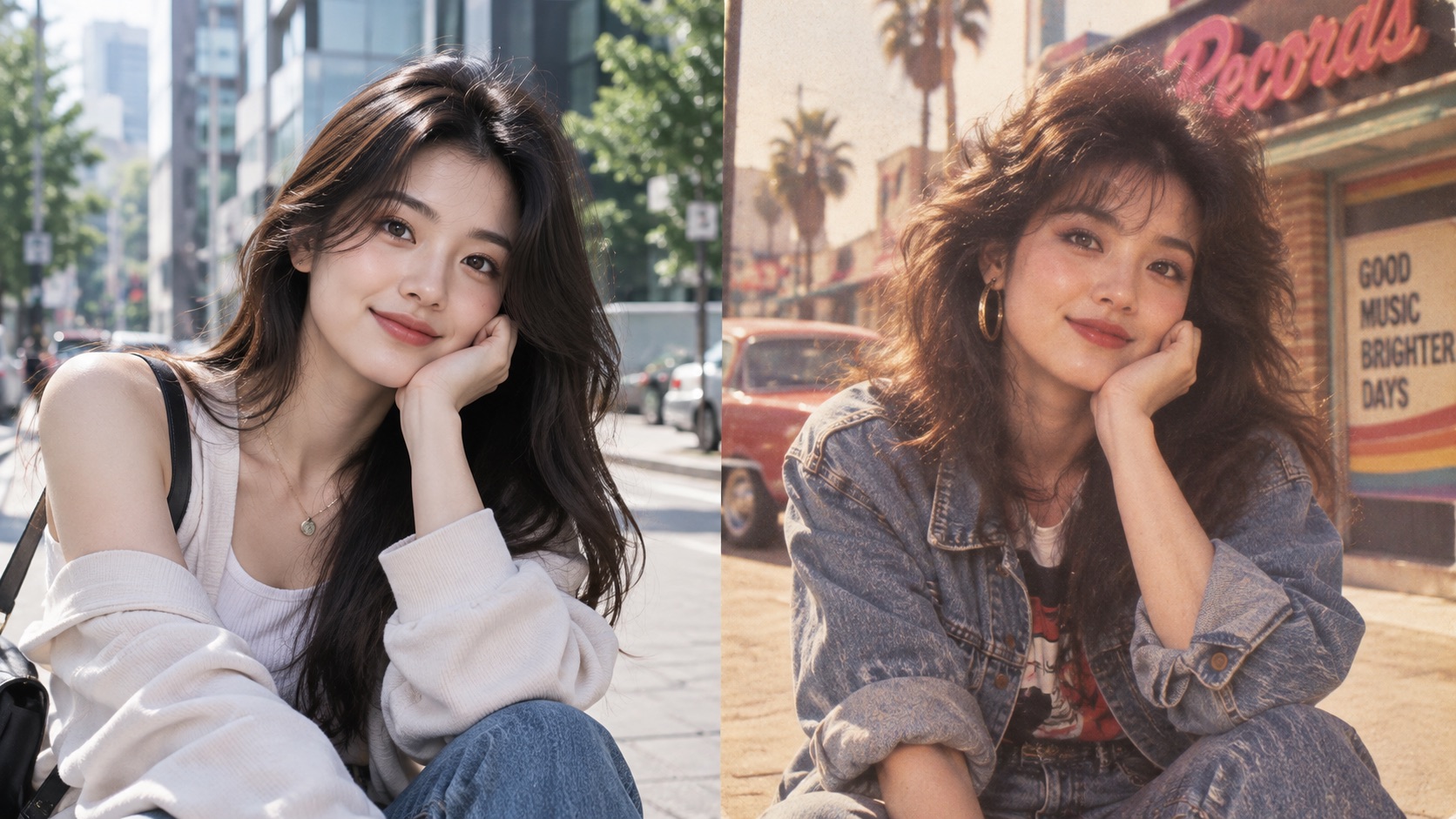
1980s AI Photo Trend is useful when you want more than a simple vintage filter. It can reinterpret hair, clothing, accessories, backdrop, flash, color response, and film character so the whole image feels period-correct. At the same time, 1980s AI Photo Generator is designed to keep the uploaded subject recognizable. That balance makes 80s AI Photo Trend practical for profile pictures, nostalgic posts, themed content, and personal experiments. If you want to Turn Photo Into 1980s Photo without manually editing every detail, this gives you a direct path from one reference image to a finished retro portrait. The retro effect stays tied to your actual reference instead of treating the result as an unrelated character.
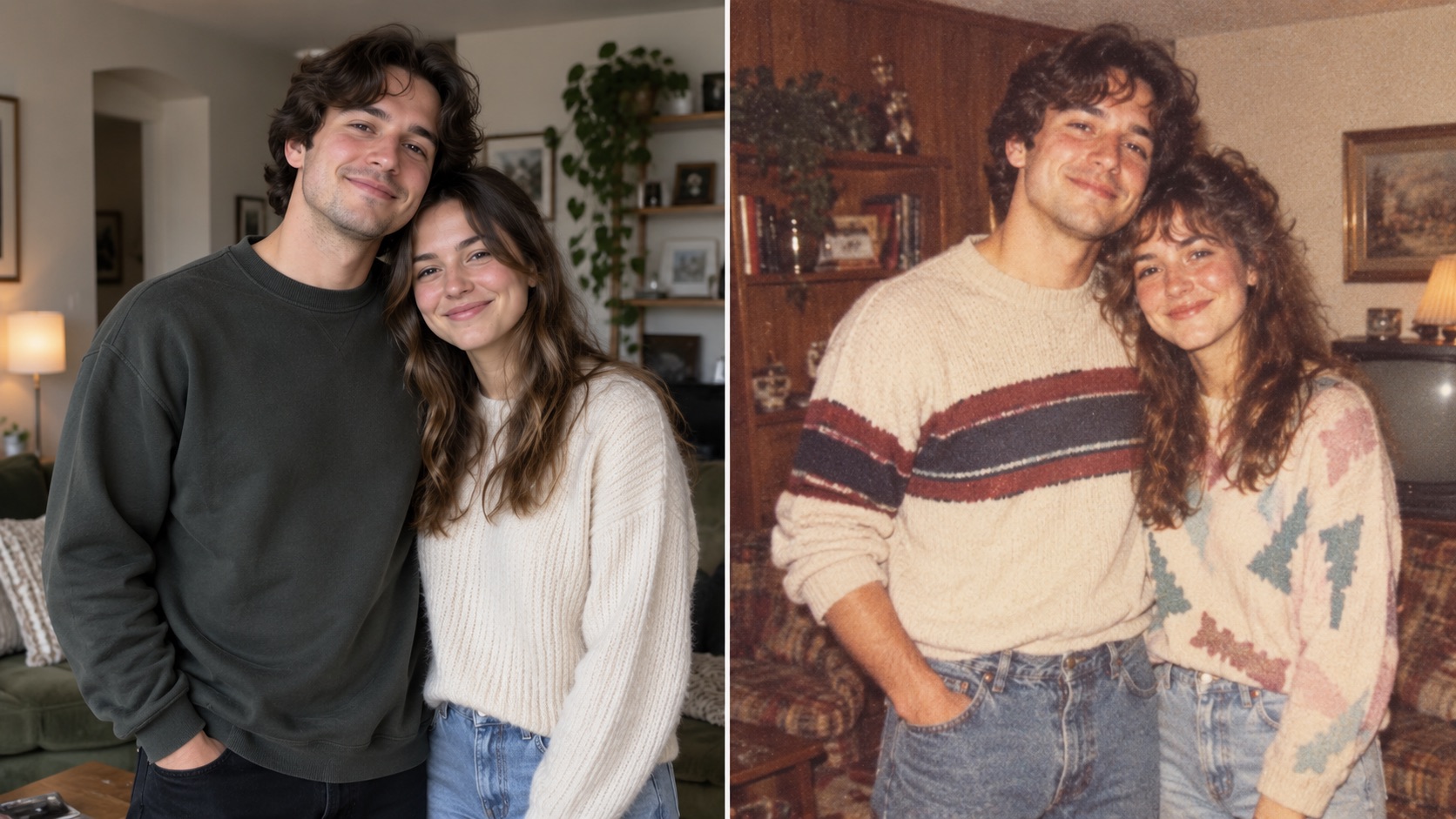
Compare Styles with 1980s AI Photo Trend
1980s AI Photo Trend does not force every portrait into the same retro look. Choose Classic 80s for an everyday period feel, Studio Portrait for formal photography, Family Album for candid nostalgia, Glam 80s for bolder styling, or Yearbook Photo for a school-portrait mood. Retro Party, Wedding Portrait, and Bollywood 80s add more distinct visual contexts. This makes 1980s AI Photo Trend Generator useful when the same reference photo needs several creative directions. 80s AI Photo Trend becomes easier to control because style selection happens before generation instead of relying on trial-and-error prompts. For repeated experiments, 1980s AI Photo Trend lets you keep the same source while switching the visual direction.
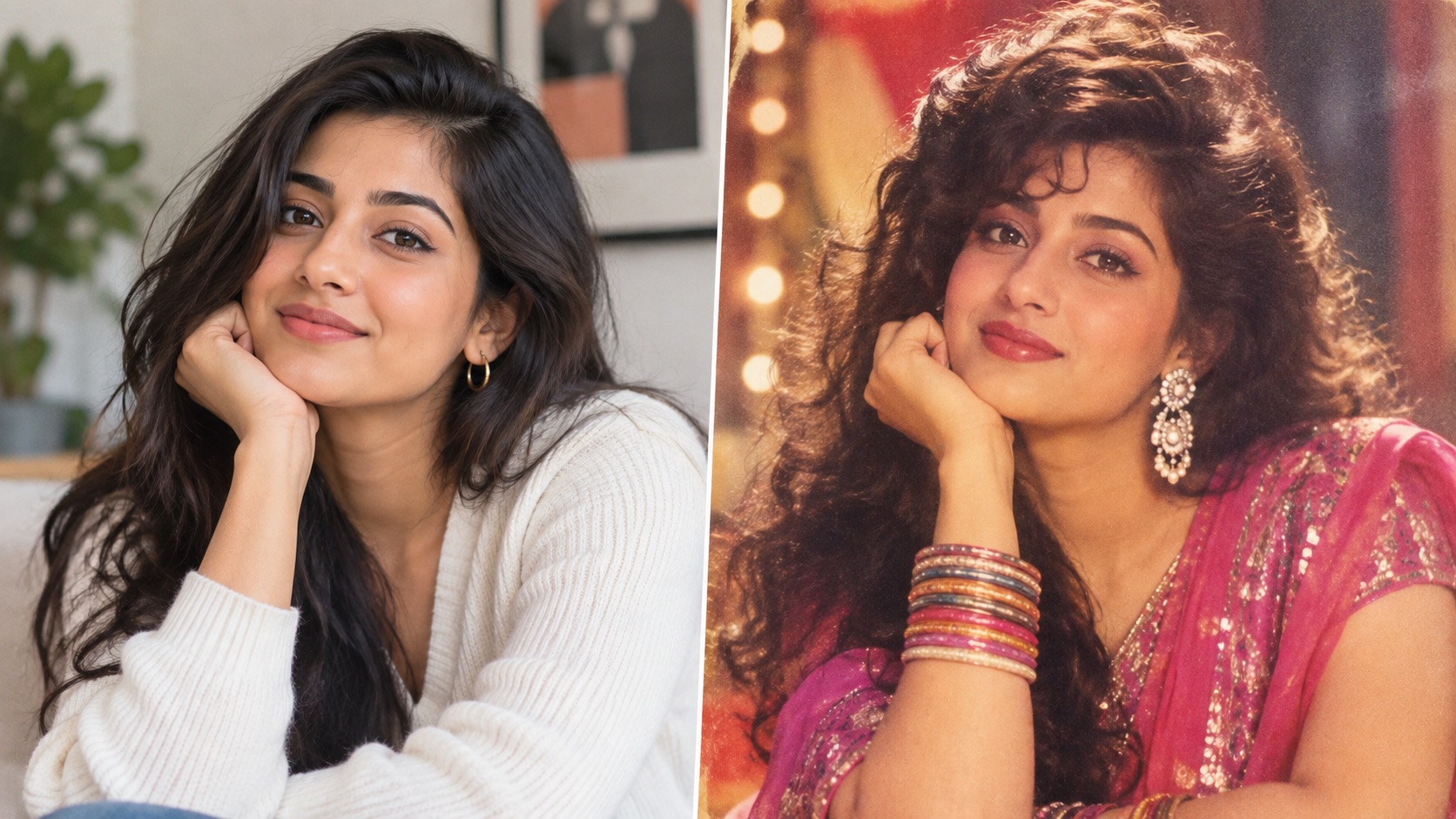
Keep Your Identity with 1980s AI Photo Trend
A good retro transformation should still look like the person you uploaded. 1980s AI Photo Trend focuses on changing the era around the subject rather than replacing their identity. 1980s AI Photo Generator can preserve the number of people in the reference while restyling clothing, hair, makeup, setting, and photographic treatment. This is especially important for couples, friends, and group shots where you do not want extra people added. Use 80s Portrait Generator options to create an era shift that remains connected to the original photo instead of producing an unrelated 1980s character. That makes 80s AI Photo Trend more useful when likeness matters as much as retro styling. 1980s AI Photo Generator uses the source image as the visual anchor for that transformation.
Ways to Use 1980s AI Photo Trend
1980s AI Photo Trend fits personal nostalgia, social content, themed events, visual concepts, and group portraits. Whether you use 80s AI Photo Trend for fun or a specific creative idea, 1980s AI Photo Generator keeps the workflow simple. 80s AI Photo Trend also works as a quick way to compare different decade-specific moods.

1980s AI Photo Trend for Social Posts
Use 1980s AI Photo Trend to create a recognizable retro version of a selfie for profile images, posts, trend participation, or throwback-themed content. 80s AI Photo Trend gives the result a stronger decade-specific identity than a basic color filter. With 1980s AI Photo Generator, one source portrait can become a studio shot, yearbook image, album snapshot, or glam portrait. The 1980s AI Photo Trend Generator is especially useful when you want to join the visual trend while keeping the person in the image clearly recognizable. For fast experiments, 80s AI Photo Trend keeps the creative direction clear.

1980s AI Photo Trend for Themed Events
Planning an 80s-themed party, reunion, birthday, or costume event? 1980s AI Photo Trend can preview how your current photo might look with decade-inspired fashion and photography before the event. 1980s AI Photo Generator can also create matching images for invitations, posts, or playful event graphics. If you need an 80s AI Photo Generator free Online workflow for quick experimentation, upload a photo, choose Retro Party or another style, and generate without writing a detailed scene prompt. 1980s AI Photo Trend can then be reused with another style for alternate event visuals.

1980s AI Photo Trend for Costume Inspiration
1980s AI Photo Trend can help you test decade-inspired visual ideas before preparing a costume, character concept, or styled shoot. Compare Classic 80s, Glam 80s, Wedding Portrait, and Bollywood 80s to see how different hair, clothing, accessories, and photo moods affect the same person. 80s Portrait Generator output can serve as a visual reference rather than a generic mood board. 1980s AI Photo Generator keeps the transformation tied to your uploaded subject, making the concept easier to imagine on a real face. 80s AI Photo Trend can help narrow the mood before you plan the real styling.

1980s AI Photo Trend for Couples and Groups
1980s AI Photo Trend also works for photos with more than one person. Upload a couple or group image and use Family Album, Studio Portrait, or Wedding Portrait to create a shared retro memory while preserving the original people. 1980s AI Photo Generator should not turn a single-person photo into a random family scene; the style controls the photographic mood, not the number of subjects. This makes Turn Photo Into 1980s Photo useful for friends, couples, siblings, and group portraits that need a coordinated nostalgic look. 1980s AI Photo Trend keeps the group context connected to the uploaded reference.
What People Create with 1980s AI Photo Trend
Users choose 1980s AI Photo Trend for recognizable transformations, distinct style options, and a simple photo-to-photo workflow. 80s AI Photo Trend can shift the same reference image from casual album nostalgia to polished studio or glam photography. 1980s AI Photo Trend gives each style a clear purpose, while 80s AI Photo Trend keeps the same source easy to reinterpret.
I wanted an 80s-style portrait that still looked like me, not a random retro character. 1980s AI Photo Trend kept my face recognizable while changing the hair, outfit, and photo mood. I tried Classic 80s first, then used the 80s Portrait Generator option for a more formal look. The difference between the styles was clear, which made the whole experiment much more fun. I would use 1980s AI Photo Trend again for another throwback post.
I wanted an 80s-style portrait that still looked like me, not a random retro character. 1980s AI Photo Trend kept my face recognizable while changing the hair, outfit, and photo mood. I tried Classic 80s first, then used the 80s Portrait Generator option for a more formal look. The difference between the styles was clear, which made the whole experiment much more fun. I would use 1980s AI Photo Trend again for another throwback post.
The Studio Portrait style was exactly what I wanted. 1980s AI Photo Trend gave my normal headshot the feel of an old professional portrait without making the face unrecognizable. I also tested 1980s AI Photo Generator with Yearbook Photo and got a completely different result from the same upload. It was much easier than trying to describe every 1980s detail myself. For me, 1980s AI Photo Trend worked best when I wanted a familiar face with a very different era.
The Studio Portrait style was exactly what I wanted. 1980s AI Photo Trend gave my normal headshot the feel of an old professional portrait without making the face unrecognizable. I also tested 1980s AI Photo Generator with Yearbook Photo and got a completely different result from the same upload. It was much easier than trying to describe every 1980s detail myself. For me, 1980s AI Photo Trend worked best when I wanted a familiar face with a very different era.
I uploaded a photo of my partner and me and chose Family Album. 1980s AI Photo Trend kept just the two of us instead of adding strangers, which mattered to me. The faded flash-photo feeling looked convincingly retro. I later used 80s AI Photo Trend with Wedding Portrait for another version, and both images still felt connected to our original photo. 1980s AI Photo Trend made the shared retro look feel intentional instead of random.
I uploaded a photo of my partner and me and chose Family Album. 1980s AI Photo Trend kept just the two of us instead of adding strangers, which mattered to me. The faded flash-photo feeling looked convincingly retro. I later used 80s AI Photo Trend with Wedding Portrait for another version, and both images still felt connected to our original photo. 1980s AI Photo Trend made the shared retro look feel intentional instead of random.
I was looking for an 80s AI Photo Generator free Online option to test a few visual ideas for a themed post. 1980s AI Photo Trend gave me several directions without needing a long prompt. The Glam 80s version was bold, while Classic 80s felt much more natural. 1980s AI Photo trend made it easy to compare those moods using the same reference image. I also liked that the 80s AI Photo Generator free Online workflow stayed straightforward from upload to result.
I was looking for an 80s AI Photo Generator free Online option to test a few visual ideas for a themed post. 1980s AI Photo Trend gave me several directions without needing a long prompt. The Glam 80s version was bold, while Classic 80s felt much more natural. 1980s AI Photo trend made it easy to compare those moods using the same reference image. I also liked that the 80s AI Photo Generator free Online workflow stayed straightforward from upload to result.




1980s AI Photo Trend FAQ
Learn how 1980s AI Photo Trend handles reference photos, style choices, subject identity, and repeat generations with 1980s AI Photo Generator.
Upload a reference photo, choose one of the available 1980s styles, and click Generate Image. 1980s AI Photo Trend then creates a new retro version based on your selected style. 80s AI Photo Trend does not require you to write a custom prompt.
1980s AI Photo Trend focuses on preserving recognizable facial traits while changing era-specific styling, photography, and surroundings. Clear, well-lit source photos generally provide the strongest identity reference. 1980s AI Photo Generator uses the uploaded image as the identity reference.
No. Family Album describes the look of a candid 1980s album photo. 1980s AI Photo Generator is intended to keep the same number of people shown in your uploaded image.
You can choose Classic 80s, Studio Portrait, Family Album, Glam 80s, Yearbook Photo, Retro Party, Wedding Portrait, and Bollywood 80s before running 1980s AI Photo Trend. 80s AI Photo Trend uses that choice to guide the final visual treatment.
Use a clear portrait where faces are visible and not heavily covered. 80s AI Photo Trend can work with single people, couples, or groups, but a clean reference gives the generator more useful identity details. 1980s AI Photo Generator can then build the retro styling around that source.
Yes. Upload the original again or keep the same reference, select a different style, and run 1980s AI Photo Trend Generator to compare another 1980s interpretation.
Turn Your Photo Into an 80s Moment
Upload your reference photo, choose a style, and use 1980s AI Photo Trend to create a new retro portrait. Try 80s AI Photo Generator free Online when you want to Turn Photo Into 1980s Photo with a guided, style-based workflow. 1980s AI Photo Trend keeps the process focused on your photo and chosen look.