Nano Banana 2.1 Prompts: Create Image Prompts Online.
Browse Nano Banana 2.1 prompt examples, then generate detailed prompts from your ideas for portraits, posters, and photo edits. Copy and refine each result.
Describe what you want, and AI will generate professional prompts for you.
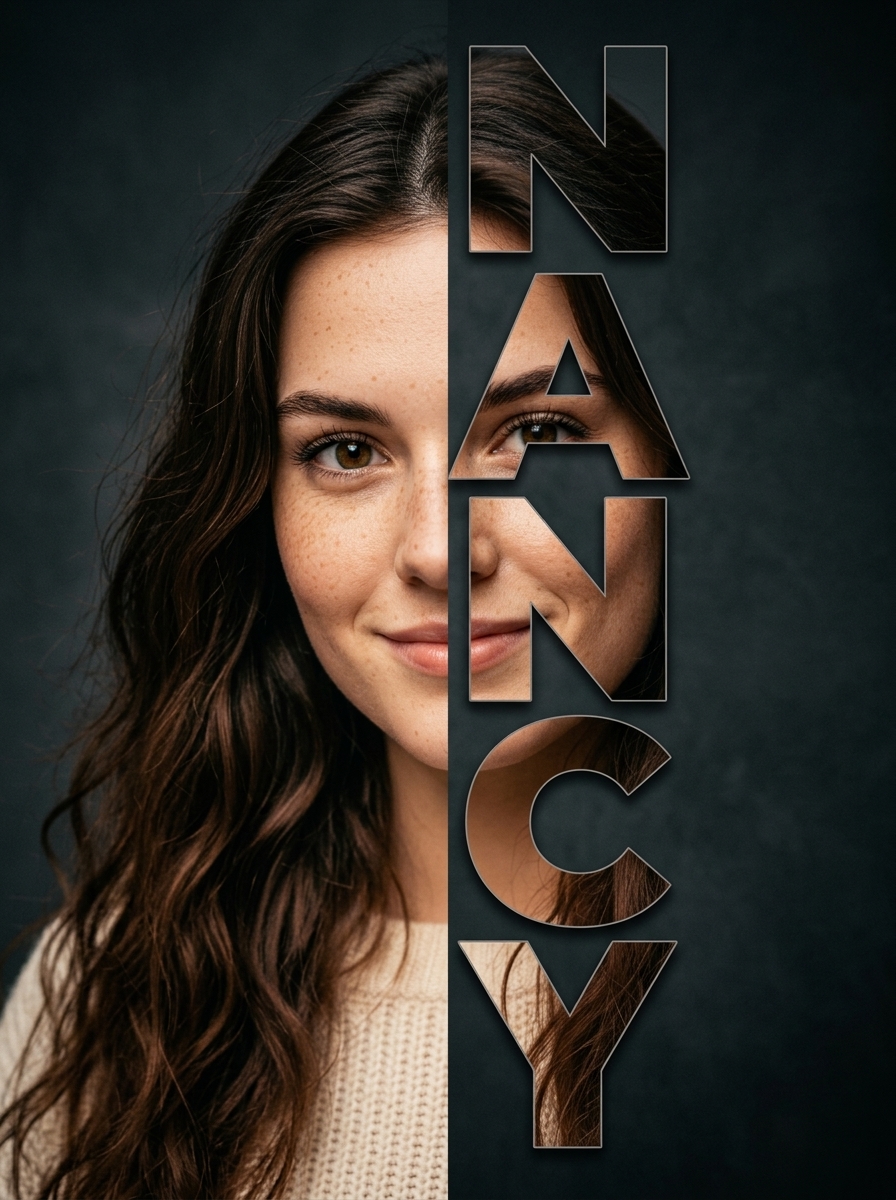
Transform the uploaded image into a modern studio portrait. Preserve the subject’s identity and features. Show half the face on the left; stack [Nancy] vertically on the right, with each letter filled by matching details from the hidden half. Seamless alignment, [BACKGROUND] backdrop, [LIGHTING], modern typography.
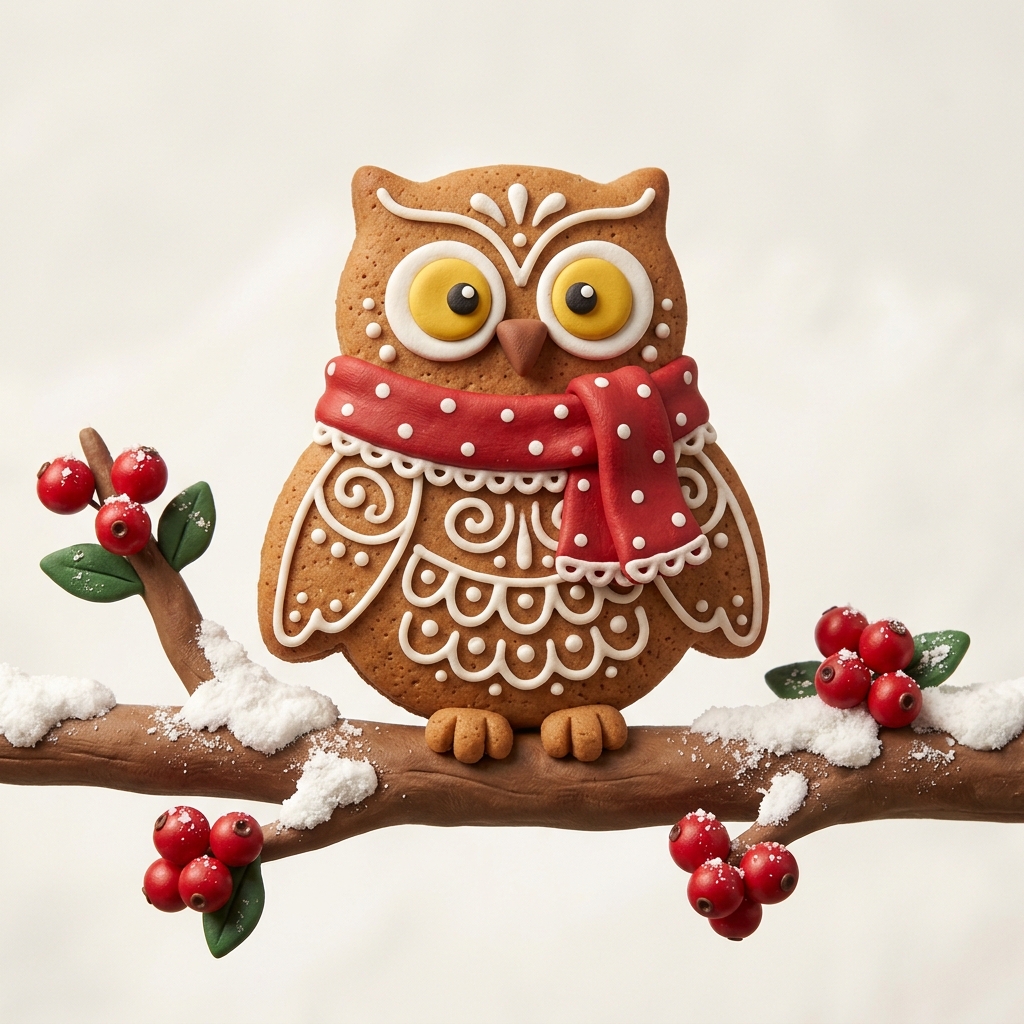
A close-up, eye-level shot features a gingerbread owl cookie with intricate white icing details, perched on a snow-dusted branch adorned with bright red berries in a stop-motion clay style. The owl has large, expressive yellow eyes with white outlines and a small brown beak. It wears a festive red scarf with white polka dots and scalloped edges. The branch extends from the left and right sides of the frame, with clusters of red berries and a few green leaves, all lightly dusted with snow. The background is a clean, plain white, emphasizing the subject.
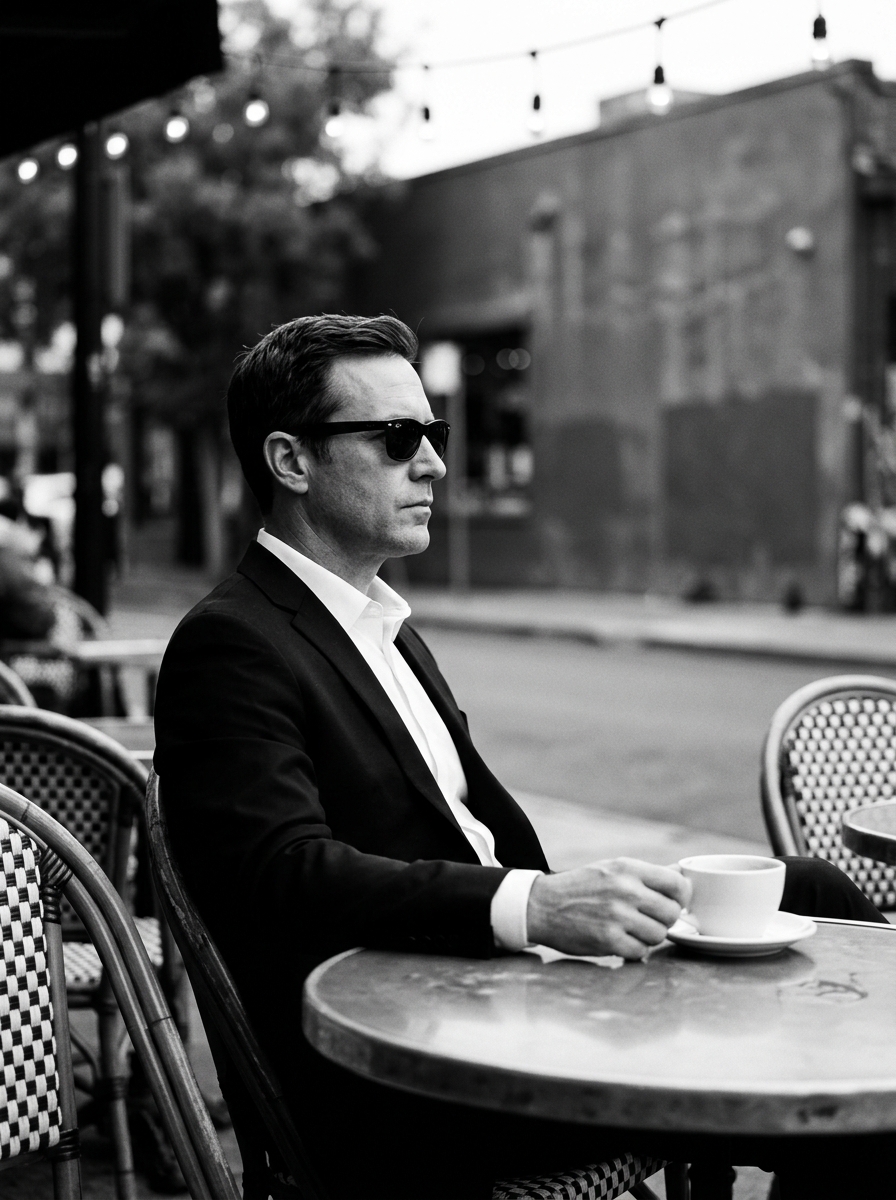
A man dressed in a sharp black suit and crisp white shirt sits positioned center-left in a strict profile view, leaning slightly forward with comfortably relaxed shoulders. His candid, serious face remains stoic with a closed, neutral mouth and relaxed eyebrows, his eyes entirely concealed behind dark sunglasses. His relaxed left hand rests naturally on the table, where his thumb and fingers lightly and organically grasp the base of a smooth white coffee cup resting on a saucer. In the immediate foreground, the worn yet smooth surface of the dominant round table offers subtle reflections, flanked on the bottom left and right by worn cafe chairs featuring distinctly woven checkered backrest patterns. Beyond this intimate foreground interaction, the spatial depth plunges into a deep, beautifully blurred outdoor cafe setting, where an out-of-focus dark gray street, a weathered gray matte building exterior, and indistinct background trees seamlessly melt away, topped by pristine string lights whose round bulbs glow softly as out-of-focus bokeh. A calm, sophisticated urban morning mood envelops the composition in a striking, high-contrast monochromatic palette dominated by rich black clothing and deep shadows, dark gray midtones, and stark white accents. Moderately directional, soft diffused natural ambient light cascades from above and slightly in front, casting short, soft-edged gray shadows beneath his chin and softly behind his back, while immaculate preserved highlights gleam precisely across his cheekbone, nose, crisp shirt collar, and the coffee cup. Executed in the clean, realistic aesthetic of classic cinematic street photography mimicking an 85mm lens at f/1.8, the digital portrait maintains tack-sharp focus on the subject against a shallow depth of field, enhanced by a black and white conversion that introduces increased contrast and a subtle, tactile film grain, all beautifully framed in a 4:5 aspect ratio.
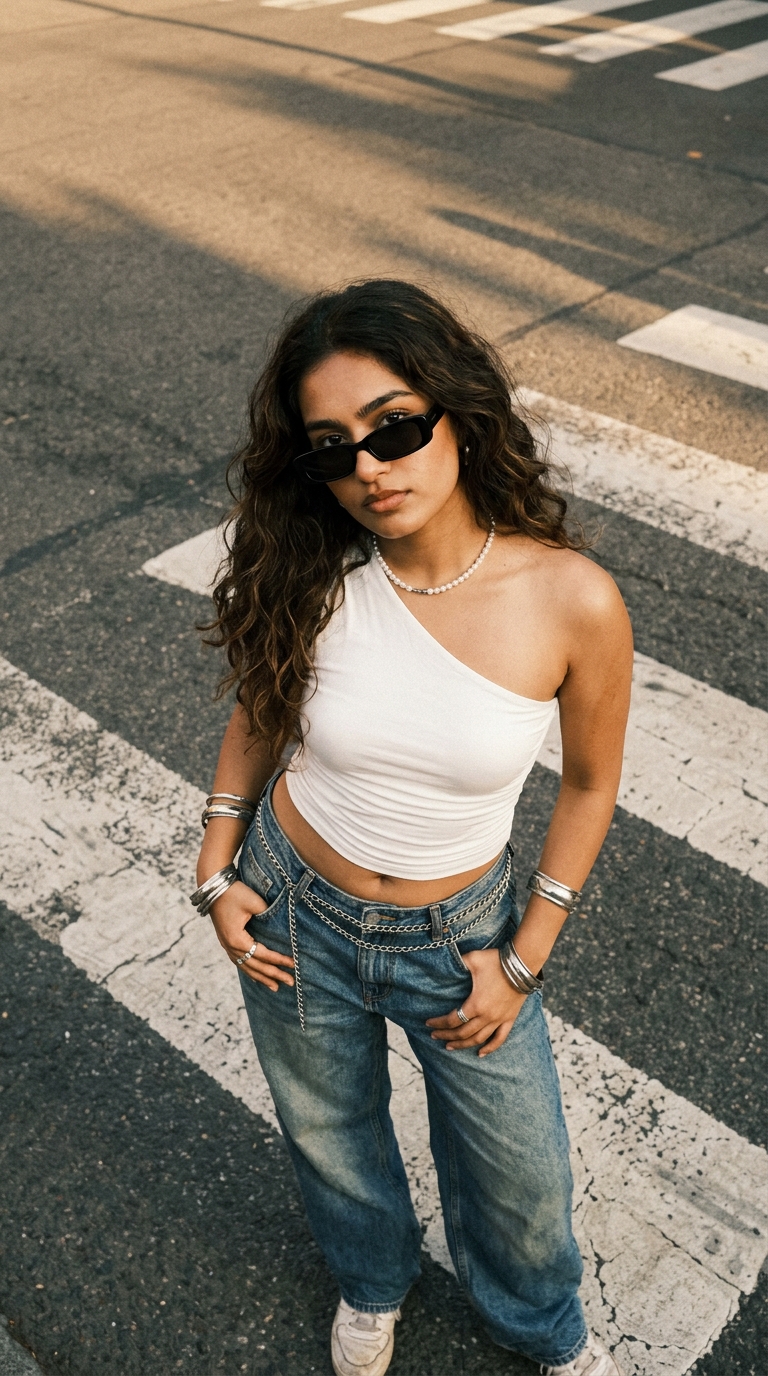
Prompt - { "prompt": { "style": "authentic candid street-style photograph, early-2000s inspired fashion aesthetic, realistic smartphone photography, slightly grainy film-like texture", "subject": { "gender": "young woman", "appearance": "young South Asian woman with warm medium skin tone, long dark brown wavy hair parted near the center, naturally full eyebrows, soft facial features", "expression": "calm, confident, slightly serious expression while looking directly toward the camera", "pose": "standing on a pedestrian crossing, photographed from a high overhead angle, looking upward toward the camera, both hands casually placed near the front pockets of her jeans" }, "outfit": { "top": "fitted white asymmetrical one-shoulder crop top with subtle ruched fabric", "bottom": "loose-fitting low-rise washed blue denim jeans with a relaxed baggy silhouette", "footwear": "white sneakers, partially visible", "accessories": [ "small rectangular black sunglasses", "short pearl necklace", "multiple chunky silver bangles on both wrists", "silver rings", "layered silver chain belt hanging loosely around the waist" ] }, "hair": { "style": "long, voluminous naturally wavy dark brown hair flowing over both shoulders", "texture": "slightly tousled with individual strands visible", "movement": "subtle natural movement from outdoor breeze" }, "environment": { "location": "urban street intersection", "ground": "dark textured asphalt with broad white pedestrian crossing stripes", "background": "only the street surface and crosswalk visible due to the steep overhead camera angle", "lighting": "strong warm late-afternoon golden sunlight creating defined shadows across the asphalt", "shadows": "long diagonal architectural or environmental shadows crossing the pedestrian stripes" }, "composition": { "camera_angle": "high-angle overhead shot looking downward at approximately 60–70 degrees", "framing": "vertical portrait composition, subject centered in the frame from head to below the knees", "perspective": "slightly wide smartphone lens perspective", "orientation": "vertical 4:5", "subject_position": "woman positioned slightly toward the center-left while looking directly upward into the lens" }, "photographic_quality": { "camera": "modern smartphone camera", "look": "authentic Instagram street-fashion photograph", "color": "warm golden-hour tones with slightly muted blacks and natural skin tones", "texture": "visible fine film grain and realistic asphalt texture", "dynamic_range": "natural contrast with slightly blown warm highlights", "retouching": "minimal, natural skin texture preserved", "depth": "sharp subject with realistic environmental detail" }, "negative_prompt": [ "studio photography", "artificial posing", "heavy makeup", "beauty filter", "plastic skin", "excessive skin smoothing", "unrealistic body proportions", "extra fingers", "deformed hands", "extra limbs", "distorted sunglasses", "duplicate jewelry", "blurred face", "oversaturated colors", "extreme HDR", "cinematic bokeh", "text", "watermark", "logo" ] } }
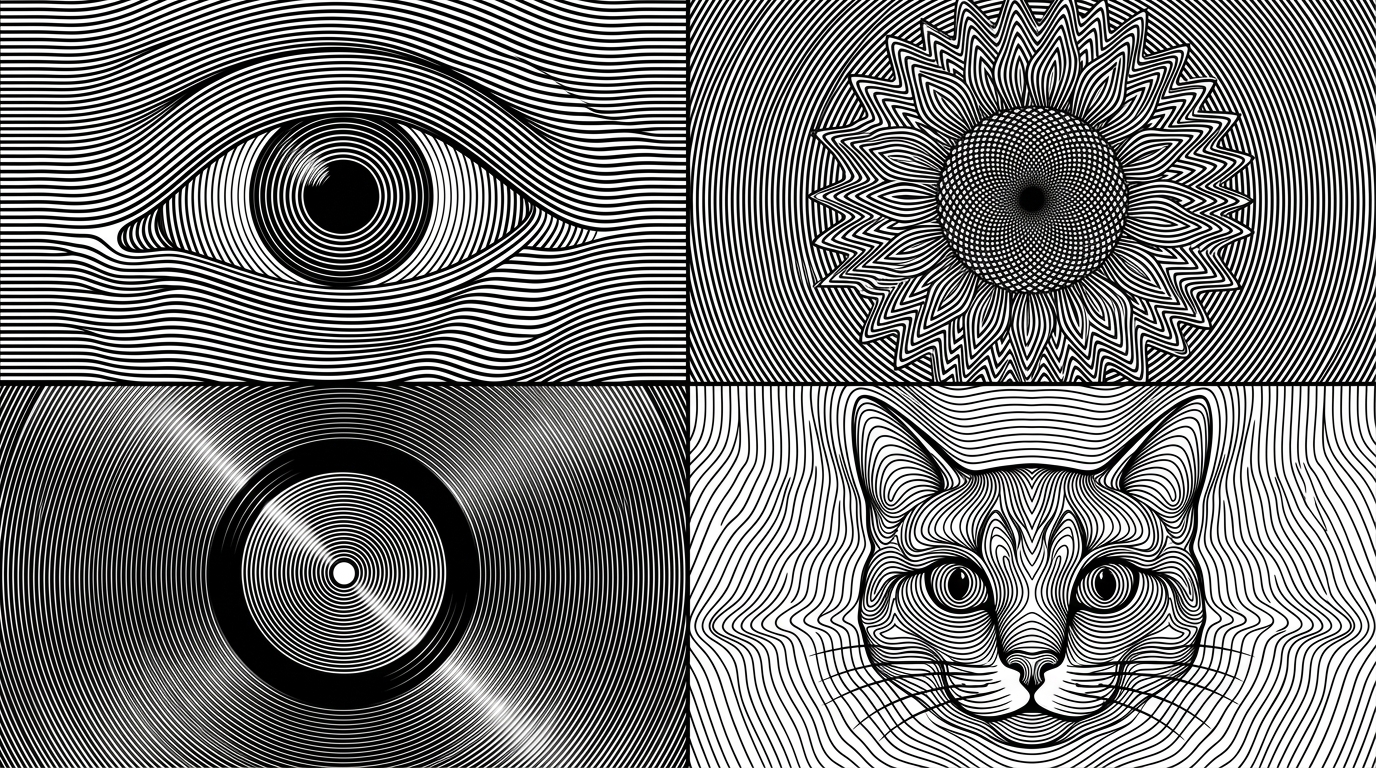
2x2 grid, 16:9 Anchor: AI picks topics (e.g., human eye / sunflower / vinyl record / cat's face) SUBJECT ::= infer_most_iconic_visual_form(TOPIC) SILHOUETTE ::= extract_primary_shape(SUBJECT) FEATURES ::= infer_recognition_critical_features(SUBJECT) FIELD_TYPE ::= choose(radial | concentric | wave | vortex | contour | hybrid) LINE_DENSITY ::= high COLOR ::= black_on_white STYLE ::= op_art + moiré + engraved contour illusion BASE_FIELD ::= generate_parallel_or_concentric_lines( spacing = uniform, thickness = constant_or_slightly_variable ) DEFORMATION_FIELD(x,y) ::= Σ influence( FEATURES, silhouette_boundary, depth_estimate, focal_points ) FINAL_LINES := warp( BASE_FIELD, vector_field = DEFORMATION_FIELD ) RULES ::= - SUBJECT must emerge only through deformation of continuous black lines - avoid conventional outlines wherever possible - contours bend, compress, expand, spiral, or redirect to reveal form - preserve uninterrupted optical rhythm across figure and background - high-information regions receive denser curvature changes - low-information regions remain smoother - negative space may define eyes, highlights, holes, or focal voids - all lines remain crisp monochrome vector-like marks - no shading except line-frequency shading - no gray fills - no hardcoded subject OBJECTIVE := maximize( topic_recognition × optical_illusion_strength × line_continuity × moire_energy × black_white_balance )
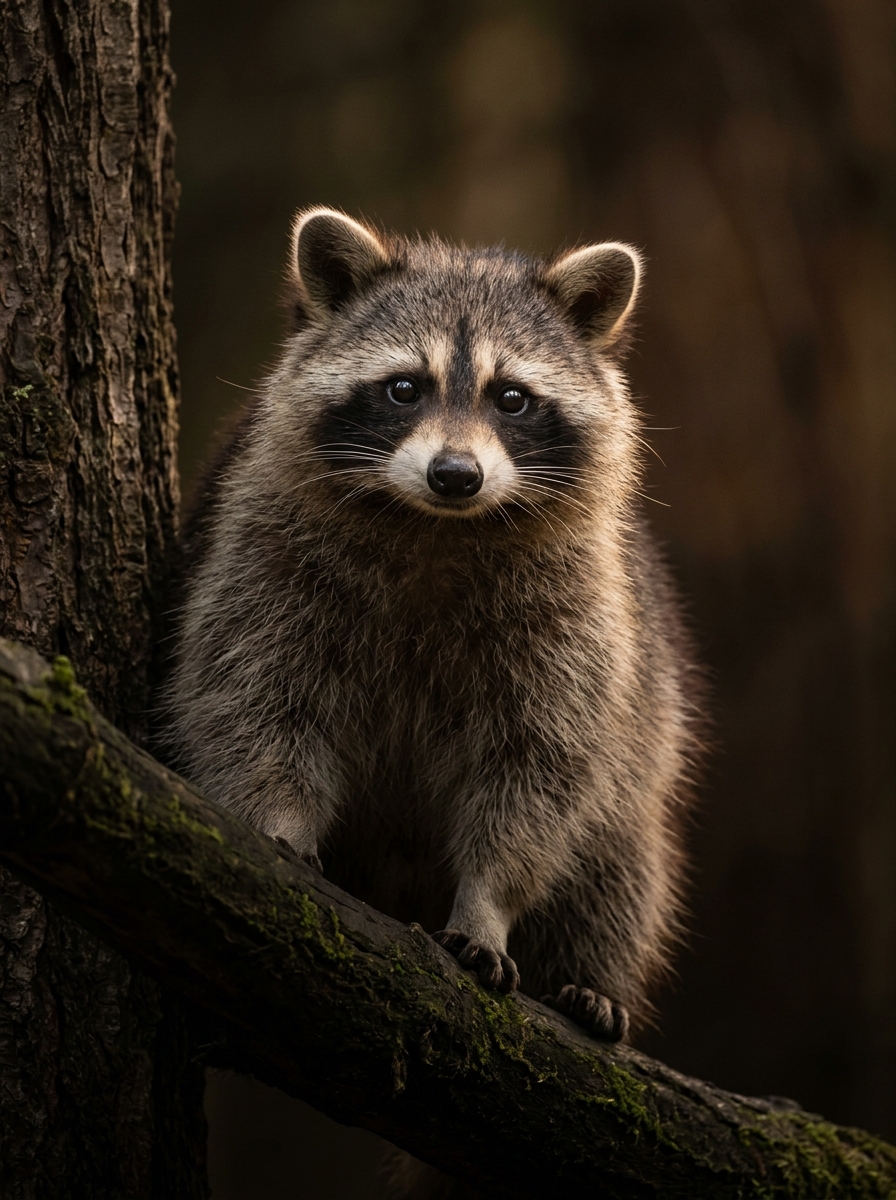
"Photorealistic ultra-detailed portrait of an adult raccoon perched upright on a thick horizontal tree branch in a dense, dark forest. Match this composition precisely: the raccoon occupies most of the vertical frame, centered slightly left, with the entire head, neck, chest, shoulders and substantial upper torso visible, extending almost to the bottom edge. The camera is positioned directly in front of the raccoon at approximately eye level, with a natural portrait perspective. The raccoon faces almost directly toward the camera, with only a very subtle three-quarter orientation. Its head is near the upper third of the image. Both ears are fully visible. The expression is calm, gentle and inquisitive, with large dark eyes looking directly toward the camera. The animal is upright and stationary, not leaning sideways. A thick dark tree branch crosses the lower-left foreground and supports the raccoon. A large tree trunk is visible along the left edge. The forest behind it falls into deep, soft, warm-brown darkness with strong background blur. The composition must NOT be a headshot: show the raccoon's substantial torso and chest down toward the bottom edge, as in a wildlife portrait. Do not crop at the shoulders or elbows. Do not place the raccoon beside a tree root. The raccoon's paws/hands should remain naturally out of prominent view. Long-telephoto wildlife photography look, approximately 300–400mm equivalent, compressed perspective, shallow depth of field, sharp focus concentrated on the eyes, nose and facial fur, with progressively softer fur toward the lower body and background. Soft warm rim light from behind and subtle warm frontal fill reveal individual guard hairs, whiskers and facial structure. Extremely realistic fur with visible individual hairs and soft underfur, natural whisker curvature, detailed wet nose, realistic eyes with small sharp catchlights, subtle skin texture around the muzzle, natural color and contrast, gentle highlight roll-off, restrained sharpening, cinematic low-key exposure, smooth creamy bokeh. High-end wildlife photography, authentic optical rendering."
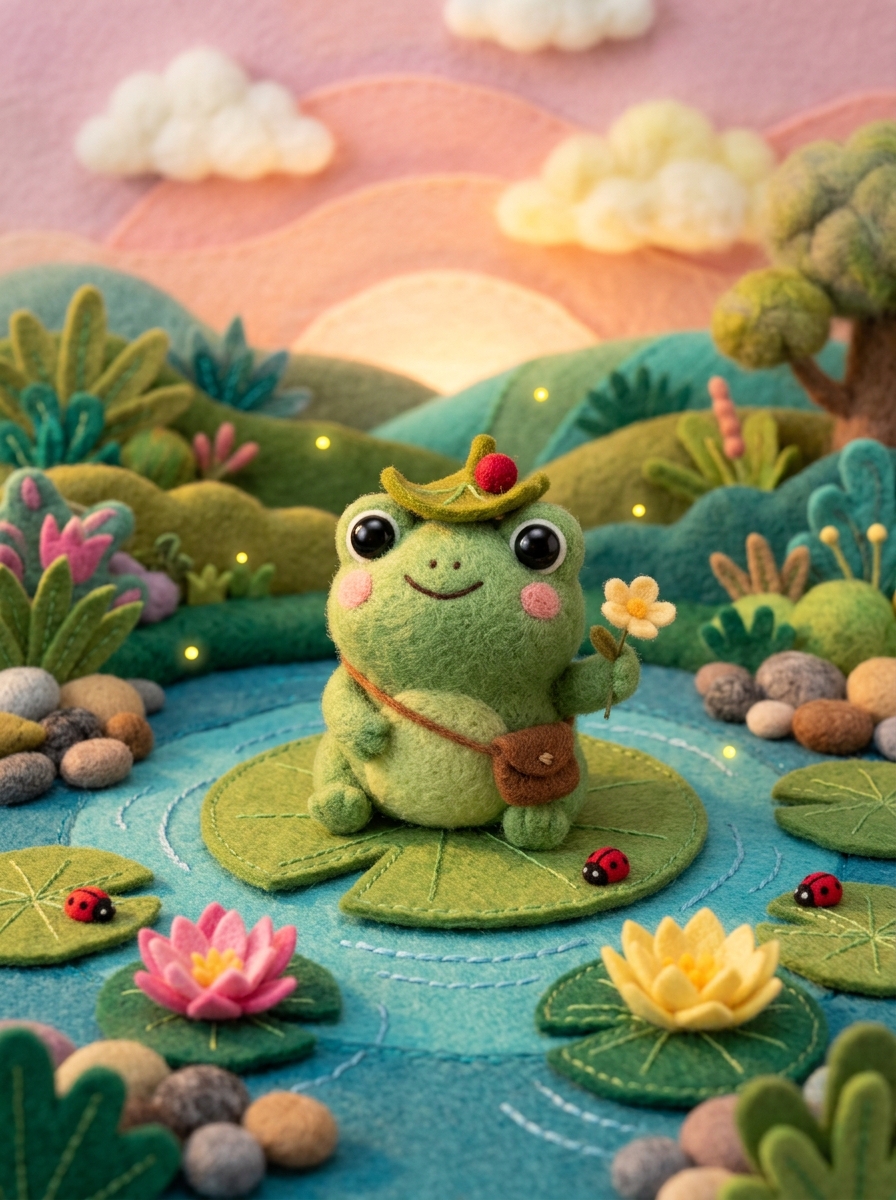
A cute, 3D and felt-like scene of a cartoon-style frog sitting on a large lily pad in a pond. The frog is green with large, expressive eyes and a wide smile. It wears a small leaf as a hat with a berry on top and a satchel over its shoulder. The frog holds a small yellow flower in its right hand. The pond is filled with lily pads, pink and yellow water lilies, and colorful pebbles. The background features a lush, vibrant landscape with rolling hills, exotic plants, and a soft, glowing sunset sky with fluffy clouds. Fireflies and ladybugs are scattered throughout the scene, adding to the magical atmosphere. The overall image has a whimsical and enchanting feel, with soft lighting and a pastel color palette.
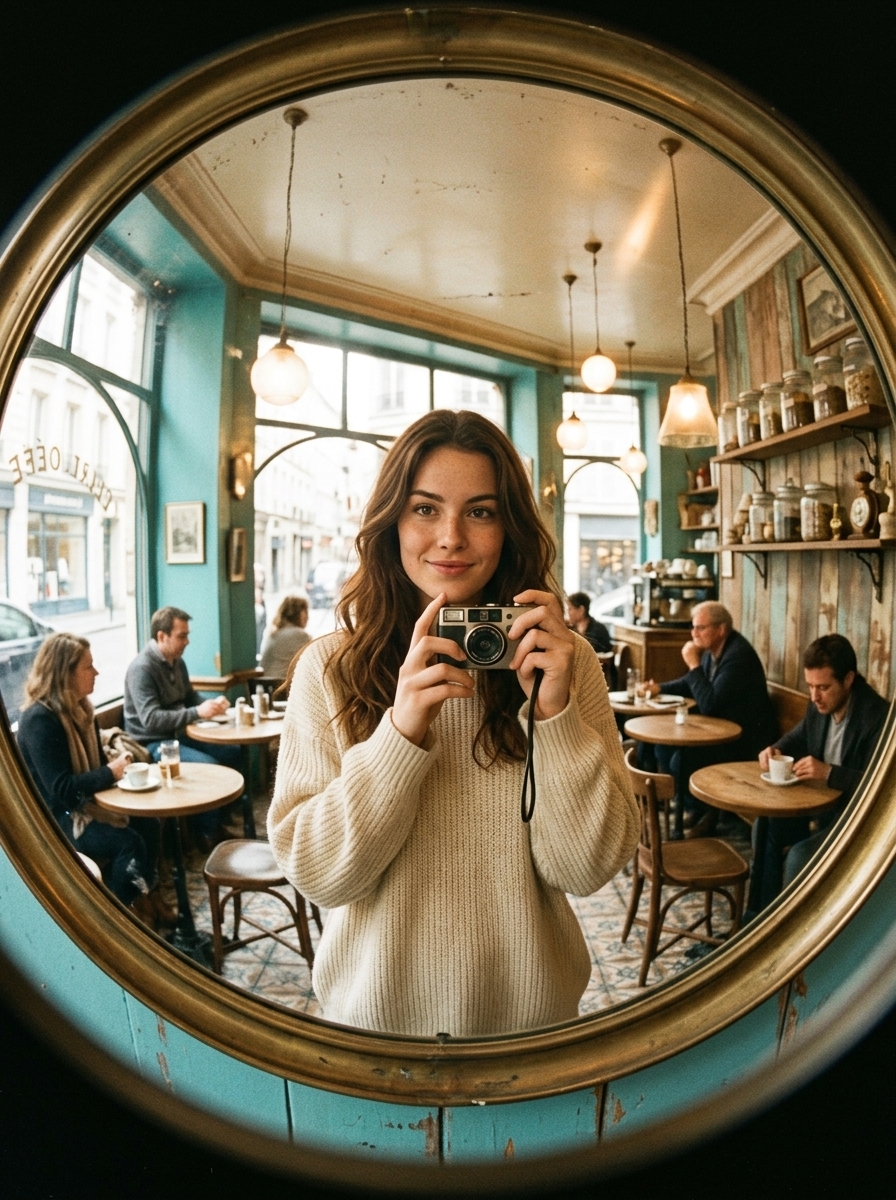
Using the uploaded reference image, create an ultra-realistic 1990s vintage café mirror selfie with a playful fisheye photography aesthetic. IDENTITY LOCK: Preserve the exact facial identity of the reference person with maximum accuracy. Maintain the original eye shape, nose, lips, jawline, facial proportions, natural skin tone, age, and recognizable features. No facial alterations, beautification, or artificial skin smoothing. SCENE & COMPOSITION: The subject is naturally taking a mirror selfie inside a beautiful vintage European café, standing in front of a large circular mirror with an aged brass frame. Use a strong fisheye lens perspective, creating dramatic yet realistic curvature around the café interior while keeping the subject's face naturally proportioned. The phone must appear correctly reflected in the mirror. BACKGROUND: A charming retro café featuring turquoise accent walls, vintage wooden furniture, small round café tables, patterned tiled flooring, warm hanging pendant lights, antique decorative details, and soft daylight entering through large windows. The entire interior should curve naturally around the circular mirror. LIGHTING & COLOR: Authentic 1990s analog film photography, warm golden highlights, slightly faded vintage colors, natural skin tones, soft shadows, subtle 35mm film grain, gentle contrast, and realistic reflections. CAMERA & REALISM: Strong fisheye wide-angle perspective, authentic mirror reflections, natural handheld selfie composition, realistic optical distortion, detailed skin texture, individual hair strands, accurate fabric textures, and natural imperfections. Premium 8K photographic quality with the organic character of a genuine vintage film photograph. STRICT RULES: One continuous photograph, no collage, no split screen, no additional people, no distorted facial features, no extra fingers, no incorrect reflections, no CGI, no artificial AI-generated appearance, no readable text, no logos, and no watermark. FINAL LOOK: A beautiful, effortlessly candid vintage café mirror selfie that looks like a genuine photograph captured on a real fisheye lens, not an AI-generated image.
Nano Banana 2.1 Prompts: Generate Better Image Prompts
Explore ready-to-use prompt ideas and turn a short description into detailed visual instructions.
Start with a visual idea, then use Nano Banana 2.1 Prompts to describe the scene, subject, layout, or photo edit more clearly. Explore Nano Banana 2.1 Prompt Examples for inspiration, or try the Nano Banana 2.1 Prompt Generator to expand your own description into a prompt you can copy, adjust, and use for image creation.
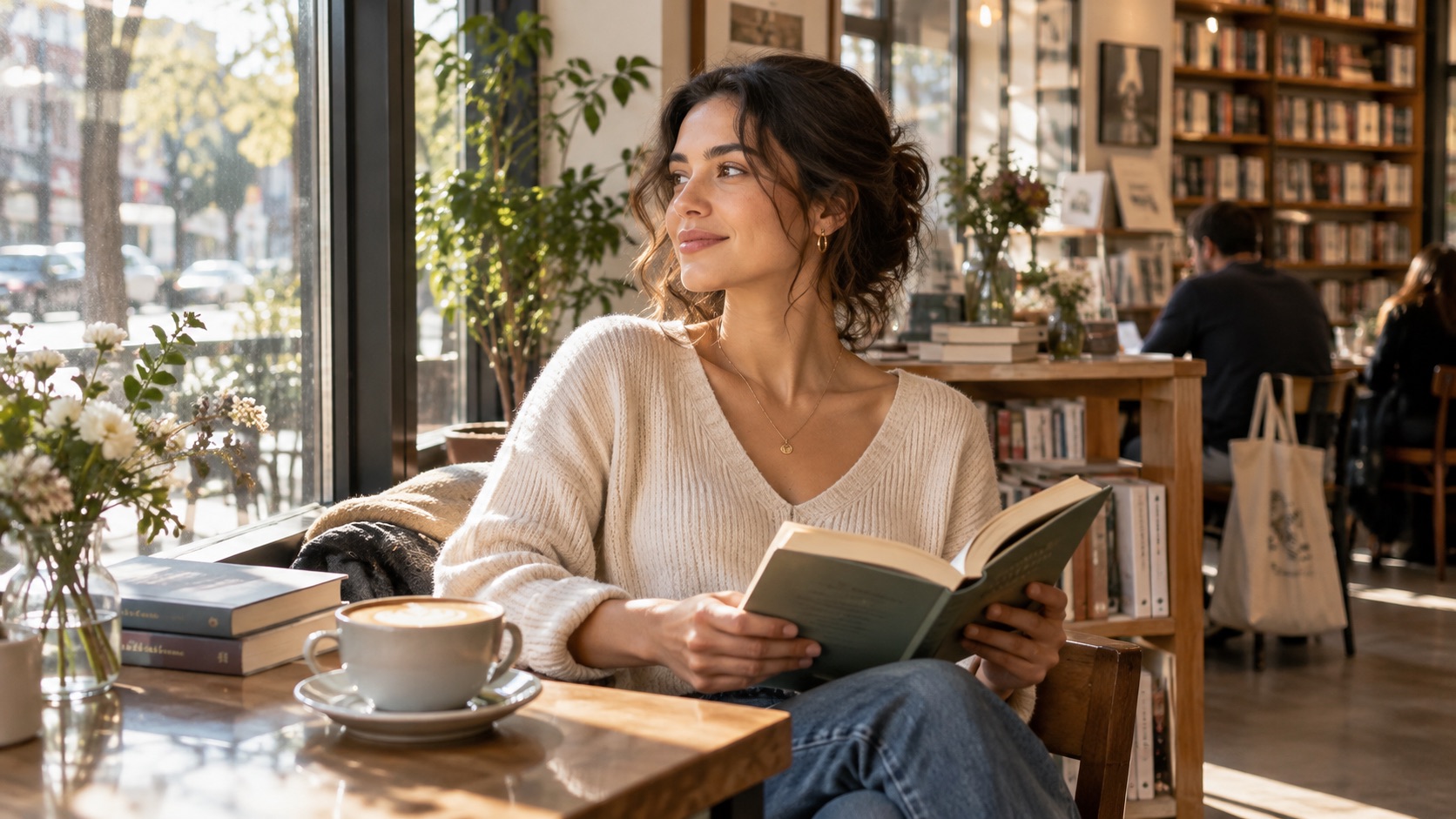
How to Use Nano Banana 2.1 Prompts
Build Nano Banana 2.1 Prompts from a simple description, generate a structured result, and copy the wording into your image workflow. The Nano Banana 2.1 Prompt Generator focuses on writing instructions, while Nano Banana 2.1 Prompt Examples give you a practical reference for what to include.

Describe the Image or Edit You Want
To create Nano Banana 2.1 Prompts, describe your idea in everyday language. Include the subject, result, and constraints, such as a rainy portrait or a coat edit preserving the face. The Nano Banana 2.1 Prompt Generator turns a short starting sentence into focused Nano Banana 2.1 Prompts. Better Nano Banana 2.1 Prompts begin with a clear goal rather than a long list of unrelated visual adjectives.

Generate a More Specific Prompt
Generate Nano Banana 2.1 Prompts from that starting idea to get detailed instructions. The Nano Banana 2.1 Prompt Generator organizes Nano Banana 2.1 Prompts around subject, layout, lighting, and text. For Nano Banana 2.1 Image Editing Prompts, tell it both what must change and what must remain identical. Review Nano Banana 2.1 Prompt Examples to catch conflicting directions before copying your instructions.

Copy the Prompt and Refine Your Result
Copy your Nano Banana 2.1 Prompts into your preferred image generation or editing workflow. Unlike the finished images beside Nano Banana 2.1 Prompt Examples, the Nano Banana 2.1 Prompt Generator prepares instructions, not guaranteed results. Refine Nano Banana 2.1 Prompts one detail at a time, such as poster wording or preservation rules. Revisit the Nano Banana 2.1 Prompt Generator to produce a tighter version when needed.
Make Nano Banana 2.1 Prompts More Useful for Real Images
Useful Nano Banana 2.1 Prompts tell the image model what to make, how the parts relate, and what should stay unchanged. That matters for lettering, references, and image edits. The Nano Banana 2.1 Prompt Generator turns broad ideas into organized Nano Banana 2.1 Prompts instead of merely adding descriptive words. The Nano Banana 2.1 Prompt Library offers starting points for new scenes, while Nano Banana 2.1 Prompt Examples show how different requests can be framed.
Turn a Rough Idea Into a Clear Visual Brief
Begin Nano Banana 2.1 Prompts with what the image must communicate. A rainy bookstore window needs a visible interior, pavement reflections, and a clear focal point. The Nano Banana 2.1 Prompt Generator helps connect those details without burying the original subject. When building Nano Banana 2.1 Prompts or Nano Banana 2.1 Text to Image Prompts, define the subject, setting, mood, composition, and important exclusions in that order. Detailed Nano Banana 2.1 Prompts should explain the intended result, not simply stack styles such as cinematic, dramatic, or beautiful. Check Nano Banana 2.1 Prompt Examples for details that could be interpreted in two ways.
Write Precise Text and Layout Instructions
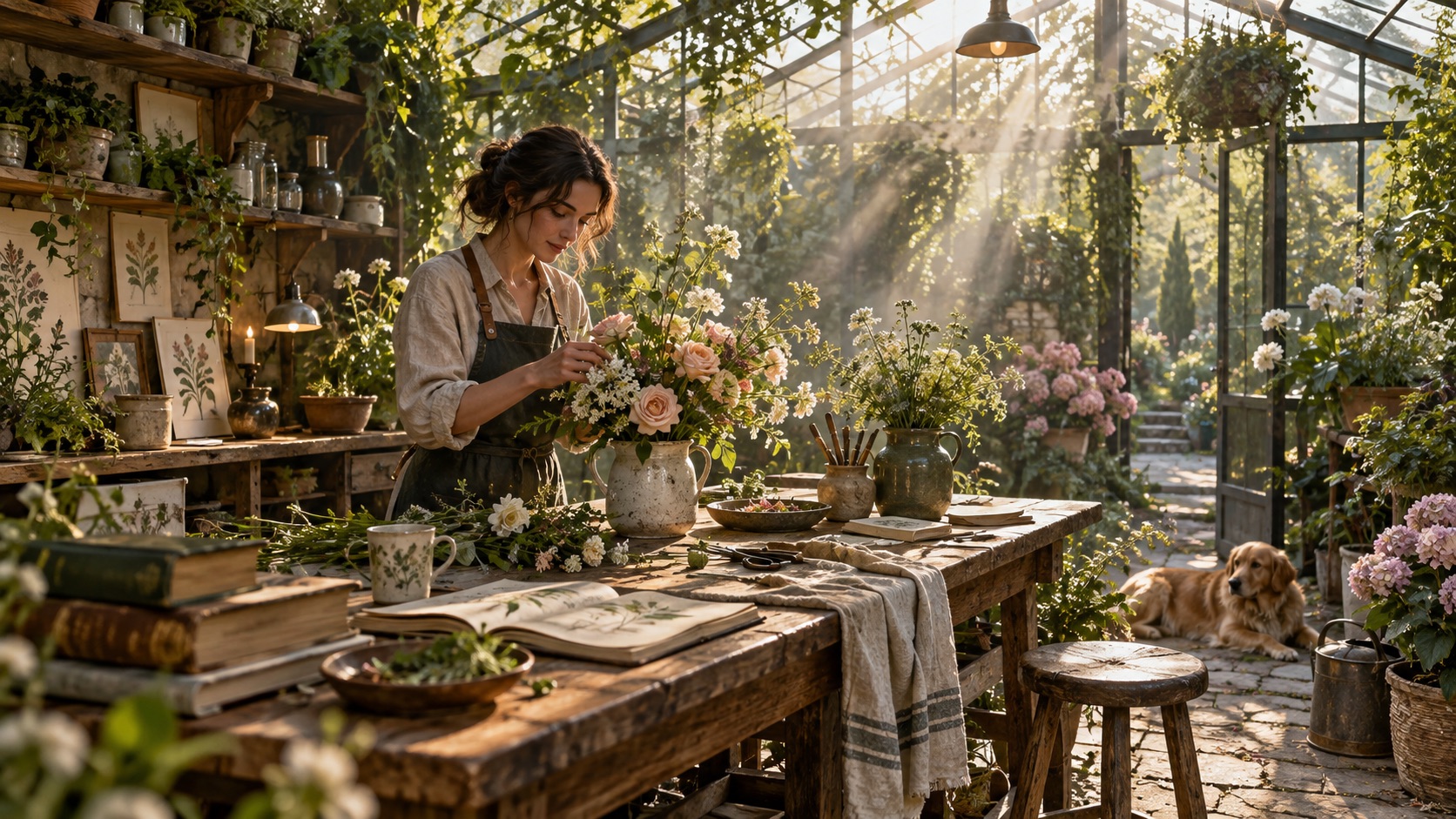
Nano Banana 2.1 Prompts for posters, educational graphics, and event announcements need more than attractive imagery. They need an exact headline, readable supporting text, and a sensible hierarchy. Ask the Nano Banana 2.1 Prompt Generator for exact wording, heading placement, spacing, and unobstructed text. In Nano Banana 2.1 Prompts, quote the requested lettering and explain its reading order. Nano Banana 2.1 Prompt Examples for flyers and infographics can demonstrate the difference between vague composition and defined panels. Because models can misspell words, proofread images created from Nano Banana 2.1 Prompts rather than assuming the prompt guarantees accurate typography. Nano Banana 2.1 Prompts work better when exact copy is separated from style guidance.
Specify What Must Stay in an Existing Photo
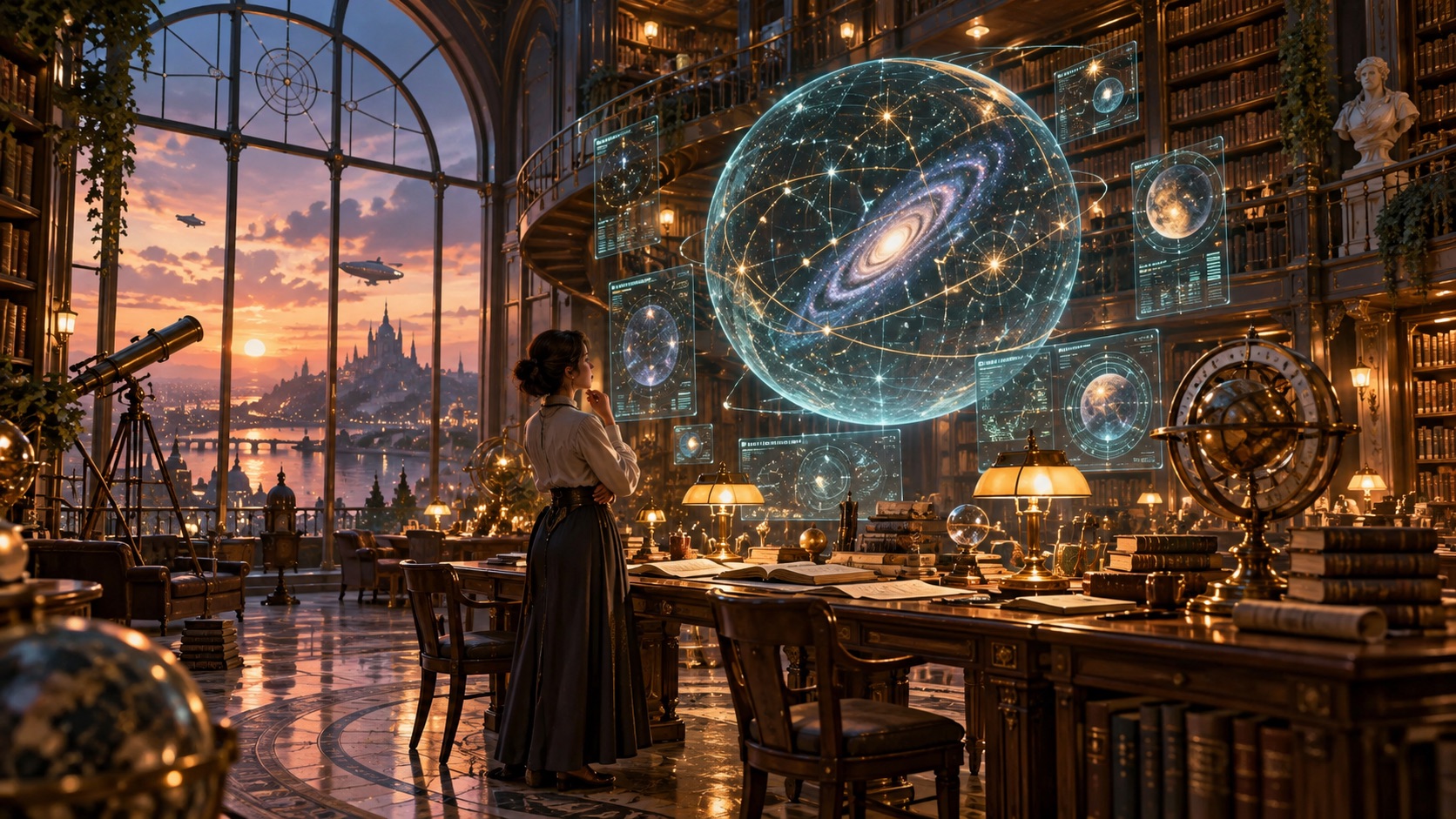
Nano Banana 2.1 Prompts for editing should identify both the requested change and the elements that cannot move. For a studio background edit, preserve the face, hairstyle, expression, crop, and natural skin texture. The Nano Banana 2.1 Prompt Generator can make those boundaries explicit. Use Nano Banana 2.1 Image Editing Prompts for replacing objects, adjusting wardrobe colors, or changing environments without needlessly redesigning the entire scene. Review Nano Banana 2.1 Prompt Examples, then compare your images to see which Nano Banana 2.1 Prompts need stronger constraints. Clear Nano Banana 2.1 Prompts help you give targeted correction instructions rather than starting again with an entirely new concept.
Plan Consistent Characters Across Multiple Scenes
Nano Banana 2.1 Prompts should keep a recurring character recognizable in different settings. Start Nano Banana 2.1 Prompts with stable features: face, hair, clothing, and accessories. Then describe the new action. The Nano Banana 2.1 Prompt Generator helps separate identity details from scene-specific direction. In Nano Banana 2.1 Prompt Examples involving reference images, pay attention to which features are preserved and which can vary. Write Nano Banana 2.1 Photo Prompts that mention the supplied reference explicitly and avoid conflicting appearance instructions. Nano Banana 2.1 Prompts can guide consistency, but check faces, costumes, and proportions in every result before reusing a character.
Where Nano Banana 2.1 Prompts Make a Difference
Nano Banana 2.1 Prompts should use different structures for different image tasks. The Nano Banana 2.1 Prompt Generator helps adapt your description to the task instead of forcing every request into the same formula. A Nano Banana 2.1 Prompt Library can keep useful Nano Banana 2.1 Prompts as a reference when you change subject, setting, or audience. Nano Banana 2.1 Prompt Examples show how to turn an intention into a testable image brief.

Posters, Typography, and Infographics
Nano Banana 2.1 Prompts for posters should specify the headline, supporting copy, focal illustration, and reading order. For infographics, structure Nano Banana 2.1 Prompts around the exact sections, icons, labels, and relationships that must be understandable. The Nano Banana 2.1 Prompt Generator can organize an illustrated bicycle-maintenance guide into labeled steps. Nano Banana 2.1 Text to Image Prompts can include quoted wording, deliberate empty space, and rules against invented labels. Look through Nano Banana 2.1 Prompt Examples for title placement and information hierarchy rather than copying a design blindly. Nano Banana 2.1 Prompts should also state what matters more: readable instructions or decorative atmosphere. Always check spelling, proportions, and factual accuracy before publishing a generated graphic.

Portraits, Editorial Photography, and Natural Scenes
Nano Banana 2.1 Prompts for portraits need believable situations, not more technical terminology. In Nano Banana 2.1 Prompts, describe the subject doing something specific, the expression, environment, camera distance, and source of light. The Nano Banana 2.1 Prompt Generator can describe a violinist rehearsing in a sunlit room. Nano Banana 2.1 Photo Prompts can emphasize natural skin, fabric texture, posture, and background activity without overprocessing the scene. Compare Nano Banana 2.1 Prompt Examples with Best Nano Banana 2.1 Prompts to find reusable lighting language. Keep the character or environment consistent when revising Nano Banana 2.1 Prompts, so you know which instruction made the difference.

Background Replacement and Controlled Photo Edits
Successful Nano Banana 2.1 Prompts for edits respect the original photograph. When replacing an office wall, Nano Banana 2.1 Prompts should preserve the person, shadows, perspective, and crop. The Nano Banana 2.1 Prompt Generator can translate that into preservation-first instructions. Nano Banana 2.1 Image Editing Prompts are also useful for removing distractions, recoloring a garment, or adjusting a scene while keeping the main subject intact. Compare Nano Banana 2.1 Prompt Examples for edits that preserve identity and perspective. Precise Nano Banana 2.1 Prompts limit avoidable changes but cannot ensure perfect preservation in every generated result.

Storyboards, Characters, and Visual Series
Nano Banana 2.1 Prompts for a multi-scene sequence need continuity as well as individual compositions. When drafting Nano Banana 2.1 Prompts, first write a compact character description, then define the setting, action, camera distance, and emotional beat for each frame. The Nano Banana 2.1 Prompt Generator can help separate details that must remain stable from details that should change. A recurring traveler retains the same coat, bag, and face across locations. Nano Banana 2.1 Photo Prompts can describe realistic scene transitions, while Nano Banana 2.1 Prompt Examples show ways to establish visual continuity. Browse Best Nano Banana 2.1 Prompts for reference-based storytelling and reuse the strongest structure with your own characters. Nano Banana 2.1 Prompts are a planning aid; compare all frames before treating the sequence as visually consistent.
How Creators Use Nano Banana 2.1 Prompts
These creator perspectives show how Nano Banana 2.1 Prompts, the Nano Banana 2.1 Prompt Generator, and Nano Banana 2.1 Prompt Examples can support everyday workflows.
For a workshop poster, I begin with the actual title and program details. The Nano Banana 2.1 Prompt Generator helps me turn that into a layout brief. I still proofread the final image, but the first direction is more organized.
For a workshop poster, I begin with the actual title and program details. The Nano Banana 2.1 Prompt Generator helps me turn that into a layout brief. I still proofread the final image, but the first direction is more organized.
I use Nano Banana 2.1 Photo Prompts to define lighting, distance, and expressions before testing a concept. Nano Banana 2.1 Prompt Examples also remind me to describe what the subject is doing, not just how the image should look.
I use Nano Banana 2.1 Photo Prompts to define lighting, distance, and expressions before testing a concept. Nano Banana 2.1 Prompt Examples also remind me to describe what the subject is doing, not just how the image should look.
Character continuity is difficult when every scene changes. I keep the stable details in a Nano Banana 2.1 Prompt Library and adjust the action for each frame. It gives me a clearer checklist when reviewing variations.
Character continuity is difficult when every scene changes. I keep the stable details in a Nano Banana 2.1 Prompt Library and adjust the action for each frame. It gives me a clearer checklist when reviewing variations.
Nano Banana 2.1 Image Editing Prompts are most useful when they spell out preservation rules. I can ask for a background change without forgetting to mention the subject, shadows, perspective, or original crop.
Nano Banana 2.1 Image Editing Prompts are most useful when they spell out preservation rules. I can ask for a background change without forgetting to mention the subject, shadows, perspective, or original crop.




Nano Banana 2.1 Prompts FAQ
Learn how to select Nano Banana 2.1 Prompt Examples and write useful instructions for new images and targeted edits.
Nano Banana 2.1 Prompts are written instructions that describe an image to create or a change to make. A useful prompt names the subject, intended result, relevant visual details, and any elements that must remain unchanged. Compare Nano Banana 2.1 Prompt Examples to see how that information is organized. Keep Nano Banana 2.1 Prompts specific to your intended result.
Describe your image or edit, generate the expanded instructions, review them, and copy the finished text into an image creation workflow. The Nano Banana 2.1 Prompt Generator builds a prompt rather than guaranteeing the final image. Revise Nano Banana 2.1 Prompts after checking the result. Save useful Nano Banana 2.1 Prompts for later edits.
State the subject and setting first, then add composition, lighting, style, and important restrictions. Nano Banana 2.1 Text to Image Prompts for posters should quote the exact words you want displayed. Review Nano Banana 2.1 Prompts for competing instructions.
Describe the specific change and list what to preserve, including identity, pose, framing, lighting, and background elements. Use Nano Banana 2.1 Image Editing Prompts for focused revisions rather than broad redesign requests. Edit Nano Banana 2.1 Prompts when the output changes too much.
Yes. Treat Nano Banana 2.1 Prompt Examples as templates. Replace subjects, settings, and style instructions while retaining useful structure. The Best Nano Banana 2.1 Prompts are the ones that match your particular goal. The Nano Banana 2.1 Prompt Generator can then adapt your revised idea. Adapt Nano Banana 2.1 Prompts one element at a time.
Repeat stable identity details and refer to the same source images when available. Use the Nano Banana 2.1 Prompt Library to keep a shared character description, and inspect every generated frame for changes. Compare Nano Banana 2.1 Prompts across scenes before choosing a final result.
Create Nano Banana 2.1 Prompts for Your Next Image
Explore Best Nano Banana 2.1 Prompts for ideas, compare Nano Banana 2.1 Prompt Examples, or describe your own goal in the Nano Banana 2.1 Prompt Generator. Whether planning a poster, portrait, photo edit, or character-led sequence, use Nano Banana 2.1 Prompts to state the visual goal clearly. Start with Nano Banana 2.1 Prompts that match the exact image you want.